0

HTML website will not refresh

OK, back to frustration again. I thought I had this working and now it is not.

I've created a new presentation and have a VideoOrImages zone that I've set to interactive playlist. I have 3 states. A live text state is my initial state. I've added a timeout event of 10 seconds with the action to transition to a new state. This new state goes to an html page which displays an image. After 10 seconds, a timeout event transitions to another html state showing another website. There is another 10 second timeout which transitions back to the home state (the live text) to create a looping playing.

My problem is with the second html state. It does not seem to be refreshing. I go to the page directly in my PC browser and see the updated content. The brightsign only shows the page content that was first loaded.

The second html state works fine and refreshes everytime.

The only way to get my problematic second html state to refresh is by resetting the brightsign unit. Even replublishing the presentation does not get the html state to refresh.

What is going on?! Thanks.

9 comments

  • 0
    Avatar
    ^UD\_$

    James,


    Can you send a link to your presentation, so we can examine here?

    Also, can you share the links that you are using in your HTML?

  • 0
    Avatar
    James King

    Udi, really appreciate you answering all the posts I've been making.

    The html state is now refreshing, I have no idea why it has started working again. I republished it again after posting on this forum and it seems to be refreshing still.

    But yesterday afternoon I was making changes to the css of the site and none of these changes were being refreshed on the brightsign. I republished several times and the only thing that would make it refresh would be resetting the unit.

    I will keep an eye on it and see if it stalls again and post my project for you to look at.

    The sites I am using point to an internal web server by the way: http://192.168.1.115/mysite/page.html

  • 0
    Avatar
    ^UD\_$

    This could be a result of a corrupt file system on the SD card.

    You could try and reformat the card, or use a fresh card, and republish.


    Because you only allow 10 seconds for the content to appear, sometimes it helps to simply do things a little differently.

    For example you could create a zone dedicated for HTML content, and instead of transitioning into the HTML state, you would hide and show the zone. By doing that, HTML content should appear immediately, without having to wait for it to load, upon transitioning into the HTML state.

    I hope that makes sense.

  • 0
    Avatar
    James King

    Interesting, I did not know you could hide and show zones. How could I do this? Also, can you reformat the card from Brightauthor or the web interface of the Brightsign unit?

    My problem, remember though, is that my images update. So I need to reload the page to see the updated image.

  • 0
    Avatar
    James King

    It's done it again. I will try reformatting the card and a new one if that does not work and report back.

  • 0
    Avatar
    Brandon

    Highly recommend using the method Udi suggested.  This is a simple example that reloads the same site - it holds one copy on-screen and another off-screen.  The off-screen copy is refreshed, then swapped with the one on-screen, so you don't see the refresh.

    Also, since you're not creating and destroying states so often, it should be easier on system resources.

    http://www.brightsignnetwork.com/download/bhiga/HTML-FlipFlop.bpf

  • 0
    Avatar
    James King

    Thanks for the project, that is really helpful, I will give it a try.

    Question though, I replaced the SD card with a brand new one and am going through the setup of the brightsign unit again, but I can't seem to find how I setup the login for the brightsign app? I am logged into the diagnostic web server but don't see any options for enabling the local web server or changing the password.

  • 0
    Avatar
    Lyndon


    In brightauthor, were you create the setup files, in the center column of the setup window, there are options to turn on local server.  or, are you using a series 3 unit and redoing setup that way? 

  • 0
    Avatar
    Don Hollen

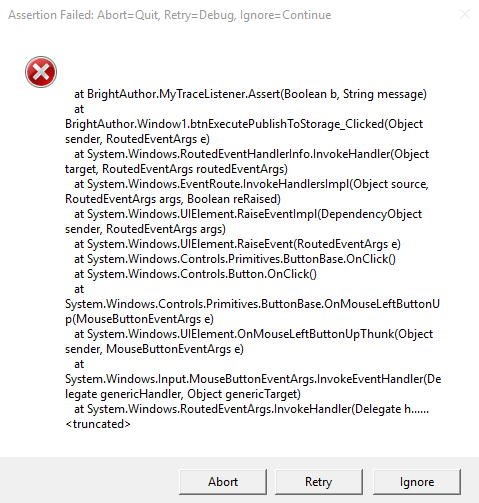
    My first attempt using the flip-flop presentation saved fine, but i got this error when trying to publish:

Please sign in to leave a comment.