0

Hide scroll bar on HTML5 block

Hi,

In BrightAuthor when I add a HTML5 element to a zone it shows a scrollbar which I would like to hide. I read somewhere in the documentation that it can be turned off with BrightScript using EnableScrollbars(false) but how do I add this to my HTML block in BrightAuthor.

Thanks in advance!


5 comments

  • 0
    Avatar
    ^UD\_$

    BrightScript code can be added to a BrightAuthor project, by means of a BrightAuthor plugin. Custom coding a plugin, may be somewhat of a learning curve for some. It is definitely a good skill to acquire, although in this case, hiding scrollbars, could be easier done via css.

    If you own the webpage that you are trying to present, you could edit your css code, and add something like:
     

    ::-webkit-scrollbar {
    display: none;
    }


    If you have no access to the webpage code, you could specify a user stylesheet in the BrightAuthor HTML5 state, as shown below.


  • 0
    Avatar
    MIN12

    Thanks for your response.

    I tried hiding the scrollbar with css, which unfortunatly does not work and the vertical scroll keeps showing up.
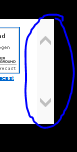
    Even when the box is big enough, which can be seen in the image there is no need to scroll.


  • 0
    Avatar
    ^UD\_$

    CSS solutions can be elusive at times...


    ::-webkit-scrollbar { width: 0px; height: 0px; }


  • 0
    Avatar
    MIN12

    Thanks again. I tried your solution but unfortunatly it didn't work.

    I messed around a bit with different style options and found that this bit of css did the trick for me.


    * {
    overflow-y: hidden;
    overflow-x: hidden;
    }


    Thanks again for your help!

  • 0
    Avatar
    ^UD\_$

    Good job!

    Lesson learned: There is a CSS way, if there is the will :)

    Thanks for sharing.

Please sign in to leave a comment.