0

If Statement for when Live Text is blank.

We are a golf course, I have a monitor we use for displaying our current rates, Using the Live Text feature I created slide using an rss feed that displays our current course golf cart restrictions.

When we have no restrictions the slide is blank, is there a way to make the slide jump to the next if the live text is blank?

Thanks

James


10 comments

  • 0
    Avatar
    Bright Scripters

    We could use some information, in order to assist.

    Could you provide a link to your bpf file, so we can get a closer look?

  • 0
    Avatar
    James Durr

    Here is a link to the bpf file: https://1drv.ms/u/s!AlpaLj_iXI0d8U1I6RCf_6wRf9ot 

    I was trying to research the dynamic playlist and was wondering if this would work too. If I could have a way to post an rss or xml that told the brightsign what slides to show. That way I could tell it to include the "Cart Path Only" slide or not.

    I am open to ideas and suggestions.

    Thanks

    James


  • 0
    Avatar
    Bright Scripters

    Thanks for sharing your project file.

    One way of implementing a conditional execution, is to use Conditional Targets, in the timer event that connects to the live text state.

    There would be a User Variable that indicate whether the feed is empty or not.

    If the feed is empty, the presentation would transition to the first slide, skipping the live text.

    The User Variable would change its value, by means of a custom feed parser.

    http://docs.brightsign.biz/display/DOC/BrightAuthor+Plugins+and+Parsers

  • 0
    Avatar
    Bright Scripters

    Do you need further assistance?

  • 0
    Avatar
    Walter Griner

    I have similar question.

    I need to show a slide ONLY if comments in an xml file (Data Feed) is not empty - this is generated automatically from SQL Server.

    If there's no comments to show, I need to skip that slide.

    I understand the conditional target solution, but I'm having a hard time setting a variable to be used in the condition.

    One condition would be "if variable is empty" and the other one "if variable is NOT empty".

    I tried with this XML file:

    <root>
    <title>ac</title>
    <description>123comment</description>
    </root>

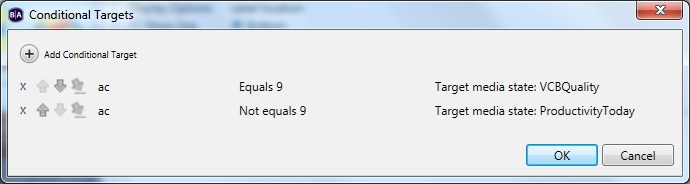
    When variable "ac" = 9, go to slide VCBQuality, when variable "ac" <> 9, go to slide ProductivityToday.

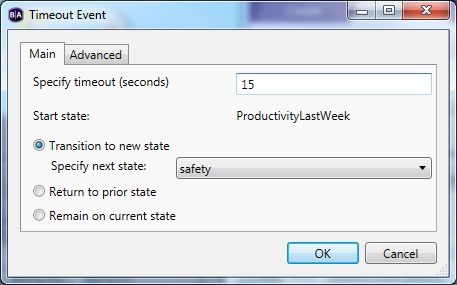
    But what happens is that it goes to slide Safety, which was the original timeout event.

    I appreciate any help.

    Thanks,

  • 0
    Avatar
    Bright Scripters


    Can you show how you define ac?

    Can you share a download link to your BrightAuthor file? Would be easier to help that way.

  • 0
    Avatar
    Walter Griner

    My presentation file is stored locally. Can't upload it.

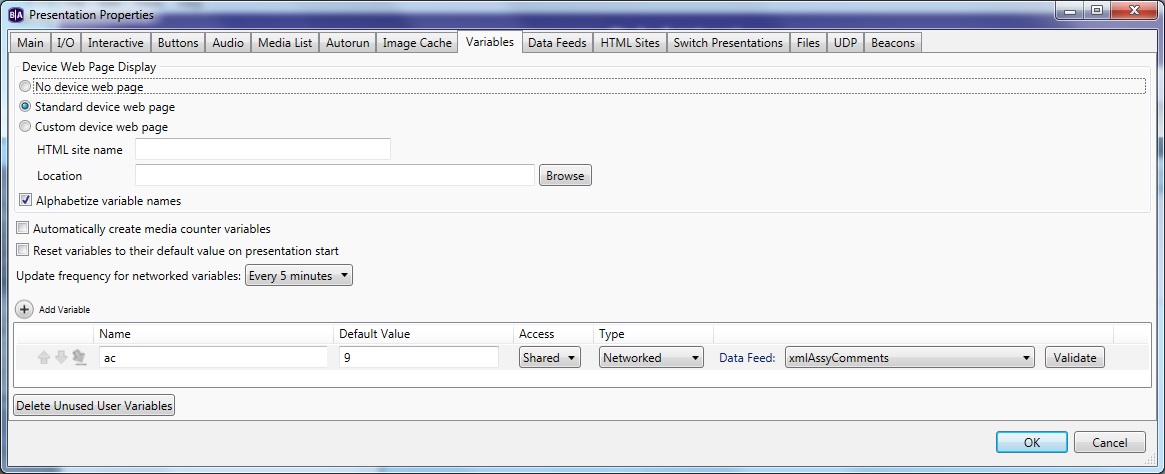
    This is the variables screen:

  • 0
    Avatar
    Bright Scripters

    Great, that is what I needed to see.

    Can you try with numbers only?

    9,1,0, etc...

    When you use "123comment", the variable would be treated as a string and not as a number.

  • 0
    Avatar
    Walter Griner

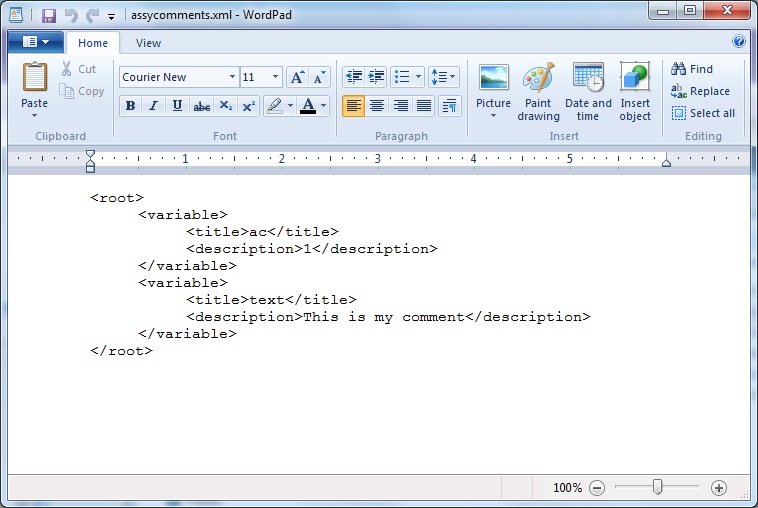
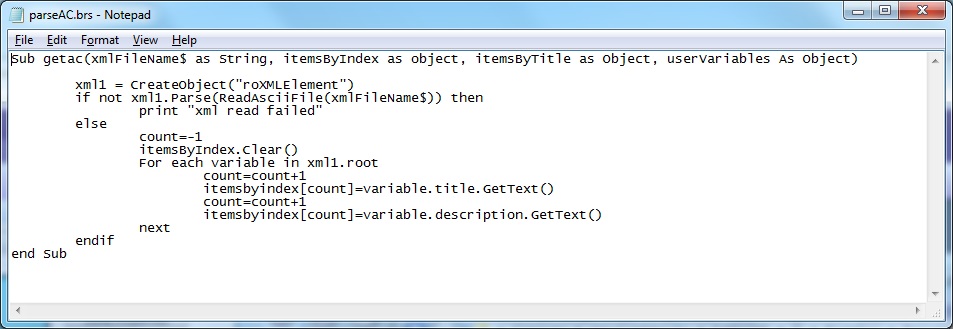
    Here the steps: first I changed the XML file to read like this:

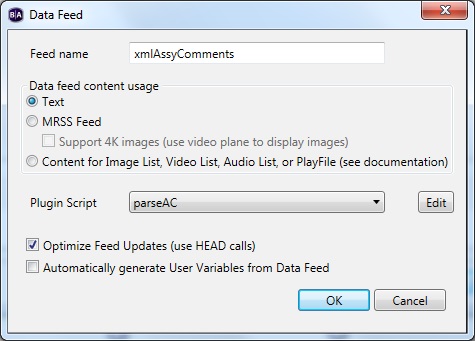
    Then, created the parser and linked to the Data Feed:

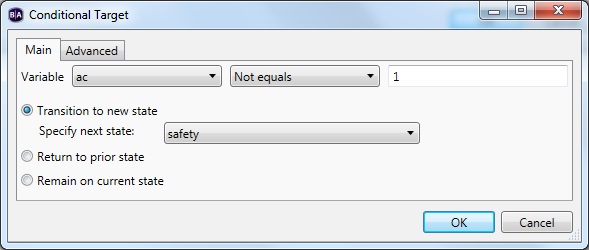
    Changed the conditional target, so if variable "ac" is 1, that means it should show the comments (go to screen AssyComment), but if not equal to 1, skip it and go to Safety screen.
    Now, when I validate the Data Feed, it's fine. When I validate in Live Text screen AssyComment, it is fine.

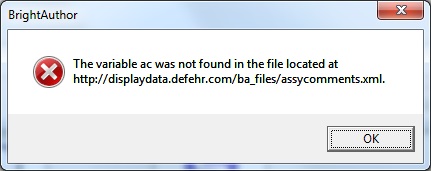
    But when I validate the variable, I get this error message, so is it possible that the variable is not being read properly?

    Thanks,


  • 0
    Avatar
    Bright Scripters

    If you’d like to chat please email info@brightscripters.com

Please sign in to leave a comment.