
Is there a simple way to change a presentation to a different player?
E.g. Presentation set up for XD232 and now publishing to XD1032 with touchscreen - but the touch event button is greyed out
Is there a simple way to change a presentation to a different player?
E.g. Presentation set up for XD232 and now publishing to XD1032 with touchscreen - but the touch event button is greyed out

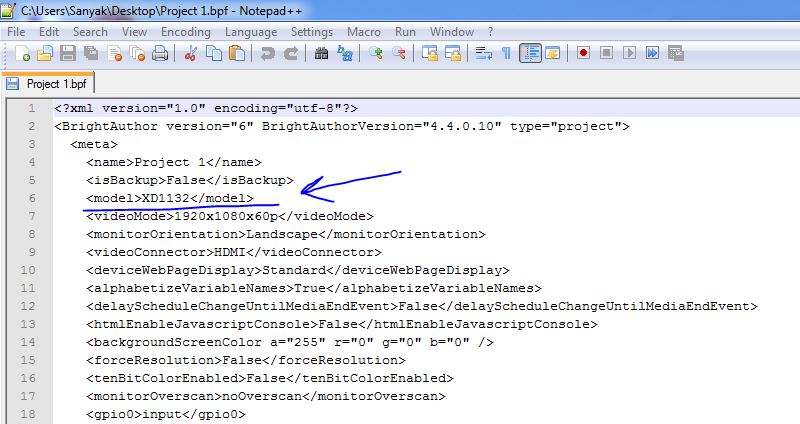
Yes, you can open a presentation file (.bpf file) in Notepad > change the BrightSign model (line 6) from XD232 to XD1032 > save the file > open presentation in BrightAuthor.
Can't find what you're looking for?
Contact support