0

Implementing Global Menu

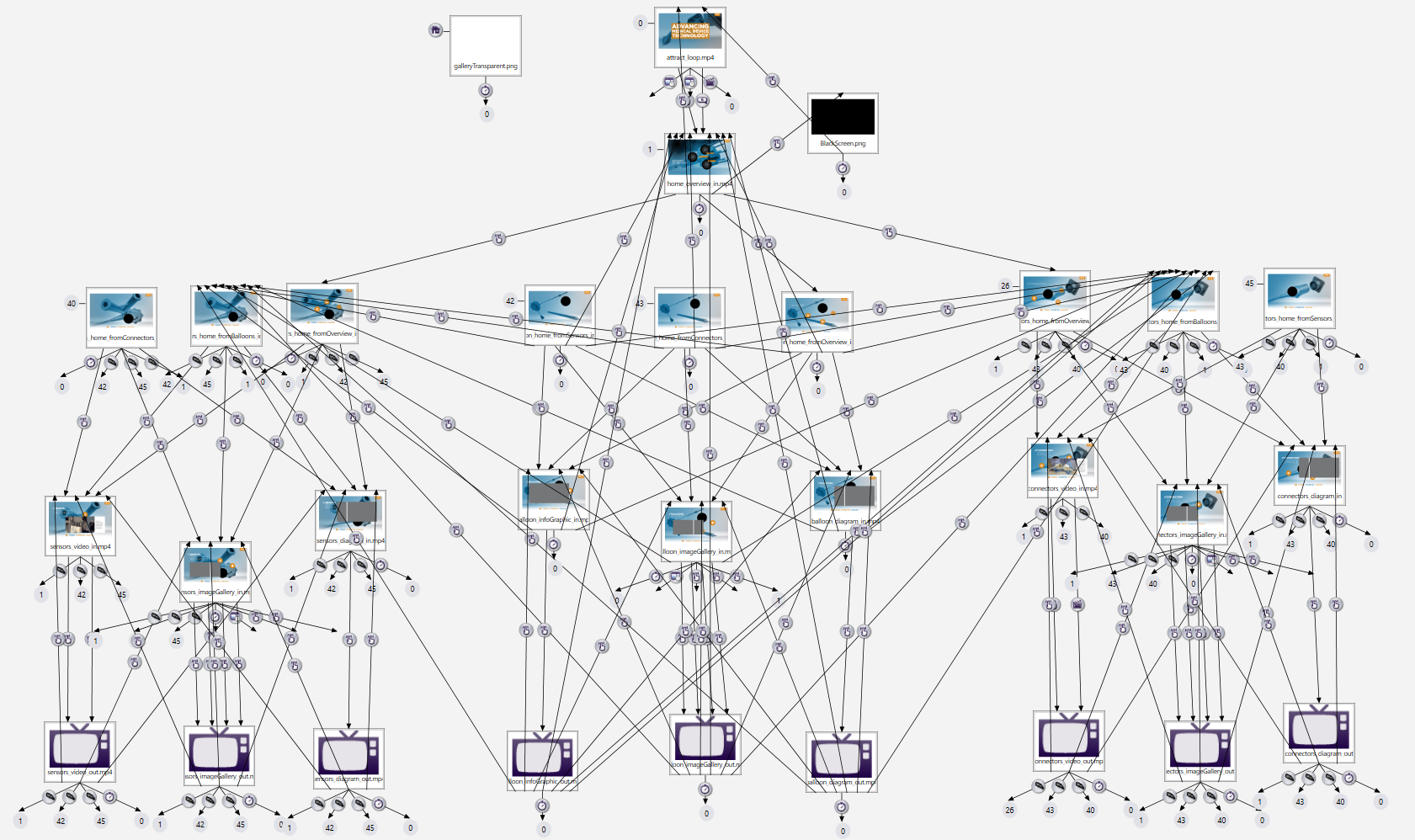
I was working on a BrightSign presentation for which it was desired that there be a global menu on almost every screen to navigate to the beginning of one of the major areas or the home screen of the presentation. As one might imagine makes for a rather complex series of nodes and arcs in BrightAuthor. A screen shot of Bright Author for this presentation is below. 


While this works it as one can see below this looks complex. I was wondering if there is any way to simplify something like this, such as having one layer instructing another layer to make a direct jump to a state (in which case the menu layer would just have four buttons to invoke the state change).  If there isn't a way of simplifying this that's fine. I just needed to make sure that I wasn't missing out on a way of simplifying. 
 

1 comment

  • 0
    Avatar
    ^UD\_$

    Although it is hard to give advice without knowing the exact requirements, I would look for a way to make it more manageable.

    Getting back to this presentation a year from now, in order to make a change, can be challenging...


    Here is what I'd look into.

    Put your menu in its own zone, so it floats over your content.

    If you need to remove the menu, use the new BrightAuthor commands that shows or hide a zone. (under Other)

    Generally speaking, you should separate your content, from interactive user interface.

    Also, I found that using Video Play File state, along with UDP commands, sent from the player to itself, crates order and add manageability.


    Without going into the details, if you find yourself duplicating parts of your programming, then there is probably a better way to implement your programming.

    Feel free to share more details of the requirements.

Please sign in to leave a comment.