1

AU335 Individual Asset Volume Control

Can the AU335 set volume individually for each asset that is being played?

I have a simple BrightAuthor:Connected audio presentation, set for the AU335. An Event Handler waits for GPIO buttons to be pressed to choose the language the audio file will be played back in. One of the language files is louder than the others, so I'd like to be able to lower it, but I can only find volume settings for the entire zone. Where should I be looking to find the volume settings for each individual file?

Thanks for your help, I'm rather new to programming BrightSigns.
3 comments

  • 0
    Avatar
    Thomas Lewin

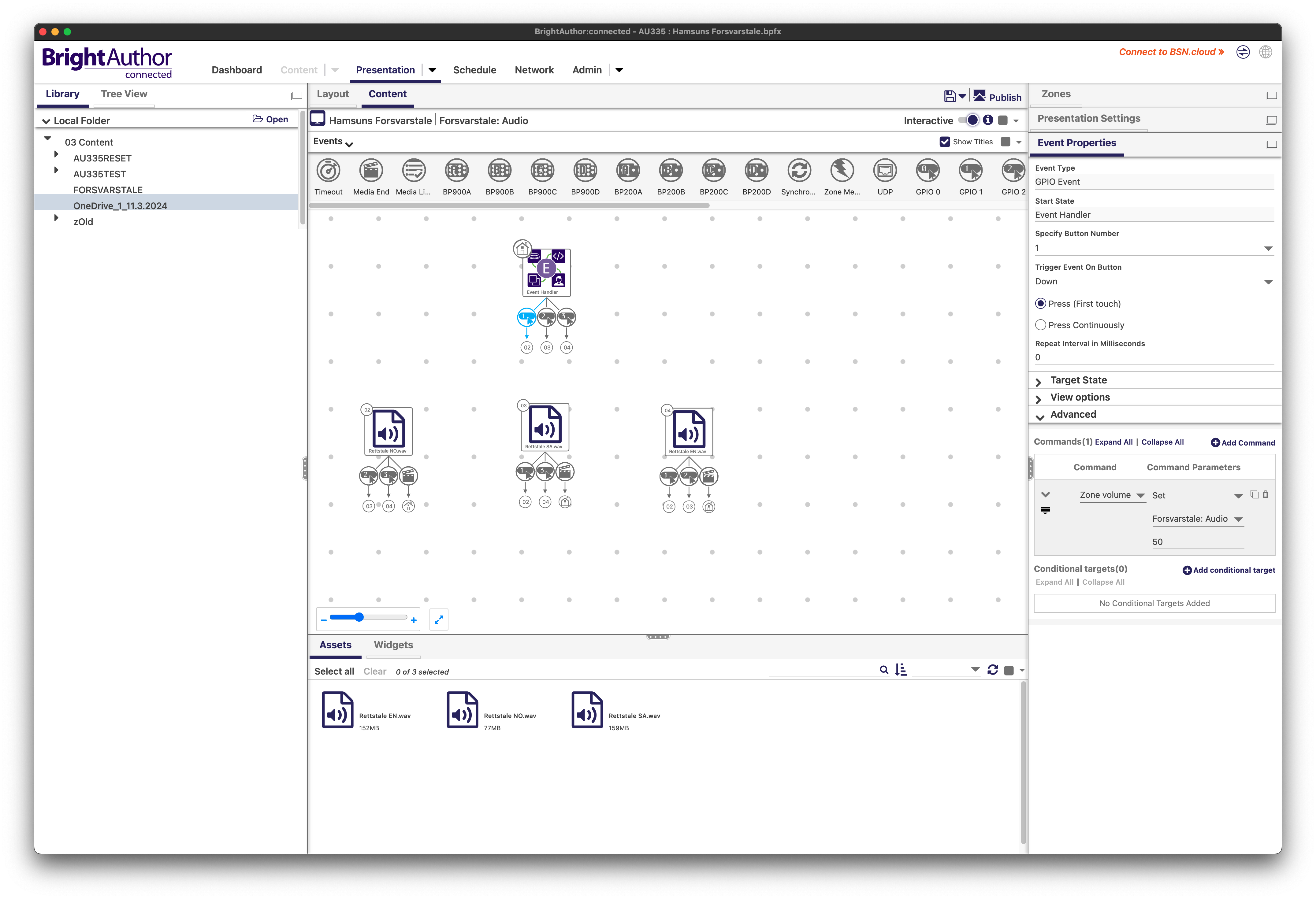
    I think I figured out a workaround, but I'm sure there's a better (and simpler) way to do it. On each GPIO event I added a Command under Advanced. Then I set the Command to Zone volume, and Command Parameter to Set. 

    This way, though, I had to go into each GPIO event and add the Command. And I've got quite a number of GPIO events. Is there a cleaner way to do it? I only have three buttons activating assets in this instance, but I can imagine this would get messy to program if I'd had more. 

    In the screenshot attached I've got it set up so that if a button for one of the other files is pressed, it will interrupt the currently playing file and instead play the selected one. Is there a better way to handle that than what I've done?

  • 0
    Avatar
    jonjar

    I had a similar scenario in an exhibition installation. I think I did it this way if I remember correctly:

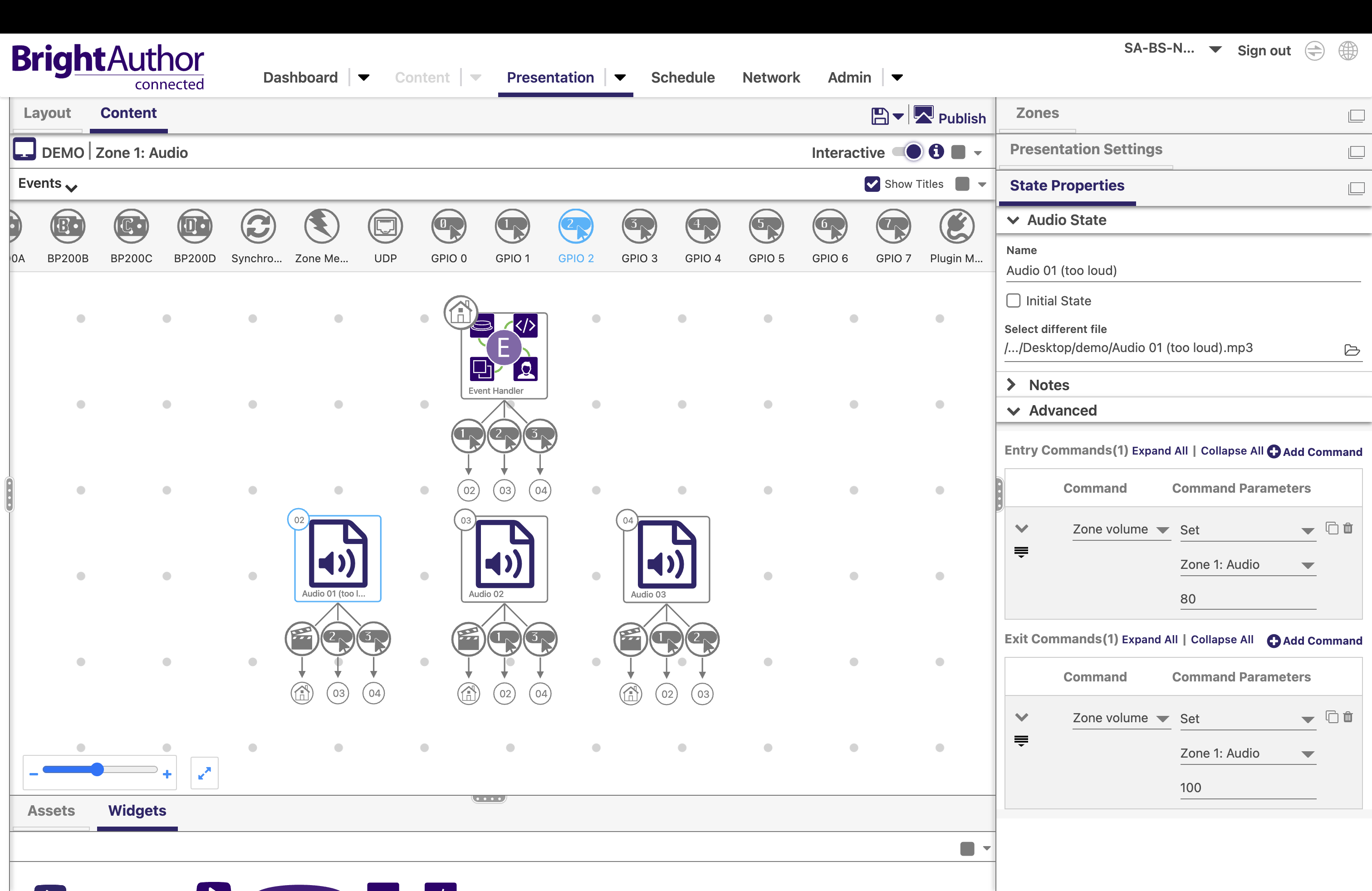
    Just add "zone volume" commands to the entry and exit commands on the audio file that is too loud.

    Or only an entry command with "zone volume" on every audio file if they all need to be adjusted.

    Should save some time :)

  • 0
    Avatar
    Thomas Lewin

    Wonderful, I'll try this out for the volume control. Thank you!


    Do you know if there's a smarter way I could have programmed the buttons to interrupt a currently-playing audio track than the spider-web I've set up here?

Please sign in to leave a comment.