0

BA Connected Audio Fade out and transition to different audio file

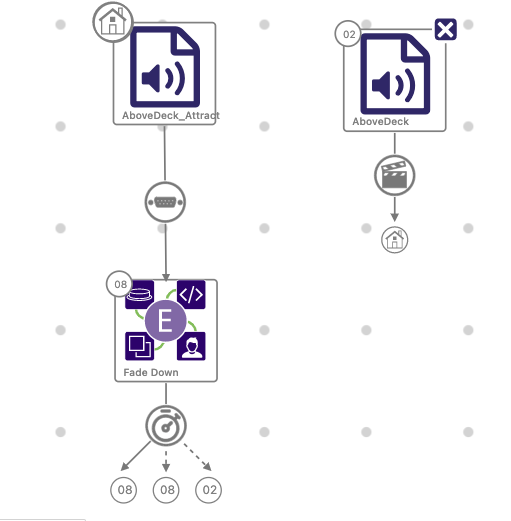
Hello, I am trying to use a serial sensor input to trigger a fade out of a looping audio file. Then once that file is faded out, auto-play a second audio file at full volume. 

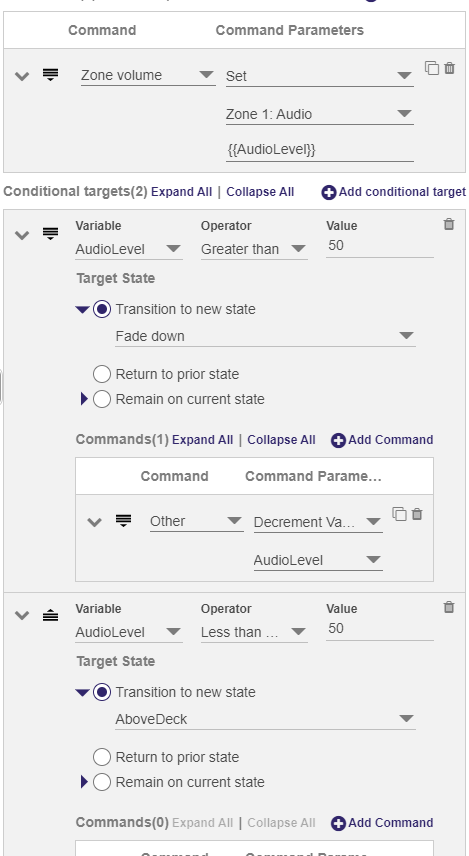
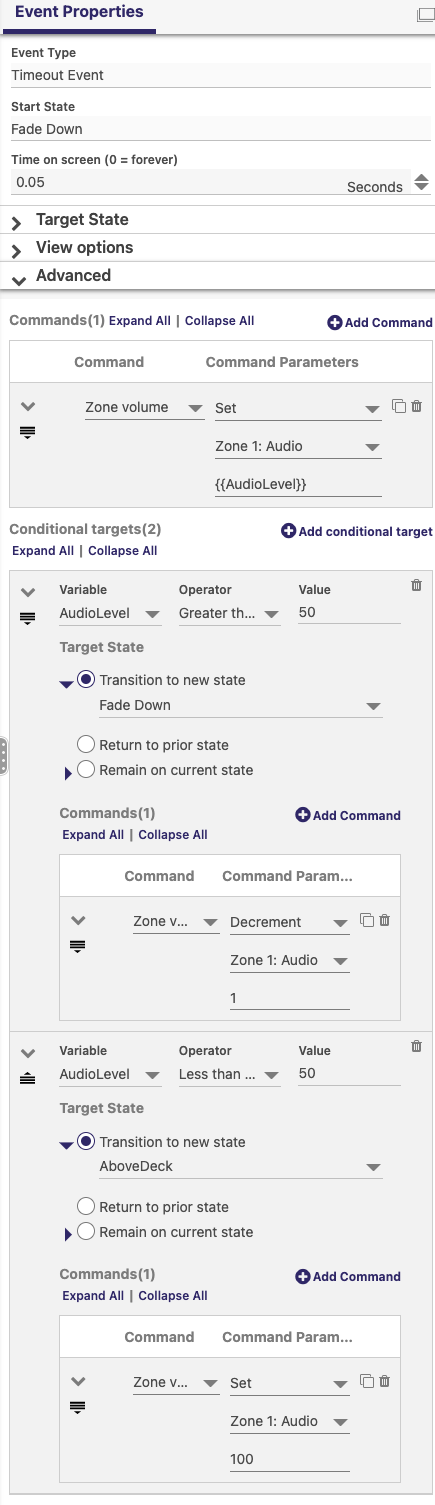
I set up an event handler with timeout that incrementally drops the audio down if it's greater than 30. It has an additional command to transition to the next audio file once the audio level is at or below 30. 

Thea audio is fading out but I cannot get it to transition to the second audio file. And again, this is in BA Connected 1.32.0. 

Link to brightauthor file for reference.

And here are a few screenshots:
Thanks!

2 comments

  • 0
    Avatar
    Jeppe Lawaetz

    Great solution to solve a fade down. Did you solve the transition as well?

  • 0
    Avatar
    Sean McKinty

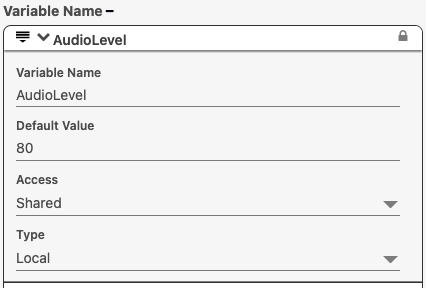
    It doesn't look like you're changing the value of the AudioLevel variable in your loop so it'll be staying at 80 and never triggering the 'Less than 50' command - the audio ramping is working because the Audio Zone volume is being directly decremented in the 'AudioLevel Greater than 50' command, if you change this to decrement the AudioLevel variable instead it should work. Each loop should then set the Zone volume to AudioLevel then reduce AudioLevel by 1 while it's still > 50, once it's < 50 is should transition.


Please sign in to leave a comment.