0

HTML5 Publishing Issues

I am currently using BrightAuthor 4.7.  I have published a very simple, very basic HTML5 page, displaying on a TV screen.  When I preview my presentation on my computer monitor, everything looks fine.  On the published TV however, there is a white strip at the very bottom of the screen (about 2 1/2" tall on the 65" TV) that I cannot get rid of.  I am not using any CSS or anything fancy for the presentation...just a very simple html.  Anybody have any ideas...Google doesn't seem to have any answers that I can find.

Thank you for any help anyone can provide.

Matt

5 comments

  • 0
    Avatar
    David

    I just saw this message. I do have experience in programming web pages but fairly new to brightsign. Could you post the code so I can take a look?

  • 0
    Avatar
    Matthew Kennene

    Hello David,

    Here is the HTML code...just a very simple redirect.  I have even tried linking directly to the report webpage, bypassing my HTML all together...no luck.  It is a very strange behavior that I can't seem to find an answer for.  On my computer monitors everything is fine...it is just on the TV where this "white line" shows up.

    <!DOCTYPE html>
    <html>
    <head>
    <meta http-equiv="refresh" content="0; URL='http://reportserver/Reports/report/Health/Neighborhoods/NB1_1?rs:Command=Render&rs:ClearSession=true&rc:Toolbar=false&rc:Stylesheet=MyStyleSheet'" />
    </head>
    <body></body>
    </html>

    Thanks,

    Matt

  • 0
    Avatar
    David

    So on your computer, it looks correct? What is the resolution of the html zone on the bright sign player or the resolution of the entire screen?
    is your content landscape or portrait. 

    Your desktop is probably a high resolution than the brightsign screen.
    stretch/shrink your browser window on your computer to see if you can recreate the error.

    I'm wondering if its a CSS responsive issue.

  • 0
    Avatar
    Brandon

    It's quite possible the player isn't loading the redirected site at all because it can't resolve the server name. Try using they FQDN or IP address, and check the player's system log and JavaScript console.

  • 0
    Avatar
    Matthew Kennene

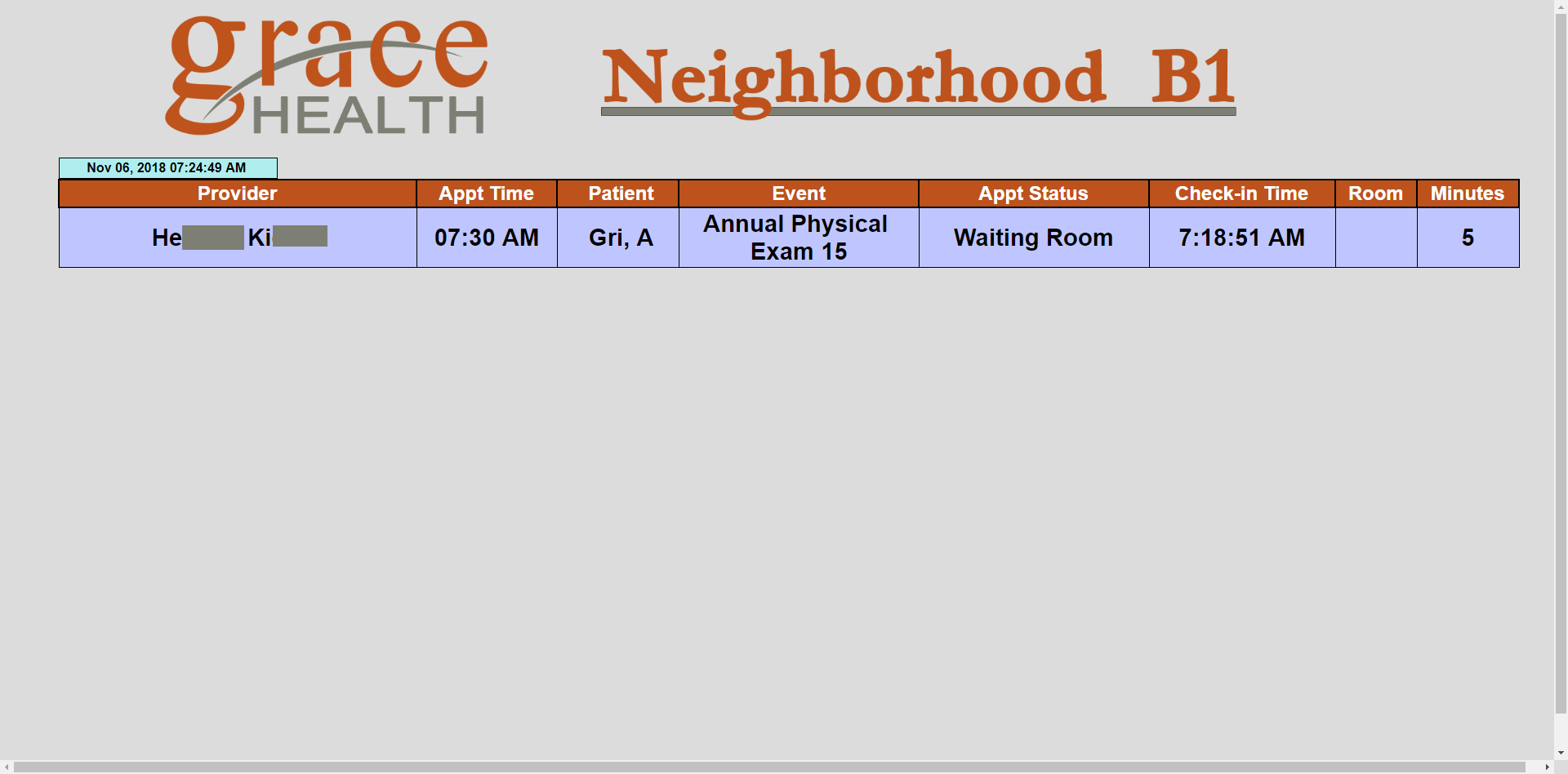
    Here is what it looks like on my computer screen (preview mode):

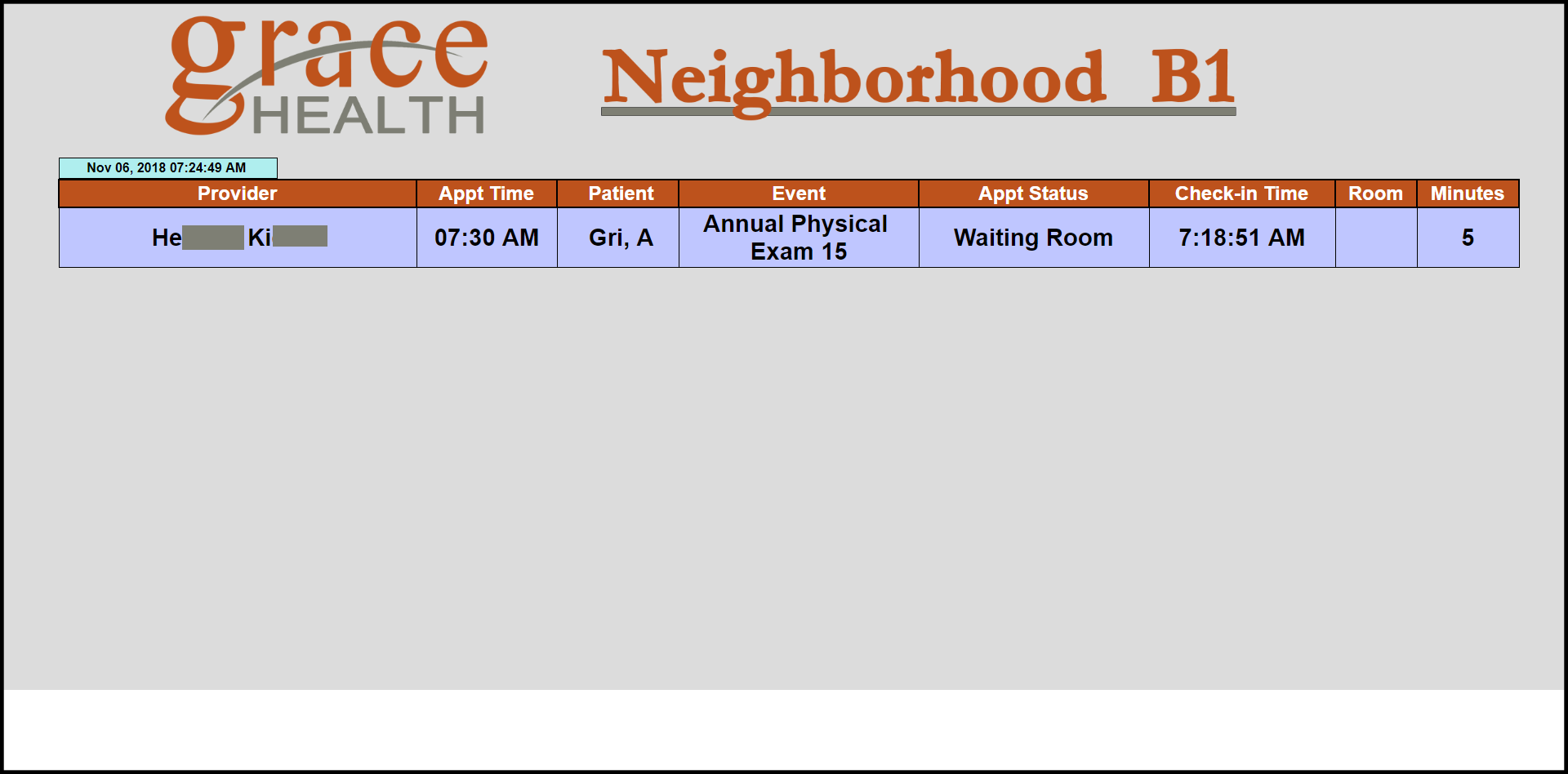
    and here is what it looks like on the 65" TV monitor (I am using an HD223 BrightSign unit - HTML5 output):


    I have tried using my own HTML with a meta redirect and a direct URL...both methods have the same results above.  On my report URL (I am using SSRS) I am even using my own CSS with the background color set to the same gray as my report color.  I am really at a loss as to how I can fix this.

    Thanks,

    Matt

Please sign in to leave a comment.