0

How to delete files on left side of the screen

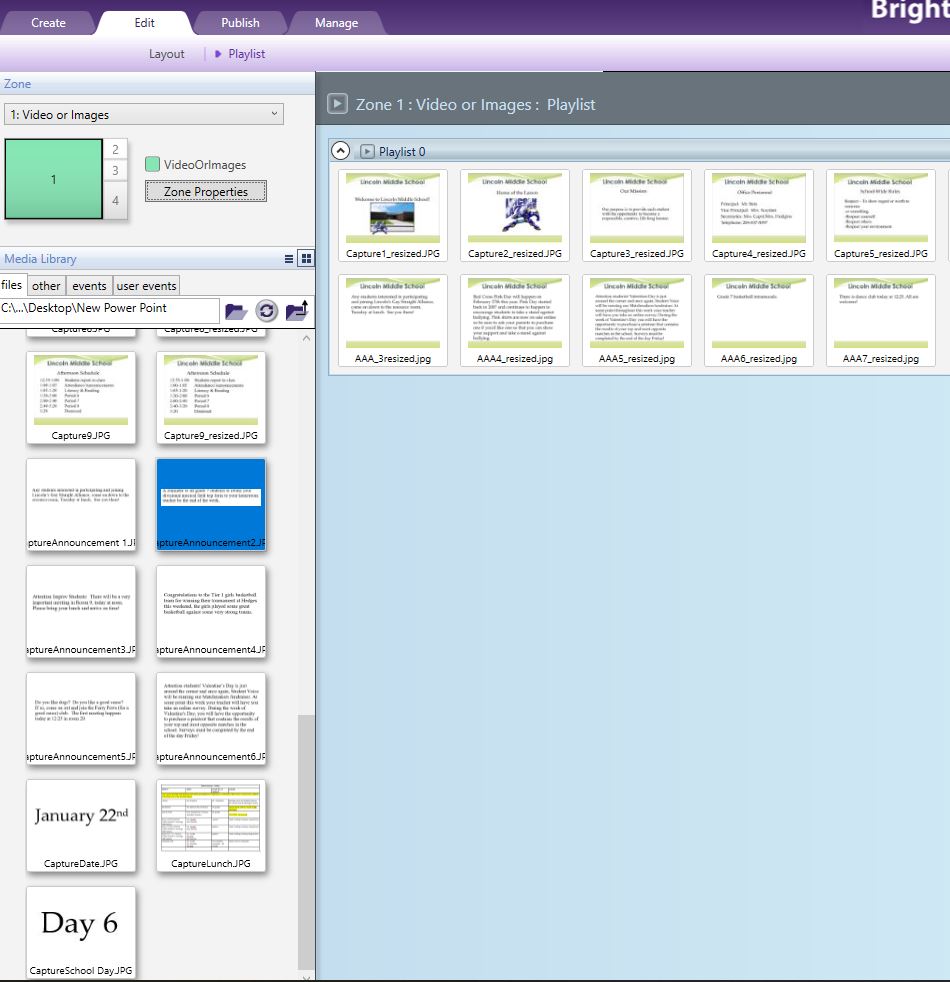
How do I get rid of jpgs on the left side of the screen? The screen is updated daily and I can remove the jpgs in my zone 1, but I can't delete them on the left side. I'm using Bright Author as a replacement to powerpoint on my school tv.  Here is a screen shot:
1 comment

  • 0
    Avatar
    JRB Technical

    The files on the left side are just showing the contents of the folder "New Power Point" on your Desktop (in your case). If you want to delete any of those files, you need to delete them in the "New Power Point" folder. After you delete them, you may need to refresh the side view (the circle icon with the two arrows chasing each other).

Please sign in to leave a comment.