
I followed along with this video but got stuck with the On Demand state not playing videos according to keys retrieved from UDP commands: https://vimeo.com/555971192?fl=pl&fe=cm
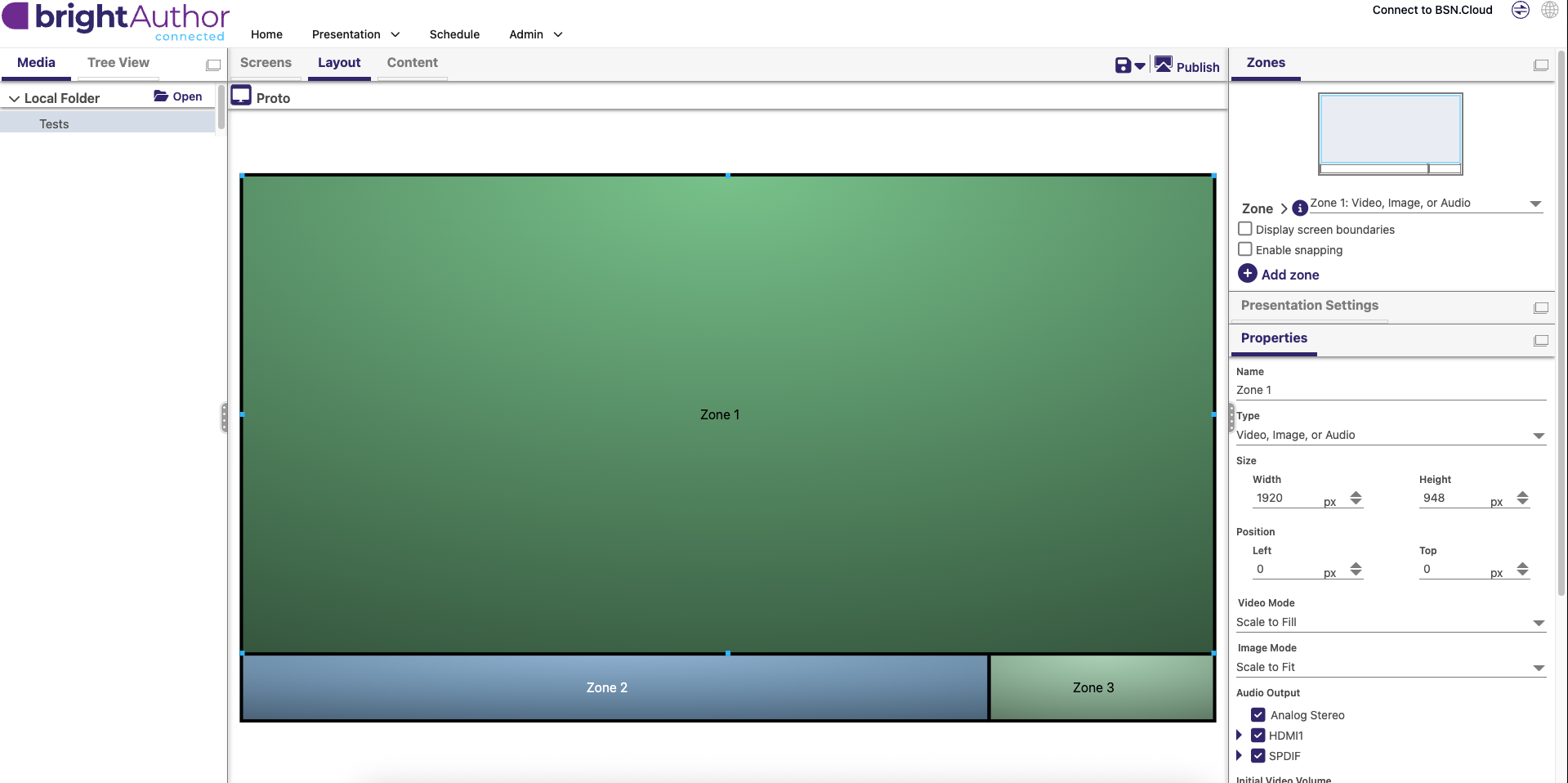
Here's my current zone layout. Zone 1 should be playing videos from the On Demand list.
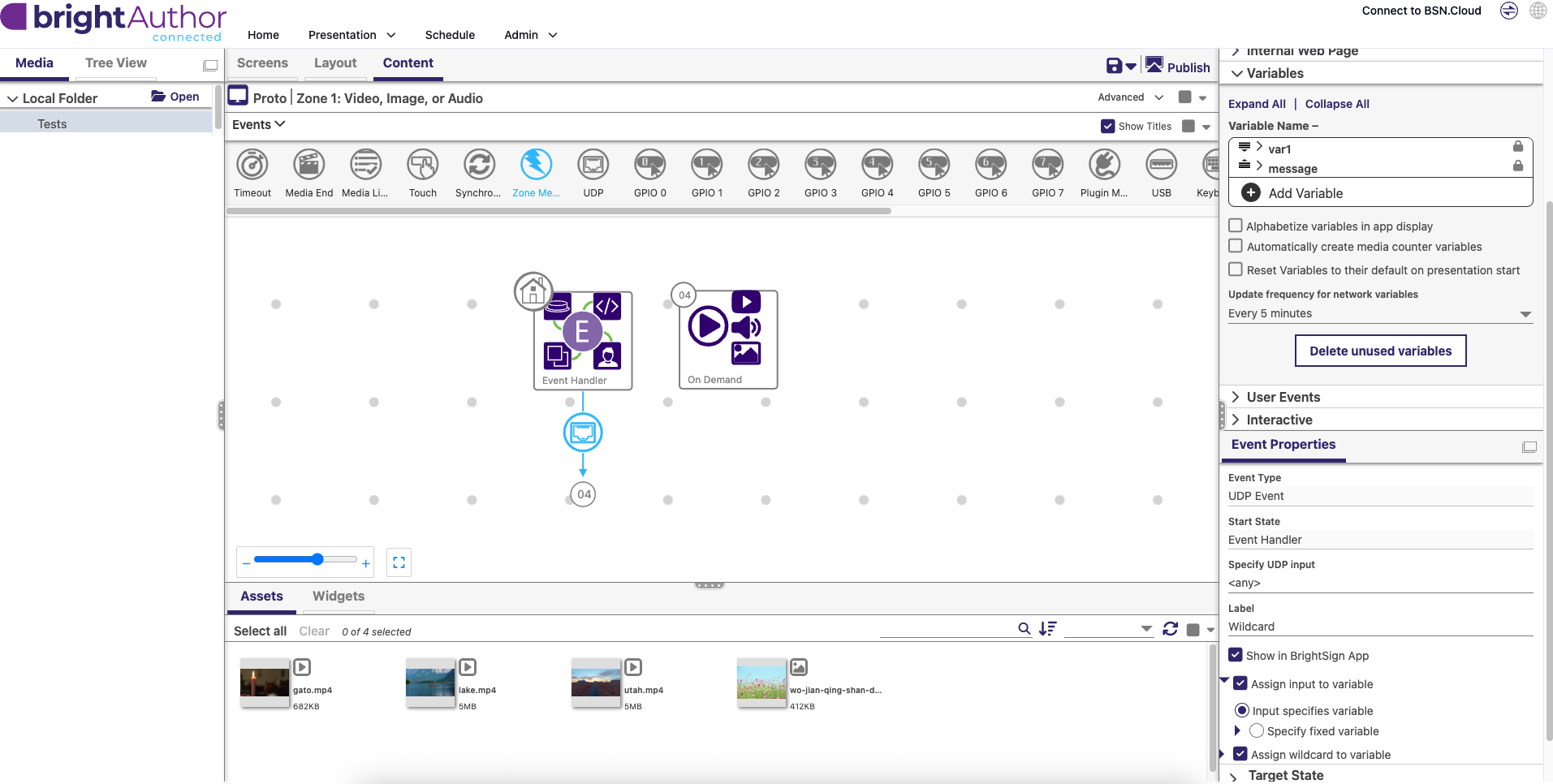
The following screenshot shows my UDP event properties along with the Variables of the presentation:
This next screenshot shows the On Demand state and how it contains the 3 videos I want to play. It also shows that the "Use a variable to specify the key" checkbox is checked with the variable being var1. 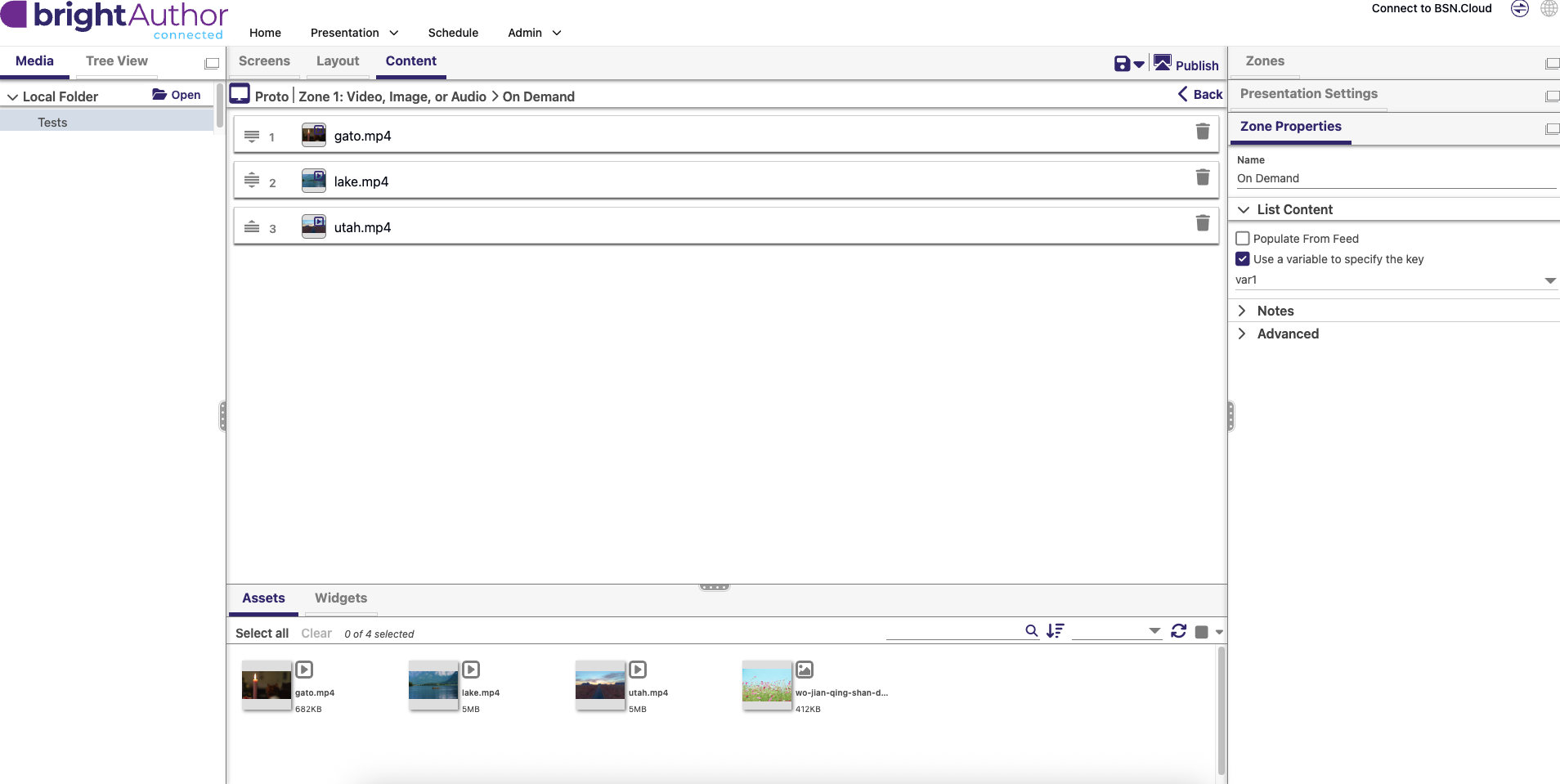
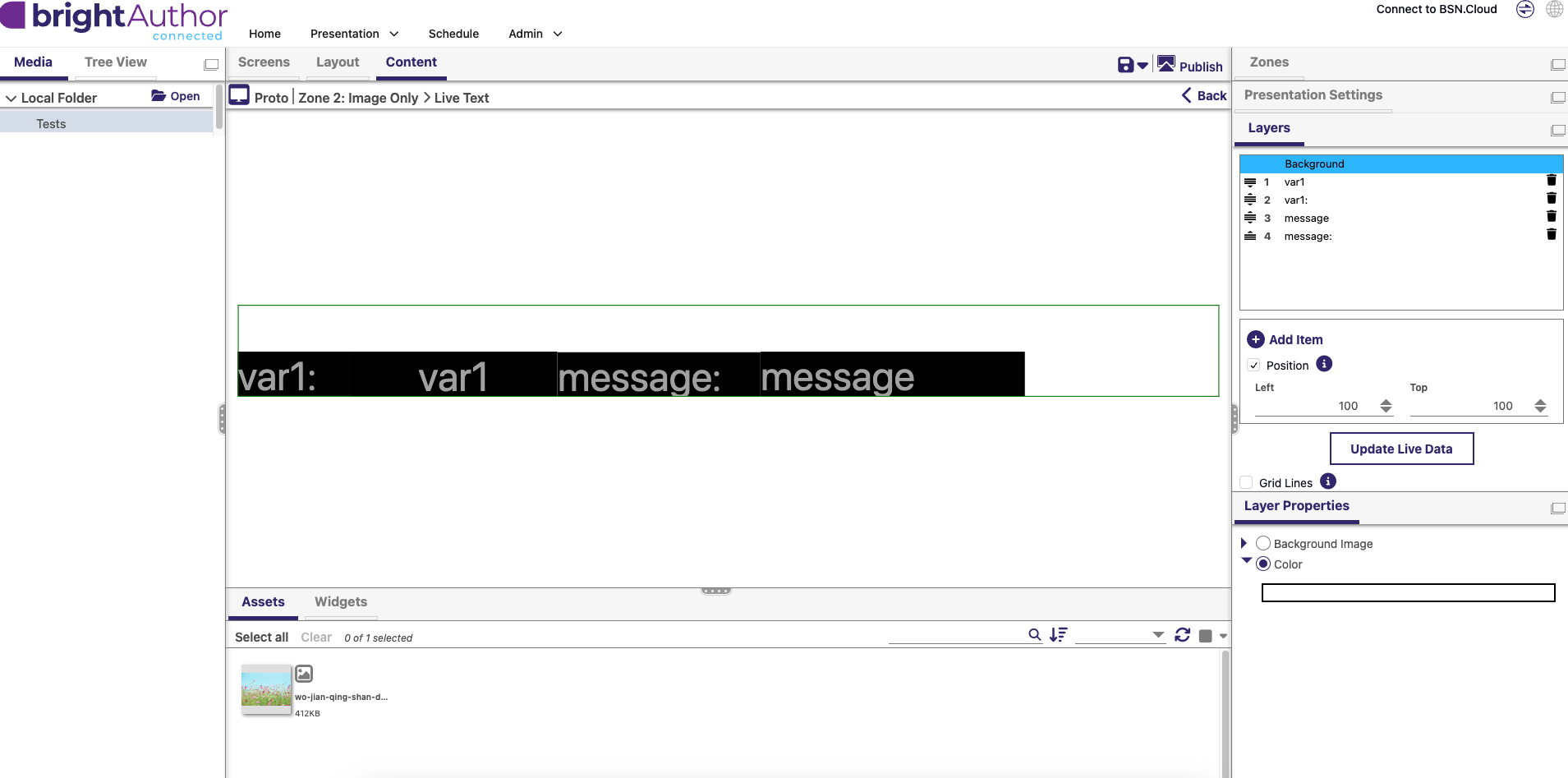
Zone 2 simply serves as a zone to display live text of the user variable var1 and what is being read as incoming UDP packets come in (similar to what the video shows). Here's a screenshot of it:
Zone 3 simply displays one of the videos on a loop to ensure the video files themselves can be correctly displayed.
My issue comes when I publish the presentation onto a microSD card and boot up the BrightSign. The text in Zone 2 correctly shows that UDP packets are being read (text for "var1: " and "message: " labels update as UDP packets are sent) but no video plays on Zone 1. I'm not sure where I went wrong, shouldn't the videos in the OnDemand list be playing as packets are being sent in?
