0

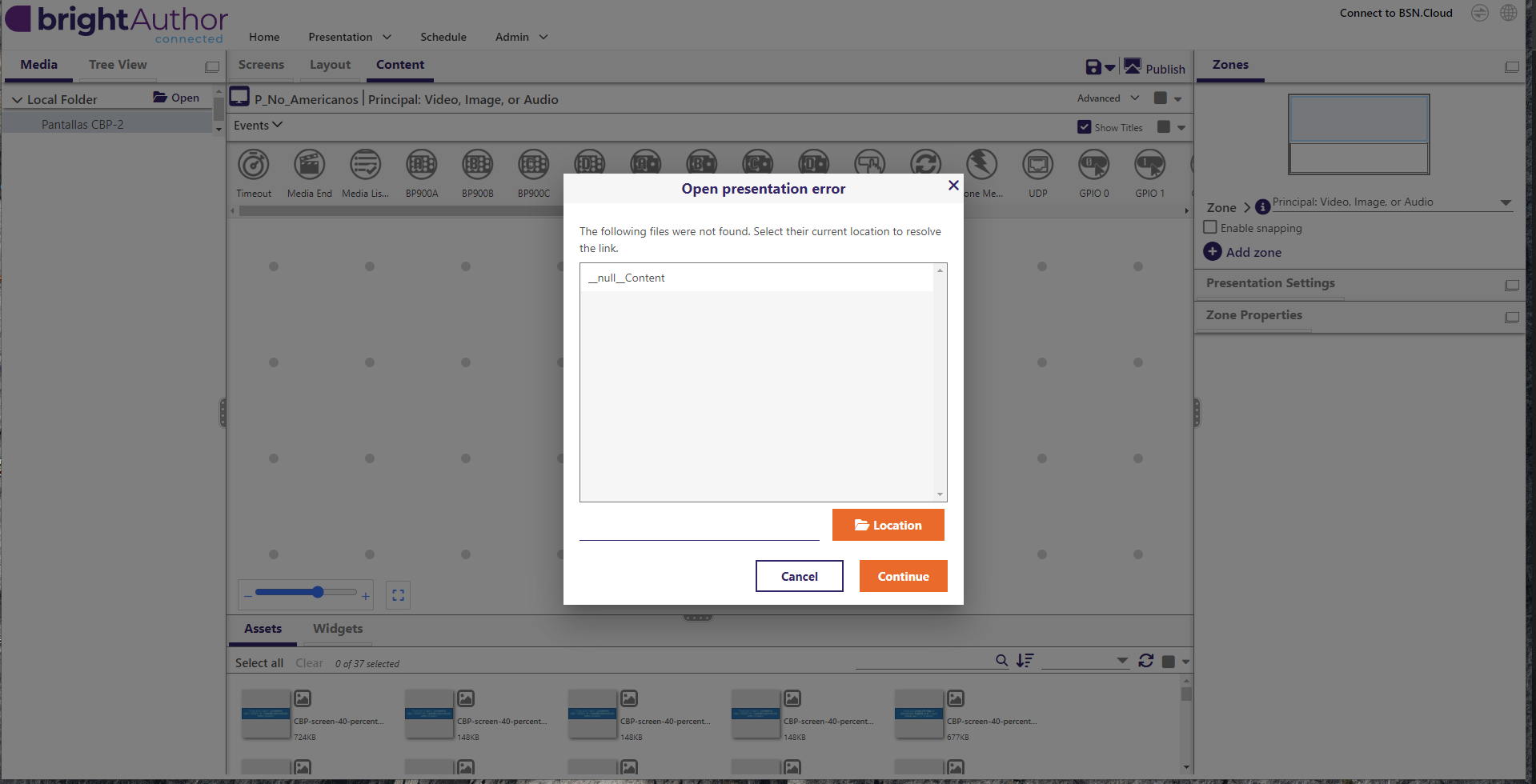
Open presentation error – "__null_Content" file not found

Hello BrightSign Support Team,

I am experiencing an issue when opening a presentation in BrightAuthor Connected.

An error appears stating:

Open presentation error
The following files were not found:
__null_Content

The problem is that I am not using any content with that name in my project.

Additional details:

  • I am working with Super States.

  • I have reorganized and moved multiple elements within the presentation.

  • The error continues to appear even after cleaning up content and verifying all media.

  • I am using Switch Presentations, so creating a brand-new presentation is not a viable option in this case.

  • The project opens but keeps asking to resolve this missing file.

It seems like there may be an internal reference or broken link (possibly inside a Super State or transition) that is no longer visible in the UI.

Could you please help me identify where this __null_Content reference might be stored and how to safely remove it?

Thank you in advance.

Best regards,
 

1 comment

  • 0
    Avatar
    kreep

    Hello,


    I’m encountering an issue when opening a presentation in BrightAuthor Connected, where an error message appears stating that a file named “__null_Content” cannot be found. The challenge is that no such file exists in my project. I am currently working with Super States and have recently reorganized and moved several elements within the presentation. Despite thoroughly reviewing and cleaning up all media and content, the error persists. Although the presentation still opens, it repeatedly prompts me to resolve this missing file. Since I am using Switch Presentations, creating a new project is not a practical solution. It appears there may be a hidden or broken internal reference—possibly within a Super State or a transition—that is no longer visible in the interface. I would appreciate your guidance on how to locate and safely remove this “__null_Content” reference. Thank you for your support.


    Best Regardss


    zelisproviders com

Please sign in to leave a comment.