
I'm trying to establish a connection between the two projects.
The first is an interactive program with tones of interactive touch events.
The second one displays ads (video at the bottom of the screen) and the stream of the conference room (at the top).
Each of them is working properly, when operating separately.
The problem comes when I try to establish a touch event to switch between them.
What I've done so far:
1. In both projects have set links (File -> Properties Presentation -> Presentation swith) to another project
2. I added a "rectangular touch"
3. I set the size and position of the touch zone
4. In the "Add a Touch Event" chosen "advanced -> add command -> other -> switch presentation and chose the right project
5. I did the same with 2nd project
How it looks (pic1)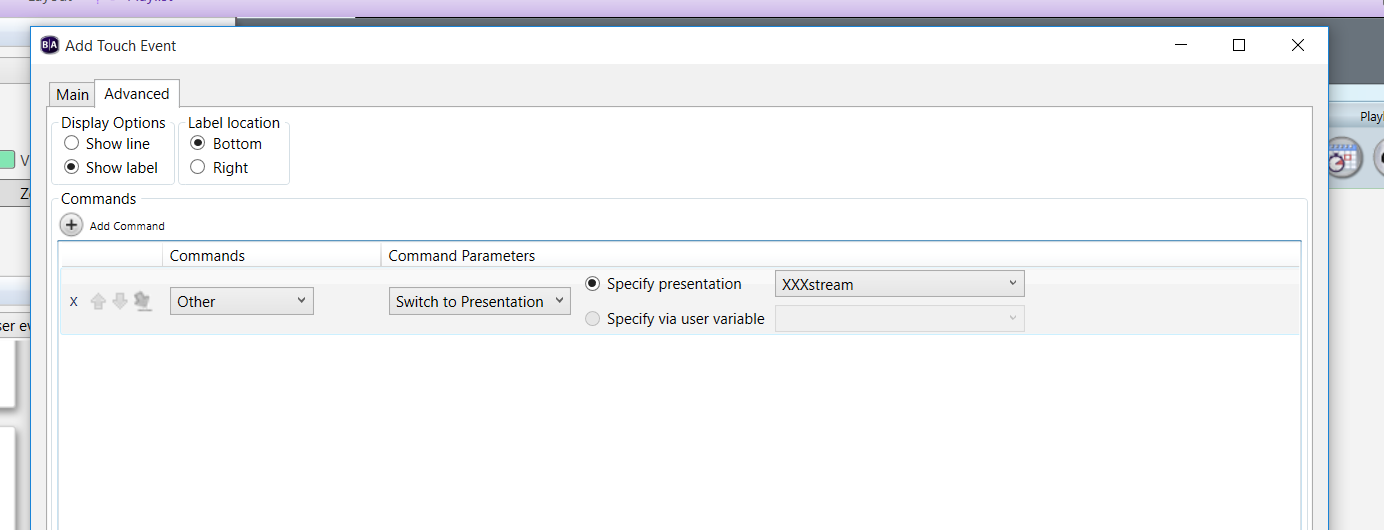
But, in the main tab still appears "transition to new state" in the current project (pic2)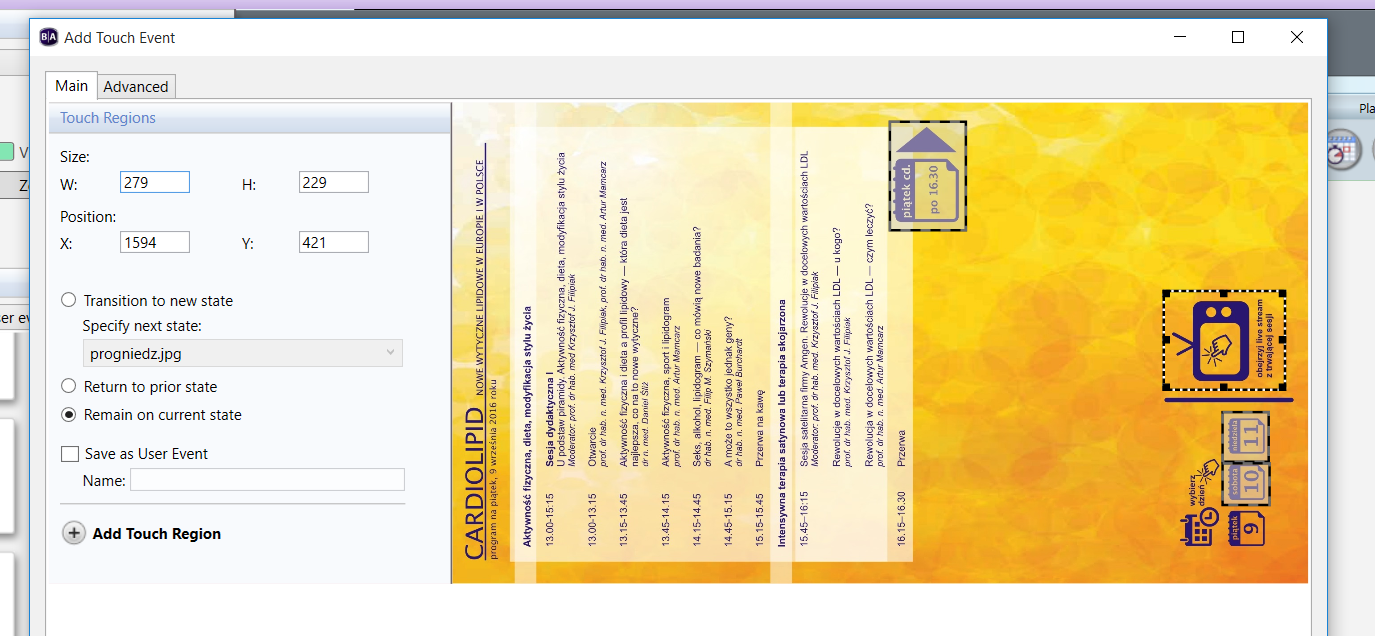
In the preview BrightAuthor, after selecting the zone, which should move me to another project link still it works as link to picture selected in the "main" tab. Is it just preview problem (not tried it yet with the project on brightsign unit), or am I do something wrong?
