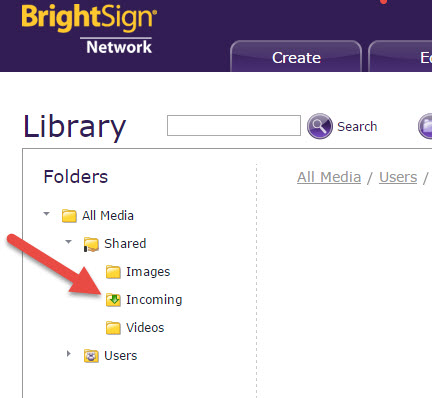
1. When presentations are created in BrightAuthor and uploaded to BSN, the directory images are dumped into the All Media-->Incoming-->Shared directory. This results in everything being dumped into one place. (See attached screen-shot.) Is this behavior by design or is there a way in BrightAuthor to specify the BSN directory to save assets to?
2. Is there any way for a user creating a presentation in BrightAuthor to choose an image not already in the presentation but existing on the BSN? It seems all media assets included in a presentation created in BrightAuthor must originate locally. Is that correct?
3. Is there any way for a user, including the original uploader, to download an image asset from the BSN? It seems that only copy/move/deletion is possible. Is there a way to download an image already present on the BSN via BrightAuthor or the WebUI?
Thanks.