0

HTML works over URL, NOT locally

Hi!

Guys I would be very thankful if you could give me a hint with this problem.

My html page doesn't work when trying to upload it over bright author project from local storage. But works when I upload it on the external server and then give the url in bright author.

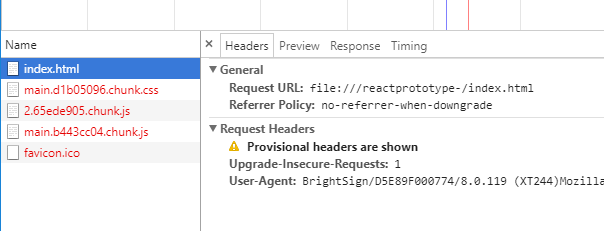
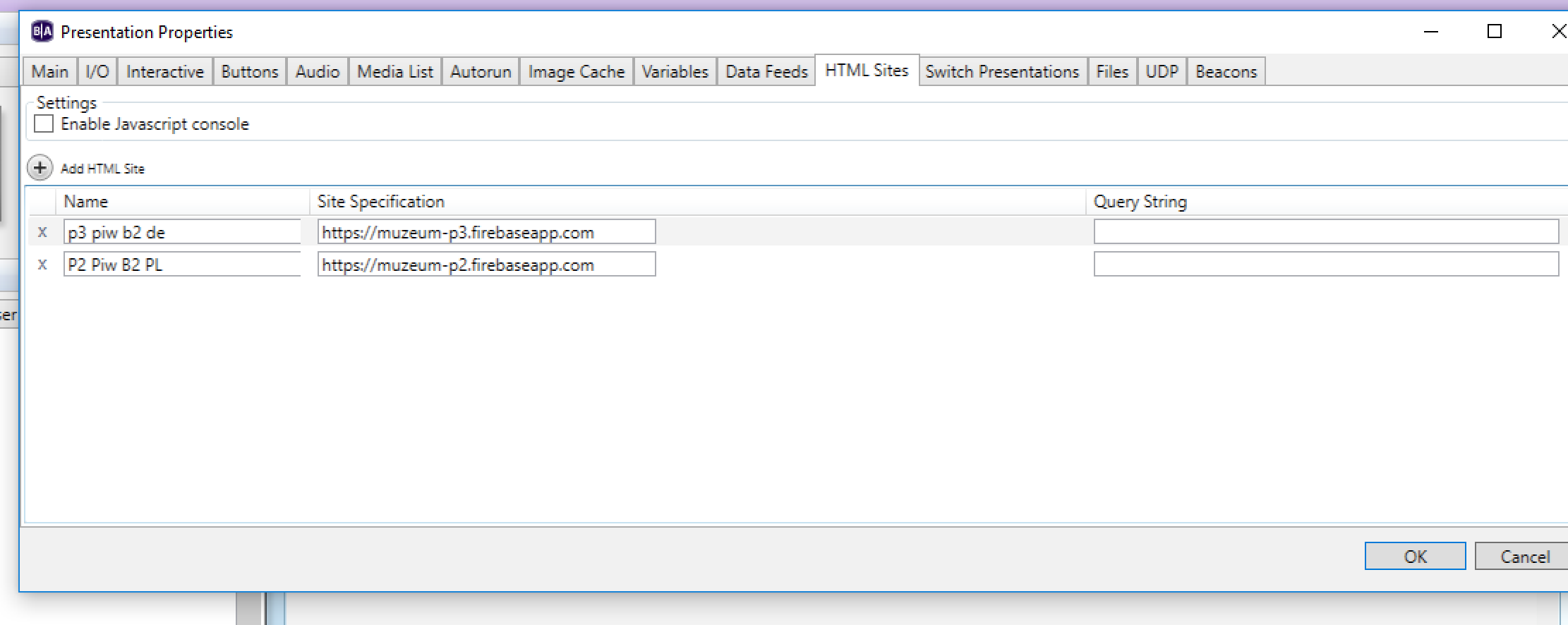
Here are the snapshots from both projects. 
Web page from local storage. This one doesn't work at all


Same project, same assets but pushed to the external server and added to the project as URL WORKS...
Also in "online" project swipe to scroll the pictures works like crap... Ive seen some post regarding that issue but If you would like to pass any hints how to make it smooth Ill owe you.

Best regards,

Artur


5 comments

  • 0
    Avatar
    Lyndon

    would it be possible to send support a link to the assets?

    If you run the html just on your pc, it works fine? You can open it and use it, no problems?


    On the player, you can go to port 2999 to see the javascript console, to look for errors. First, under file, properties in ba, under html sites, you can enable javascript console. 

  • 0
    Avatar
    Scott Dickerson

    I have a similar question, I want to load the css and some custom javascripts locally, but they're never found or loaded in the javascript console.  It appears that the publish process prefixes all of the files with a different name based on the project they're in?


  • 0
    Avatar
    Brandon

    @Scott internally site files are prefixed by the site name.  However, that is abstracted for references within the site so you shouldn't need to know or specify that.

    Do you have Enable external data enabled in the HTML5 state properties like in Artur's screenshot above?

    _________________________________________________________________________

    Friendly reminder, the community forum is intended for user-to-user discussion.  It is not regularly monitored. For troubleshooting problems and to ensure a timely answer from a BrightSign representative, please submit a support ticket.

  • 0
    Avatar
    Scott Dickerson

    Yes I do and the files do come along to the brightsigns player but they are not accessible due to the project prefix being required to serve the files. I am using React and webpack to bundle up the js files into the index.html. Is there anyway to disable or control the project prefixing behavior at publish? I can sort of manually hack the index html to get the initial js and css files you load but all the subsequent files hosted off static fail to load.

  • 0
    Avatar
    Brandon

    Ahh, that may change things a bit then. The only Webpack stuff I'm aware of is related to the node.js support
    https://docs.brightsign.biz/display/DOC/Node.js#Node.js-WebPack

    _________________________________________________________________________

    Friendly reminder, the community forum is intended for user-to-user discussion.  It is not regularly monitored. For troubleshooting problems and to ensure a timely answer from a BrightSign representative, please submit a support ticket.

Please sign in to leave a comment.