0

Responding to UDP events globally

I have quite a few Media MRSS Feeds and need to be able to respond to UDP messages to switch between them.

It seems like I need to respond to UDP message in the background, i.e. while an MRSS Feed is playing, so I can change to any another MRSS Feed

The issue I have is with many Feeds Id have to add many UDP events manually to each MRSS Feed to be able to respond to any of the possible requests so am figuring there is a better way to jump between states without doing this.

I have been looking around quite a bit to figure this out and seems like I need  a hidden zone with an event handler which can then tell the main visible zone which state to switch to.

I have a lot of experience with scripting but brightscript is a little too much to take on for my first (bigger than I'd like) project, so hoping this can be achieved in Bright Author somehow.

I'm currently looking at using a Superstate with UDP events attached that but not sure if the Superstate will respond to UDP events while playing an MRSS feed inside it - Im away from my brightsigns ATM.

Any help would be appreciated, hopefully save me going too far down the wrong path.

9 comments

  • 0
    Avatar
    Mitch

    I think I have this sorted, I found this https://brightsign.zendesk.com/hc/en-us/community/posts/209958667-Inactivity-timeout

    Which explains how to send zone messages after a timeout, so simply listening for the UDP instead in the non visible zone should as I had thought allow me  to change the state between my feeds.

    Still haven't tested but looks like its the way to do it. 

  • 0
    Avatar
    Eric

    Hi Mitch,

    We use the same method very (very) often.

    So in a hidden zone a eventhandler to captpure the incoming UDP messages and then sends a zone message.
    All the MRSS listens to the zone messages to switch between them.

    If we have to many we dive, with Notepad++, in the source code and copy / paste the zone commands to other states.

    Best regards,
    Eric

  • 0
    Avatar
    Mitch

    On further investigation, I am still left with a fair bit of manual zone message links to create, seems like I need to action a zone message based on a variable that is set by a UDP message to get around many manual links.

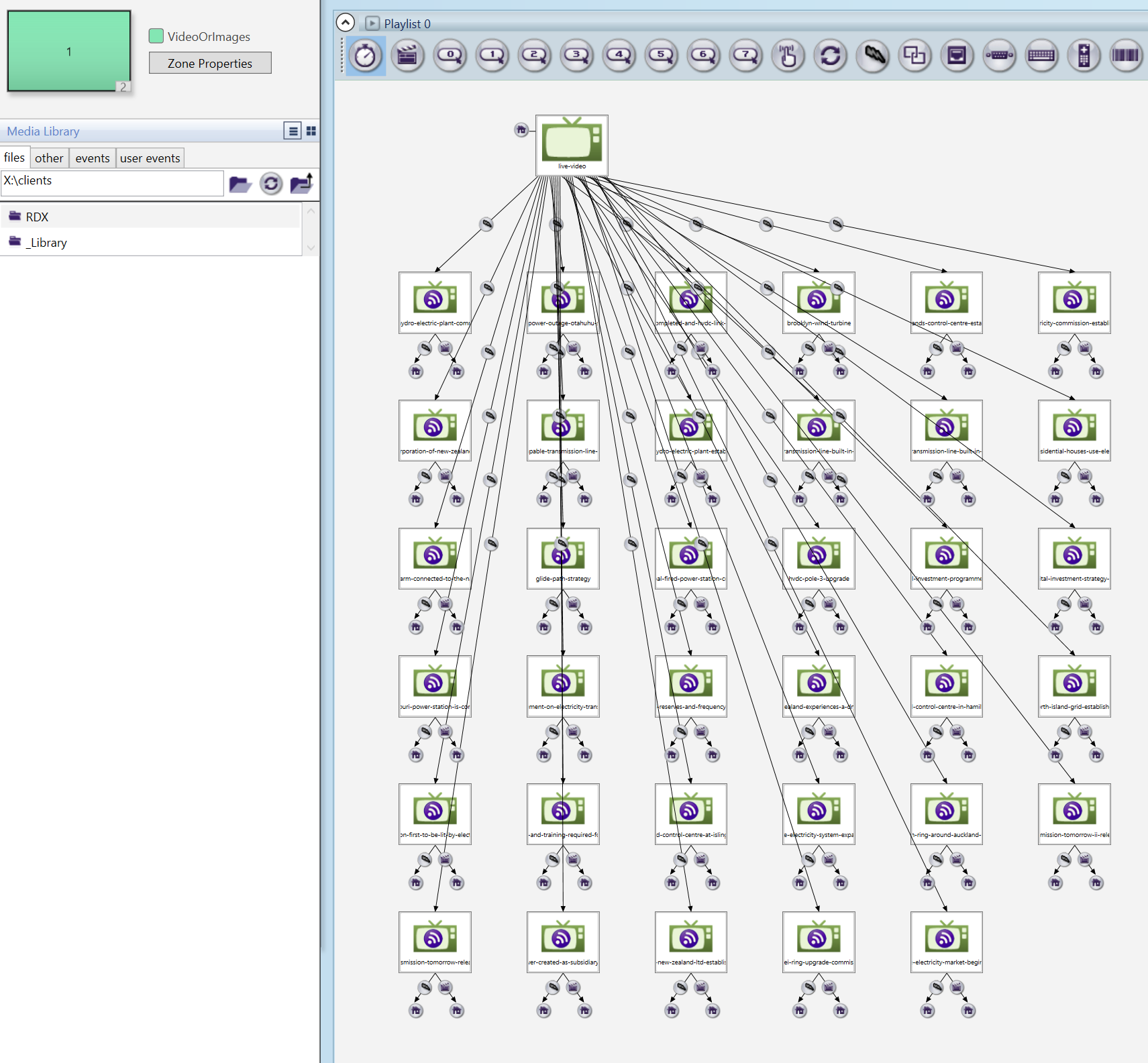
    I end up with lots of MRSS feeds with links back to a live video feed, still less than interlinking them all.

    Then in the 2nd zone I listen for UDP messages and send a corresponding zone message to return to the live video then to the new MRSS feed to avoid having zone events on all the feeds - must be a better way - Brightscript most likely.

  • 0
    Avatar
    Bright Scripters

    Chaotic BrightAuthor projects always get my attention :)

    https://brightsign.zendesk.com/hc/en-us/community/posts/115000277054-BrightAuthor-Art-From-Chaos-to-Order

    The key to creating a manageable BrightAuthor project I found, is finding a pattern.
    What I'm missing in this discussion, is a bird's eye view of the application.
    Could you describe what the application does, and maybe provide a download link to the BA project file?

  • 0
    Avatar
    Mitch

    Thanks Eric and Bright Scripters,

    Eric I was actually generating the xml myself already, there's no way anyone in their right mind could make that by hand :)
    My project has a limitation in that it is offline so no way to use the BSN.
    I had already implemented a node.js webserver to serve the MRSS feeds and allow updating them through a browser, upload/delete images and mpg files.
    I ended up using the webserver to autogenerate my .pbf XML file just took a .bpf file and put in some templating tags and it then generates the above in a split second.

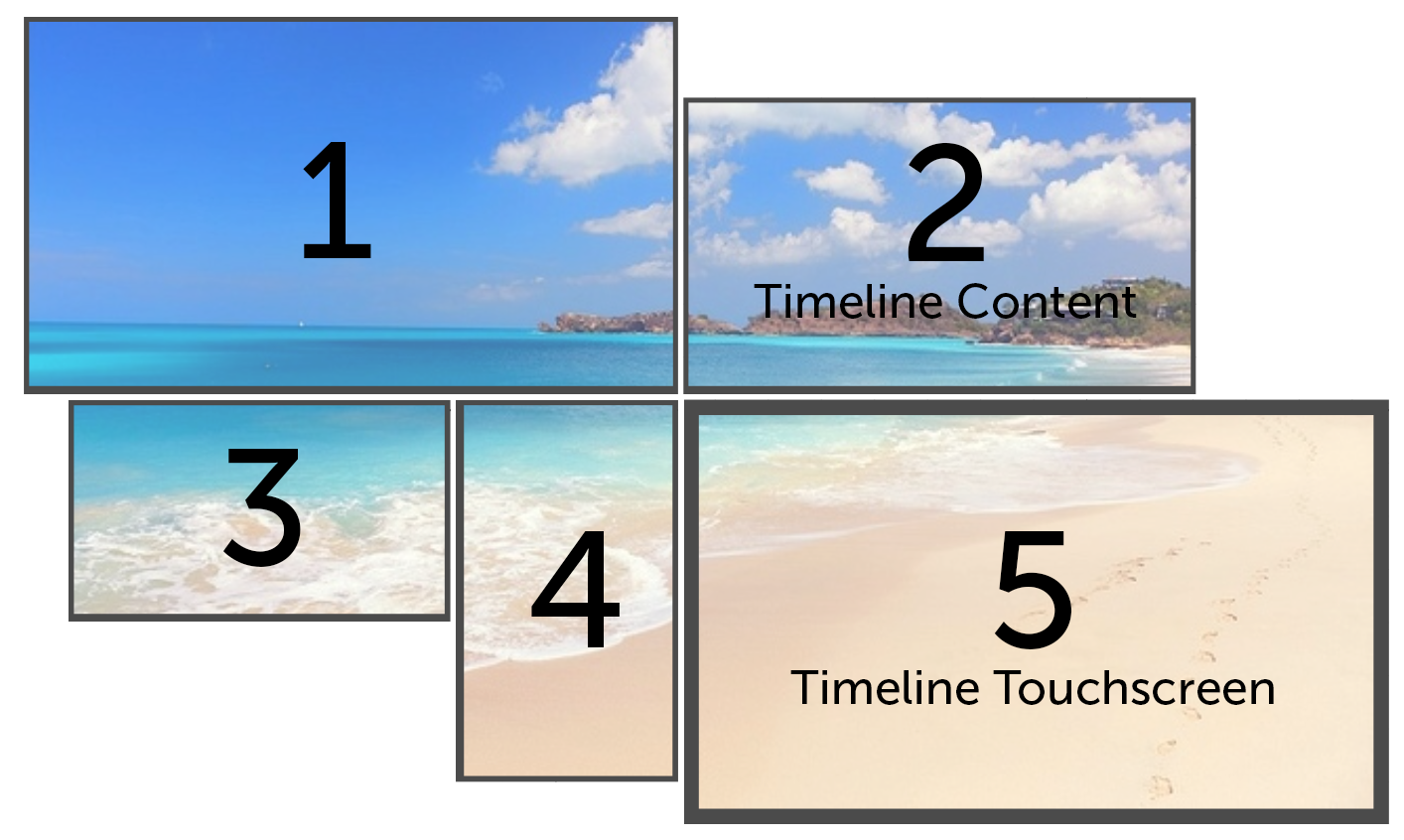
    Got it all working today, I have 5 screens all driven by XT1143s and an XD233.
    The XD has an MRSS feed which just loops, the XTs either take the hdmi in from the XD (split via. multiwall hardware) or provide their own output depending on the touch screen which one of the XTs run.  The Touch screen loads an html timline (timeline.js) and when events are clicked they send UDP messages which trigger the other XT's to play MRSS feeds.

    The crazy screenshot I posted earlier is for screen 2, basically on MRSS feed per timeline event of which there is 35.

    Bright Scripters once I am clear of this I would like to take you up on your offer and have you take a look at the project see if you could show me a better way.

    Thanks for the help.

  • 0
    Avatar
    Bright Scripters

    Very impressive!
    If understand correctly, your feeds are of a single item each.
    If I had to build the BA project, I would have probably done that with a single feed, and a Video Play File state that uses keys to pick an item from a feed.
    That would have eliminated the need to hack the bpf file.
    With that said, there are project requirements that are not clear to me..
    I’m very much interested in the Node based UI you have created to manage the content from a browser.
    Were the XTs retrofitted into an existing multi wall installation for interactivity?

  • 0
    Avatar
    Mitch

    Thanks for the comments, a little bit apprehensive putting this out into service but couldn't see another way to do what they wanted so will let you know how it goes.
    Those MRSS feeds only load one at the moment, but potentially could be several images and/or videos.
    The Video wall is a new project, but it started out as a video wall with one Brightsign, then a touch screen with an XT, then an XT added for each screen as the client wanted more flexibility.
    I'm pleased we ended up with an XT per screen as there is a very slight delay on the live video throughput so when only one XT was in place it was delayed by I would guess 0.25 seconds just enough to notice it, but once all XTs were in it all synced up.

    I have put together the Webserver/CMS system I knocked together as a zip and replaced all the content with images off google so no client content, I left the timeline in there too using a demo one in case people find that interesting as it send UDP commands.
    I included a readme with a description and how to run it, be interested to see if anyone finds it useful.

    You can download it from here:  https://drive.google.com/open?id=0B_IZRIhf8OcWck55UlRTb01XTkE


  • 0
    Avatar
    Bright Scripters

    I'm interested in seeing the BA project. Would you be able to post it?


  • 0
    Avatar
    Mitch
Please sign in to leave a comment.