Hello
I want to have a 1 row , 3 column video wall with a 30 degree tilt
the content would be level but the screen angled,
how is this done?
Hello
I want to have a 1 row , 3 column video wall with a 30 degree tilt
the content would be level but the screen angled,
how is this done?

Sounds like you want a Menu Board Mount.
Chief and other manufacturers make these, although I don't know of anyone off hand that has something that goes as far as 30°.
Chief's Fusion mount goes to 20°.
Ceiling version:
https://www.milestone.com/products/chief/mounts/display/ceiling/lcm_menu_board
Wall version:
https://www.milestone.com/products/chief/mounts/display/wall-tilting/lwm_menu_boards

Thanks John
But the mounts, are not the issue, it's planning to content to play level on the tilted screen

Are you asking how to get the video on each display?
If the displays are commercial Samsung, LG, or NEC you can use the tile/matrix mode. One player feeds display 1 and a Display Port cable loops from display 1 to display 2 to display 3.
If you dont have tile/matrix mode or you want a higher resolution you use one Brightsign player per display and the video is synched via enhanced sync mode of the players.
Is the mount tilted horizontal (trying to understand)?
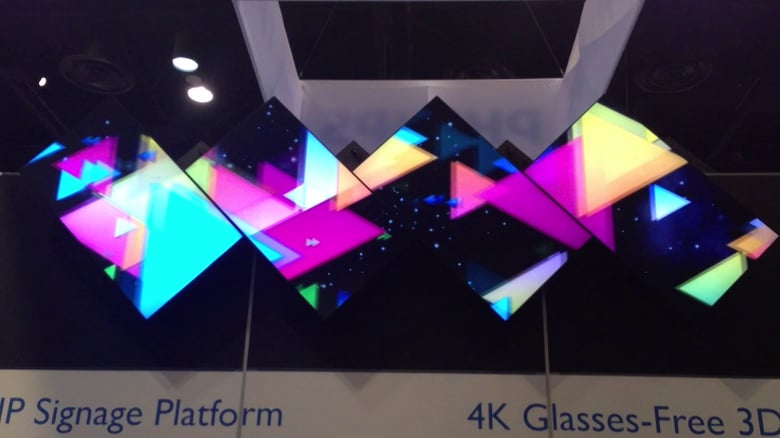
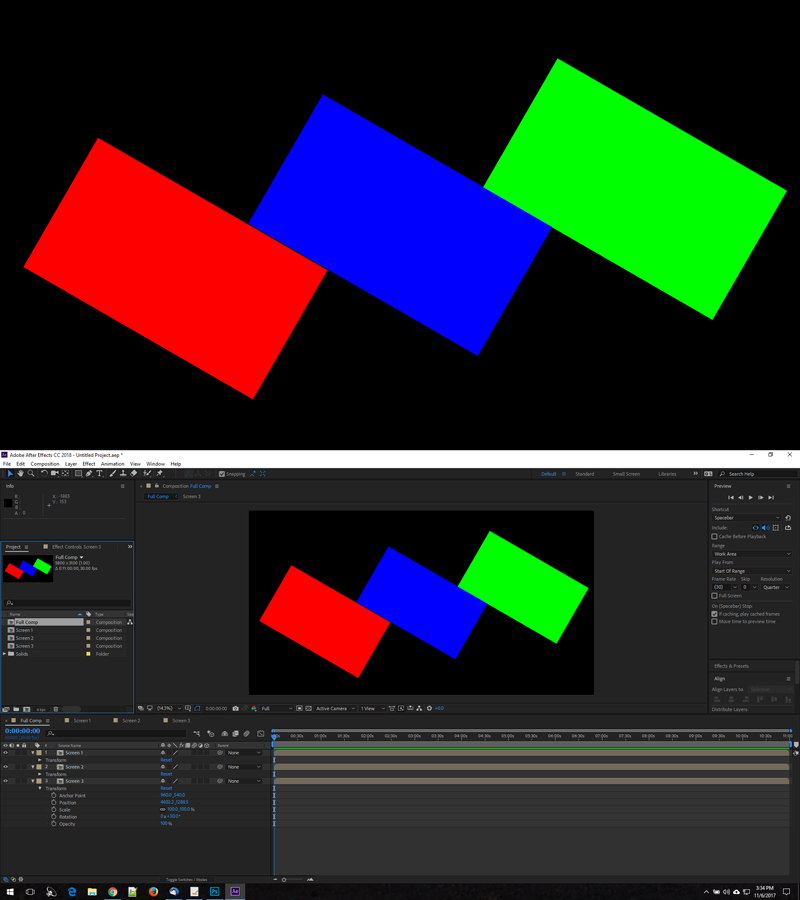
If so, then you build content in something like Adobe After Effects as a larger video space with 3 rotated view ports in it, and then output each displays video already rotated to match the angle of your displays.
it's portrait but angled
Yes, one of the ways most people do this is in Adobe After Effects:
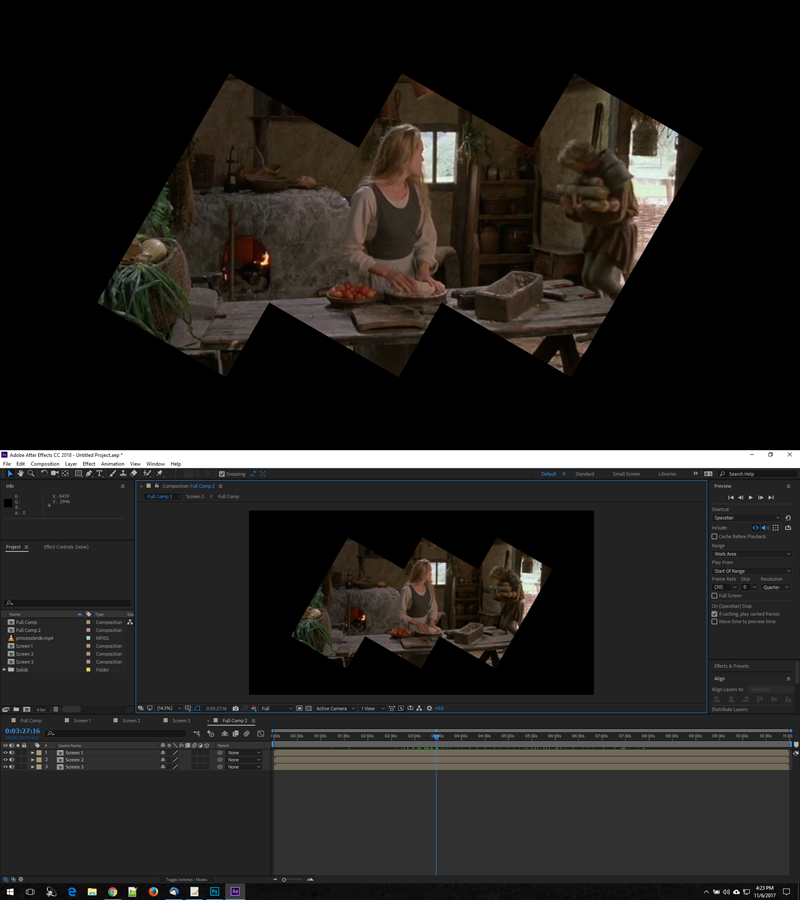
It takes a little time to get the layout right, but then whatever video/graphics you put in the Main composition transfers to the corresponding screens to be rotated and cropped accordingly for the output video that you render for each screen.
That's very useful, would you be able to post that after effects file as a starting point?
Can't find what you're looking for?
Contact support