0

LS423 don't run the Published project

Our LS423, will not play the STANDALONE published project.

On the monitor is written "Insert storage card", but when I do that, the monitor goes blank, nothing happens.

BUT if I export the mediafiles from Brightauthor TO the MicroSD card, and place the files in the root of that, LS423 plays the media files, BUT not as attended from the published program. It plays the media files in alphabetically order?? It has nothing to do with screen resolution, cause all mediafiles are read and presented on the monitor by the LS423.

I have noticed that when I started a new project, the LS423 unit was not in the list. So I choosed the LS422, does that give any problem or are they almost similar?

The firmware was updated WITH the Brightauthor program, and I did see the file in the root of the MicroSD card.

What am doing wrong?? Quite confused right now.....

Greetings

Steffen

9 comments

  • 0
    Avatar
    Steffen

    Well, sorry guys, I FOUND the LS423 in the list, but it did'nt help changing to the right player......


  • 0
    Avatar
    ^UD\_$

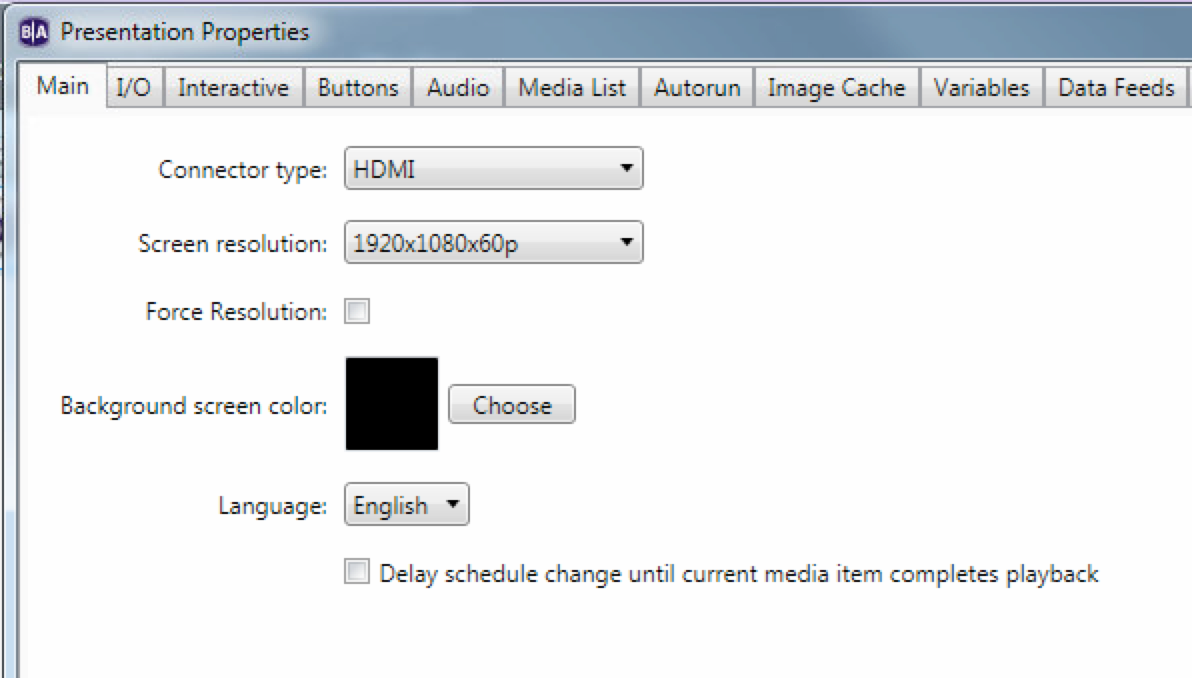
    Your presentation properties, may be forcing an unsupported resolution.

    Make sure that Force Resolution is un-checked, or that you are forcing the correct resolution.

    Also, feel free to provide a download link to your presentation, so we can look deeper.

  • 0
    Avatar
    Steffen

    Hi again. I have a Dropbox link, from where You can see the program, that was published to the SD card. Do You have an email address I can send this link?

    /Steffen

  • 0
    Avatar
    Steffen

    I have been working further with the project, and made a little test. Tried to make a schedule were the player plays all day long instead of playing a certain period of time, and that helped! The player now plays the project without a problem.

    I don't know for how long the dealer has had the Brightsign player on his storage, but could it be the internal clock in the LS423, and a battery backup issue? If such a battery is present?

    /Steffen

  • 0
    Avatar
    Bright Scripters

    Good job for troubleshooting like a champ!

    To my knowledge, the player needs access to a time server, for its clock to stay accurate.

    While offline, it will keep its time for some time, but it is not advisable to rely on scheduling, without access to a time server.

    A time server can be on your local network, so you don't need full internet access.

    There is a way to to point the player to a local time server during player setup.

  • 0
    Avatar
    Steffen

    Hehehe. thanks :-)

    I will try to do as You suggest. 

    /Steffen

  • 0
    Avatar
    Steffen

    Now it rocks!! :-) It was the time schedule, which made the trouble. I installed the Bonjour software, and through that feature, I could see the time setting on the LS423 via my browser. It was set to 00:00 by default (loss of battery backup). I then set the time with the "Brightsign setup" (time server) feature and now the mediafiles are playing correctly to the specific time. 

    What is good to know, is that the battery backup (supercap), has to be charged for at least 4 hours, before you can rely on the time setting and then it keeps the voltage for about 14 days. 


  • 0
    Avatar
    Bright Scripters

    Supercap. That is good to know!

    Looks like you are a true bright scripter!

  • 0
    Avatar
    Gustavo Bravo

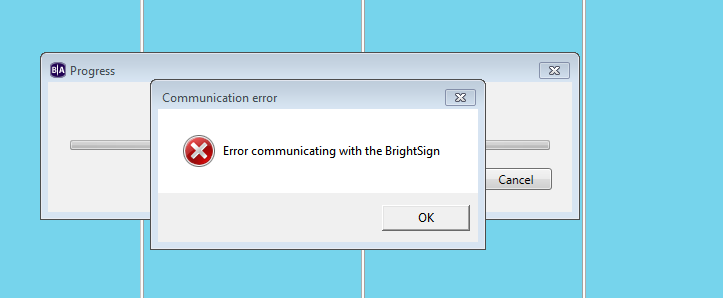
    I have a problem with the SL423 when I try to send my presentation via BrightAuthor he sends me the following message; 

    I've already set up several computers HD1023 and they all worked correctly but the LS423 mark this error as I can solve it and try everything, everything works correctly, the internet, the local network, I can even send connection ping, but I can not send my information... 


    Can someone please help me?

Please sign in to leave a comment.