Is there a way to set the user agent for the HTML zone? That is, for a zone, I want to make sure that I always pull up the mobile version of a website. Is this possible? Thanks!
Date
Votes
10 comments
-

Bright Scripters Can be done via BrightScript in a plugin, using this function SetUserAgent(user_agent As String) As Boolean
If applicable, you could also edit the autorun, and use it as a custom autorun in BrightAuthor.
-

J J Thanks. I'm in a bit of a time crunch. Is there any documentation you can point me to that would show me how to implement that plugin? And, is this at the zone level, or the presentation level?
-
Bright Scripters JJ
Seems like a quick solution would be to edit the autorun file.
There may be a more elegant way, but here goes.
You can copy the last autorun.brs that you published from the SD card, and save it with your project.
Open in a text editor, and look for this function
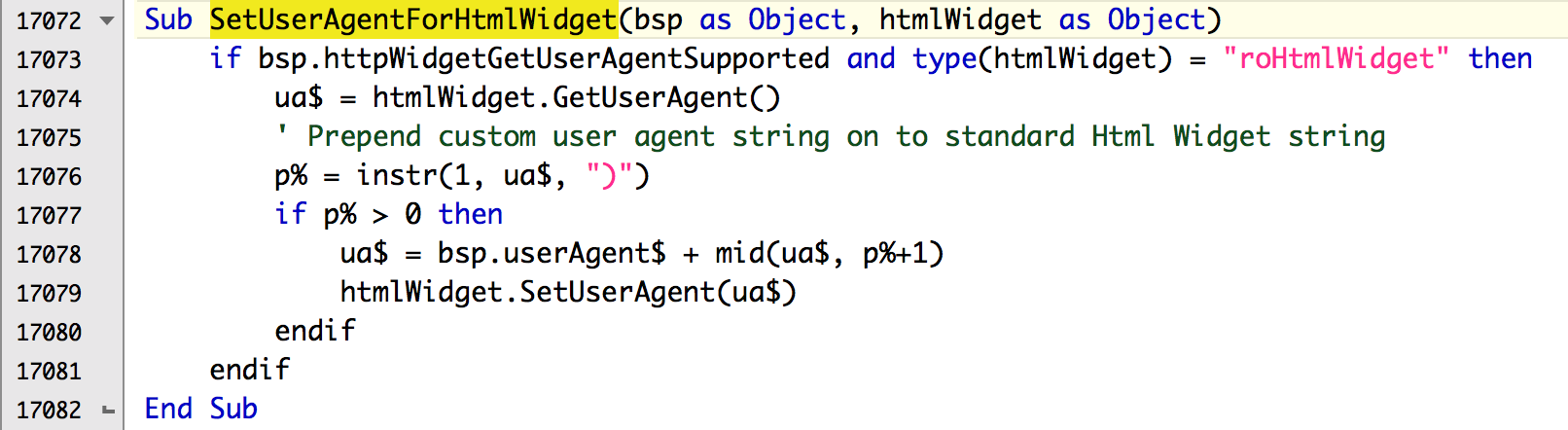
Replace the code with this Sub
Sub SetUserAgentForHtmlWidget(bsp as Object, htmlWidget as Object)
if bsp.httpWidgetGetUserAgentSupported and type(htmlWidget) = "roHtmlWidget" then
ua$ = "Your custom UA string"
htmlWidget.SetUserAgent(ua$)
endif
End Subsave as something like autorun-custom.brs
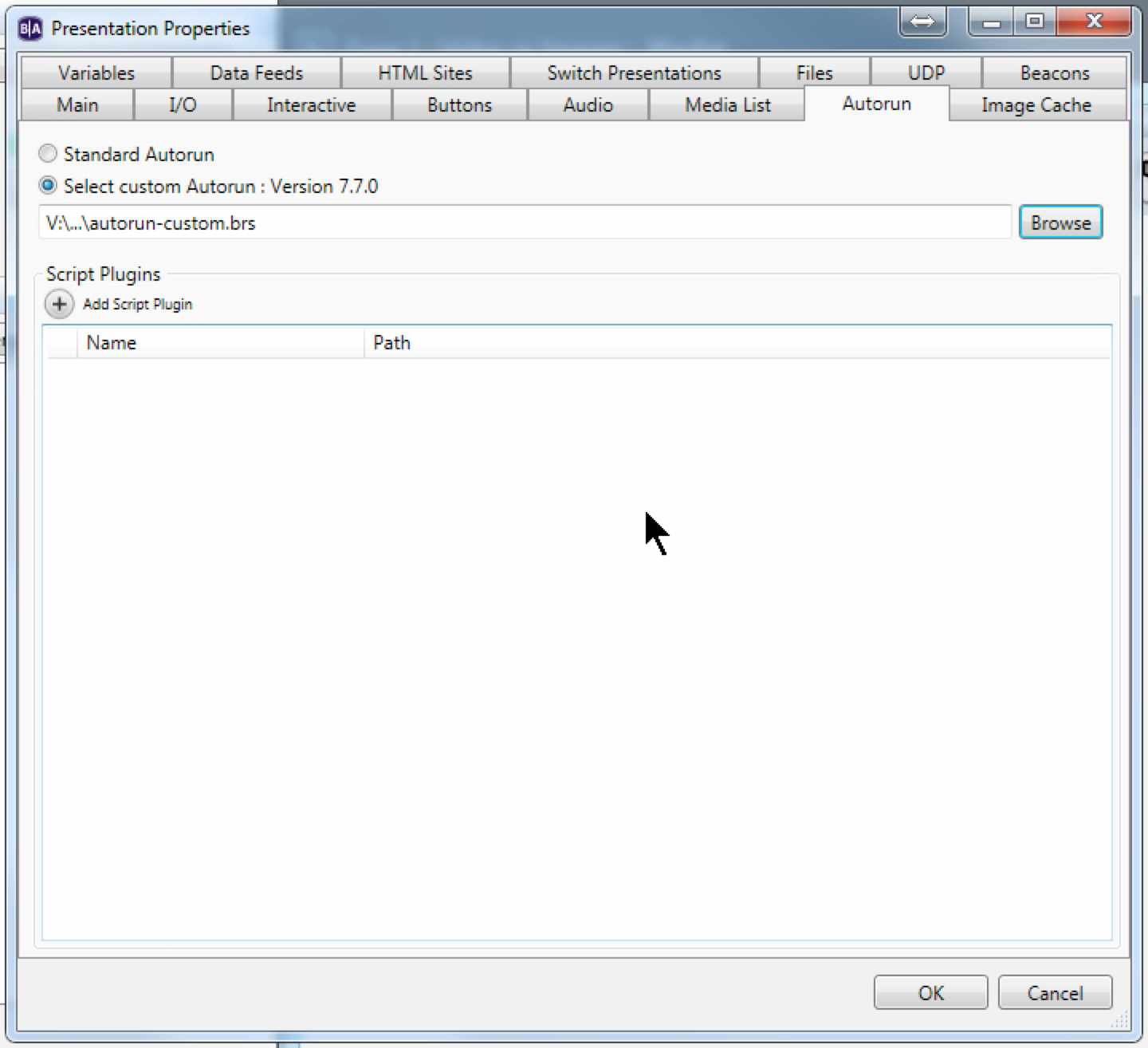
Now you need to tell BrightAuthor to use this modified autorun, instead of the standard file.
In Presentation Properties, go to the Autorun tab, and select he customized autorun, and publish.
Screenshots
Before

After

-

Maxime hello,
can you give an example of brightsign mobile user agent string ?
Thank you,
Maxime
-

Brandon As it varies by player model and firmware and can also be modified by scripting, the best way is to point a HTML5 state at a site that reports the browser's user agent back, like https://www.whatismybrowser.com/detect/what-is-my-user-agent or similar.
Here's an old example from an XD230 on firmware 5.1.48
BrightSign/5.1.48 (XD230) Mozilla/5.0 (compatible; Linux mips) AppleWebKit/537.4 (KHTML, like Gecko) Chromium/18.0.1025.168 Chrome/18.0.1025.168 Safari/537.4 -
Maxime thank you for your reply,
i tried this:
Sub SetUserAgentForHtmlWidget(bsp as Object, htmlWidget as Object)
if bsp.httpWidgetGetUserAgentSupported and type(htmlWidget) = "roHtmlWidget" then
ua$ = "BrightSign/7.1.65 (HD1023) Mozilla/5.0 (Linux; U; Android 4.0.3; ko-kr; LG-L160L Build/IML74K) AppleWebkit/534.30 (KHTML, like Gecko) Version/4.0 Mobile Safari/534.30"
htmlWidget.SetUserAgent(ua$)
endif
End Subi have a 1023 player with 7.1.65 firmware
but https://www.bmw.be/fr/ssl/configurator.html#/ is stil working on desktop mode.
can you help me ?
Thank you very much
-
Maxime 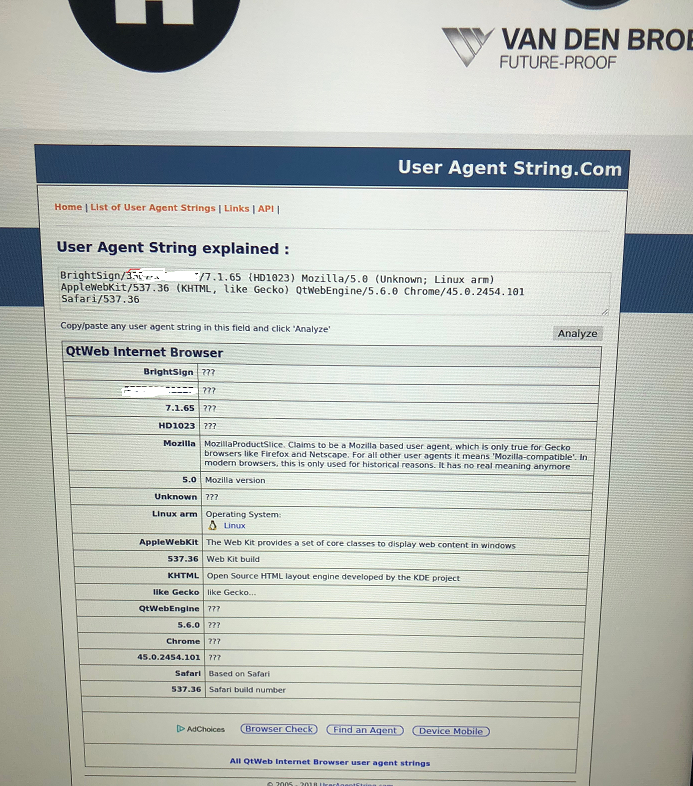
-

Andrew Break Are there any examples of how this would be implemented via a plugin so that the user agent can be modified across multiple devices without having to update the autoruns for each?
-

itsme Hi, it would be great if someone could suggest a way to integrate this as a plugin via a .brs file instead of the autorun.brs file. Thanks in advance.
-
Bright Scripters This might be helpful
Please sign in to leave a comment.