Hi,
I was wondering if it was possible to have a transition effect (such as 'fade to new image' in the image list properties) on a keyboard input? So when the remote clicker in this case is clicked the image fades to the next 'slide'.
Thanks
Dan
Hi,
I was wondering if it was possible to have a transition effect (such as 'fade to new image' in the image list properties) on a keyboard input? So when the remote clicker in this case is clicked the image fades to the next 'slide'.
Thanks
Dan

That's seems to be an easy one
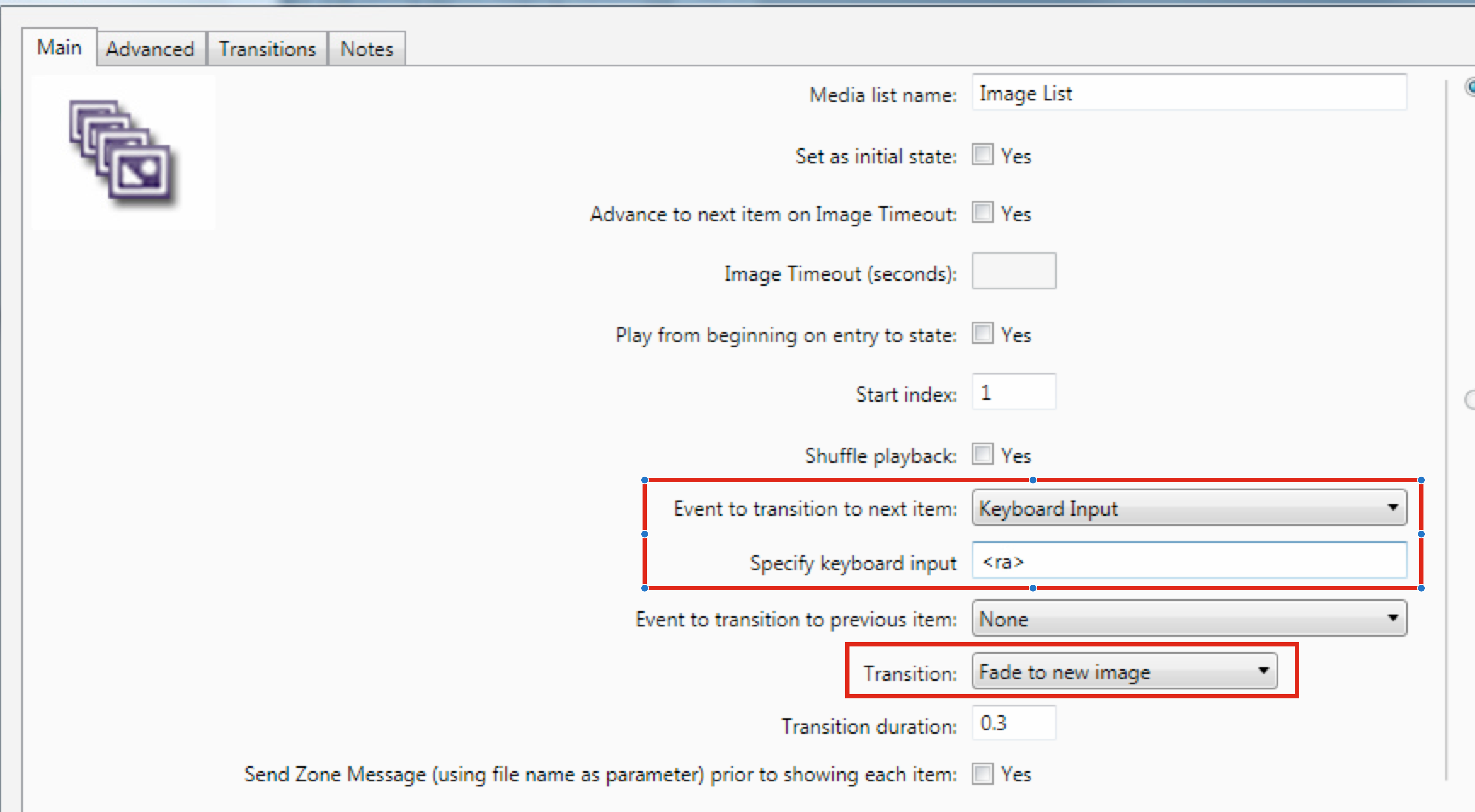
The screenshot is showing an example where hitting the right-arrow key on the keyboard, would advance to the next image.

Thanks I hadn't noticed that was an option.
However my presentation playlist also contains videos... is there a way of fading to and from those as well?

Hi Dan,
Try the All Media List state. You should be able to mix and match video, and images, and audio files too.

Can't find what you're looking for?
Contact support