0

Can I mute audio with a GPIO button?

Hi,
I need to setup a way to mute the audio of a looping video file during playback, for a museum project.

The video will be playing in a loop, with the sound muted and when a visitor comes in the room, they would press a button to unmute the sound from the video.

Can someone tell me if this can be done easily and what would be the proper steps?

Is there a mute command I can setup?

I'm using a HD224

Thanks.

2 comments

  • 0
    Avatar
    Eric Fauque

    Precision, The button needs to serve as a mute/ unmute.
    Press once to unmute, press again to mute.

  • 0
    Avatar
    Sean McKinty

    Hi Eric,

    Try this:

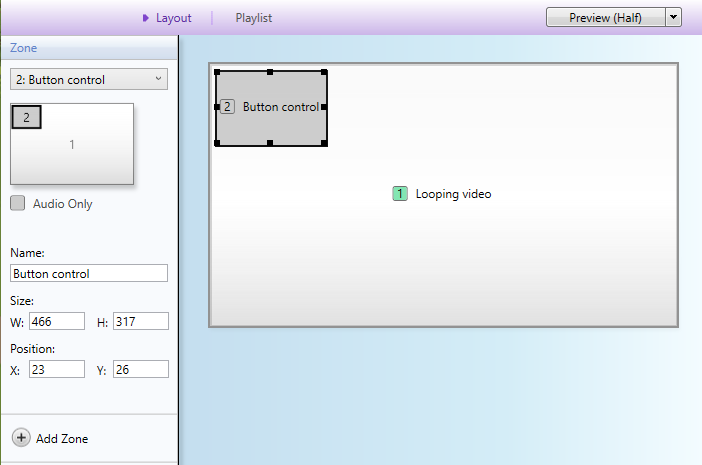
    - Drop your video into the default non-interactive 'Video or Image' Zone
    - Create a new 'Audio only' zone - size & location doesn't matter - and make it Interactive.

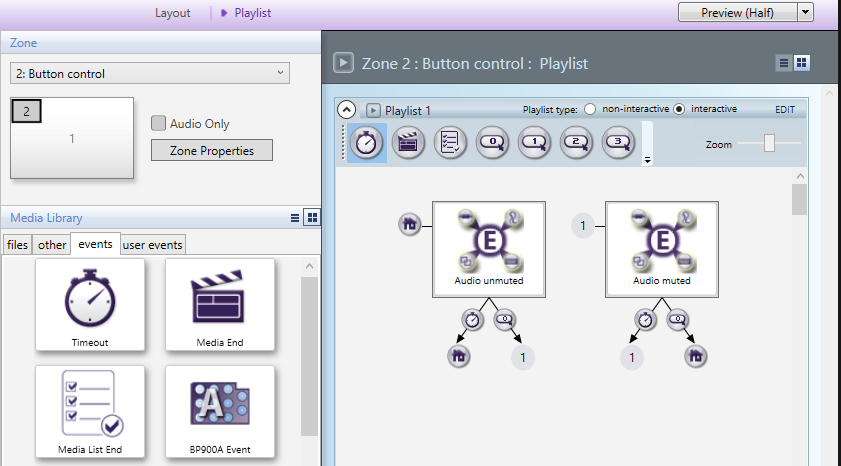
    - Drop 2x Event Handlers into the audio zone - one for muting, one for unmuting - and name them appropriately.
    - Give each of them a 10 second Timeout event that Transitions back to itself (making it constantly loop)

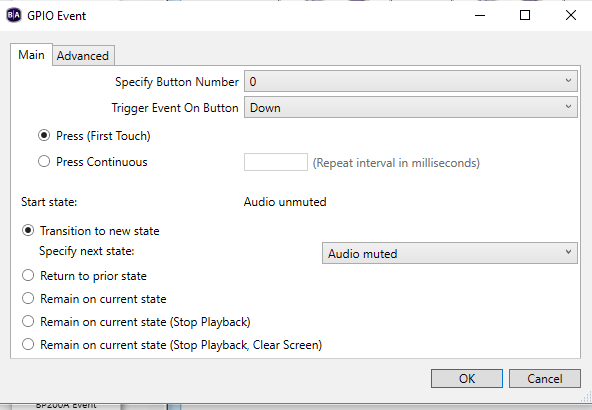
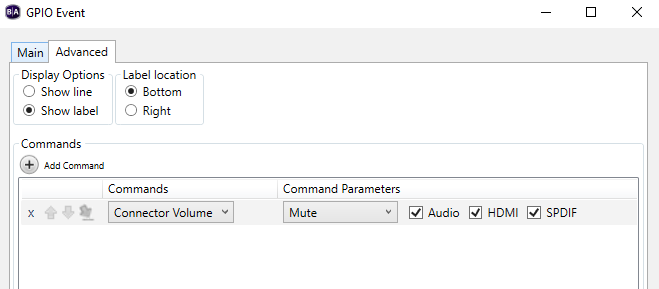
    - Create a GPIO event on each of them for the button you want to use, set the Transition to move to the other Event Handler and in the Advanced tab set the Connector Volume to mute or unmute accordingly.

    This is the GPIO 0 event on the Audio Unmuted handler from the screengrab above:

    In the example above the button would connect to pins 3 and 1 (or 7) on the GPIO connector - the wiring info can be found here: https://support.brightsign.biz/hc/en-us/articles/218065937-GPIO-Which-pins-correspond-to-which-buttons

    Creating a separate audio zone for the button controls lets you easily change or add videos without having to build the muting function for each video.

    Hopefully this works for you!

    Sean


Please sign in to leave a comment.