My HD224 is not able to go internet, is it possible to build a digital clock as content? Any solutions?
Date
Votes
14 comments
-

Christian you use brightauthor:connected?
-

Joe Man I’m currently using brightauthor only. If it would be more easy to get it done, i could change to brightauthor connected.
-
Christian ok, because i use only brightauthor:connected but i have my player connected on internet.
try to watch this video https://www.youtube.com/watch?v=rvmcaVPK0GA on official brightsign youtube channel.
-

JRB Technical You can use a HTML5 clock, and save that as local content. The HTML clock will use the internal clock of the player, as long as it is set correctly. The internal clock and the HTML5 clock do not need the internet, as long as all the associated files (html, css, js, etc. as needed are in the same folder as the html when saving to the player.
Then just display in a image zone for the HTML clock the size you need.
-

Steven Cline As JRB above noted, we use a local HTML clock on our units.
There are a lot of pre-made options available on Codepen.io for HTML clocks that work in both BrightAuthor 4.7 and BrigthAuthor: Connected.
I believe it was one of the Brightsign tutorials that sent me there in the first place. -

Paul Holwegner Can you send the tutorial on how to use html clock
-
Steven Cline Hi Paul.
I can't find the tutorial easily at the moment. I think the resouces have been re-arranged since the last time I left a comment here.I used the following website to create the clock I wanted to use: https://www.timeanddate.com/clocks/free.html
- click througth the choices and at the end it will give you a HTML code snippit with an iframe.
- create a basic HTML file to add the code snippit to and save it locally (or in BSN)
- add an HTML5 widget to your page and direct it to the clock HTML file.
Here's what I used
- width and height should match the dimensions of the zone you are putting the clock into<html>
<head>
<meta charset="utf-8">
<title>Untitled Document</title>
</head>
<body>
<iframe src="https://free.timeanddate.com/clock/i9kpczy9/n250/fn2/fs39/fcfff/tct/pct/ahr/ftb/th2/ts1" frameborder="0" width="318" height="57" allowtransparency="true"></iframe>
</body>
</html>Should work with any HTML object you have access to.
I hope this helps -
Paul Holwegner Thanks I will try when I get back to school tomorrow. when you upload do you click internal webpage?
Also do you create a multizone presentation or a html presentation?
Also are there any changes in settings you make?
Sorry for so many questions, new to this.
-
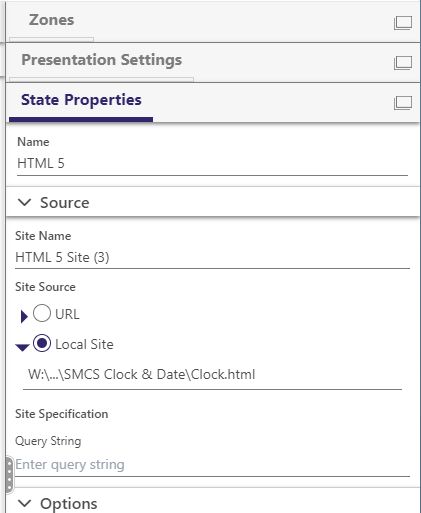
Steven Cline No Worries... you are correct. This is a local site upload. You just need to direct to the local file and BrightAuthor will transfer the file to the device.
If you are looking for prettier clocks / widgets, then the Codepen.io site mentioned above gives some nice options
-
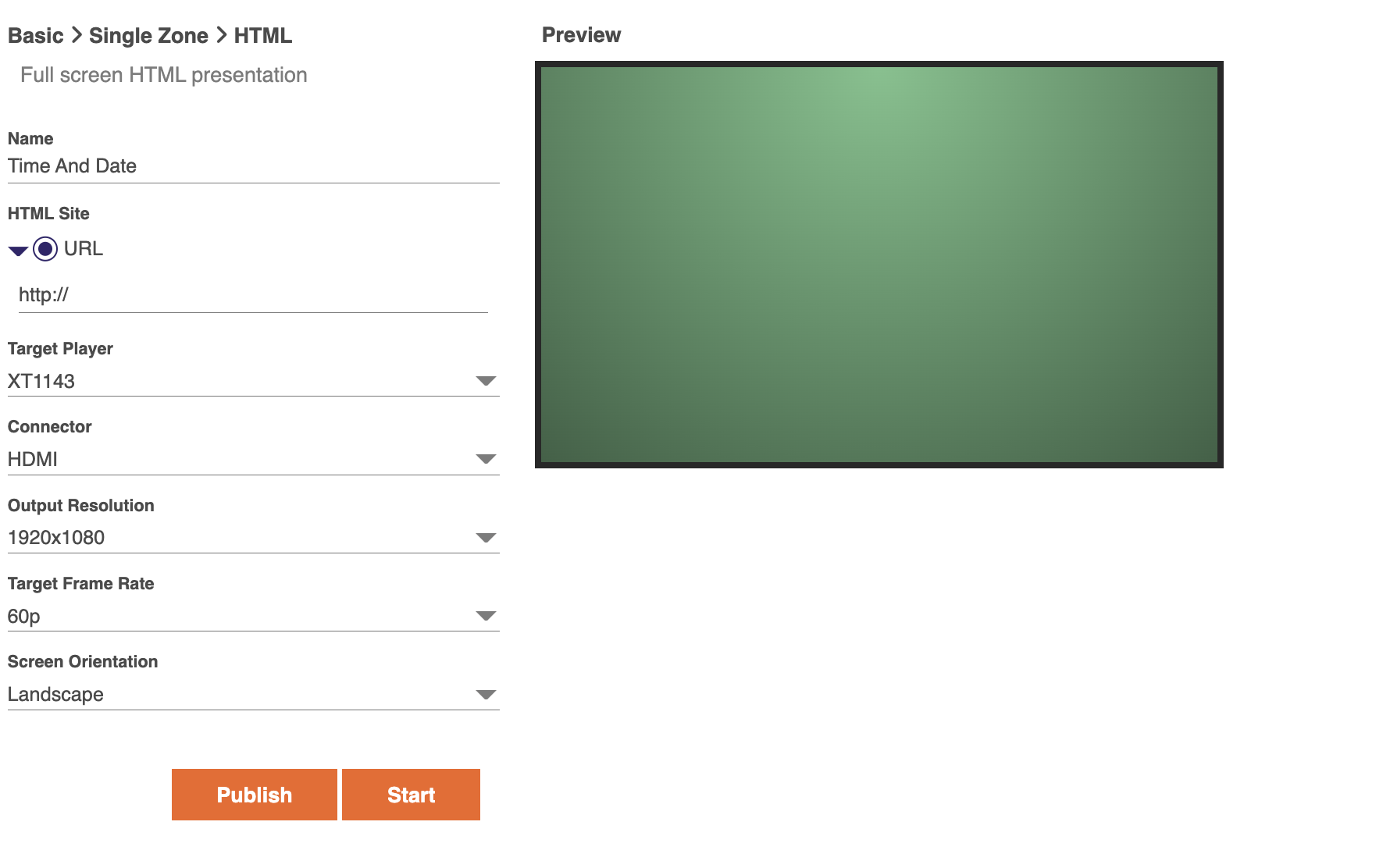
Paul Holwegner What do you put in this url just the name of the html file that is in the zip?
-
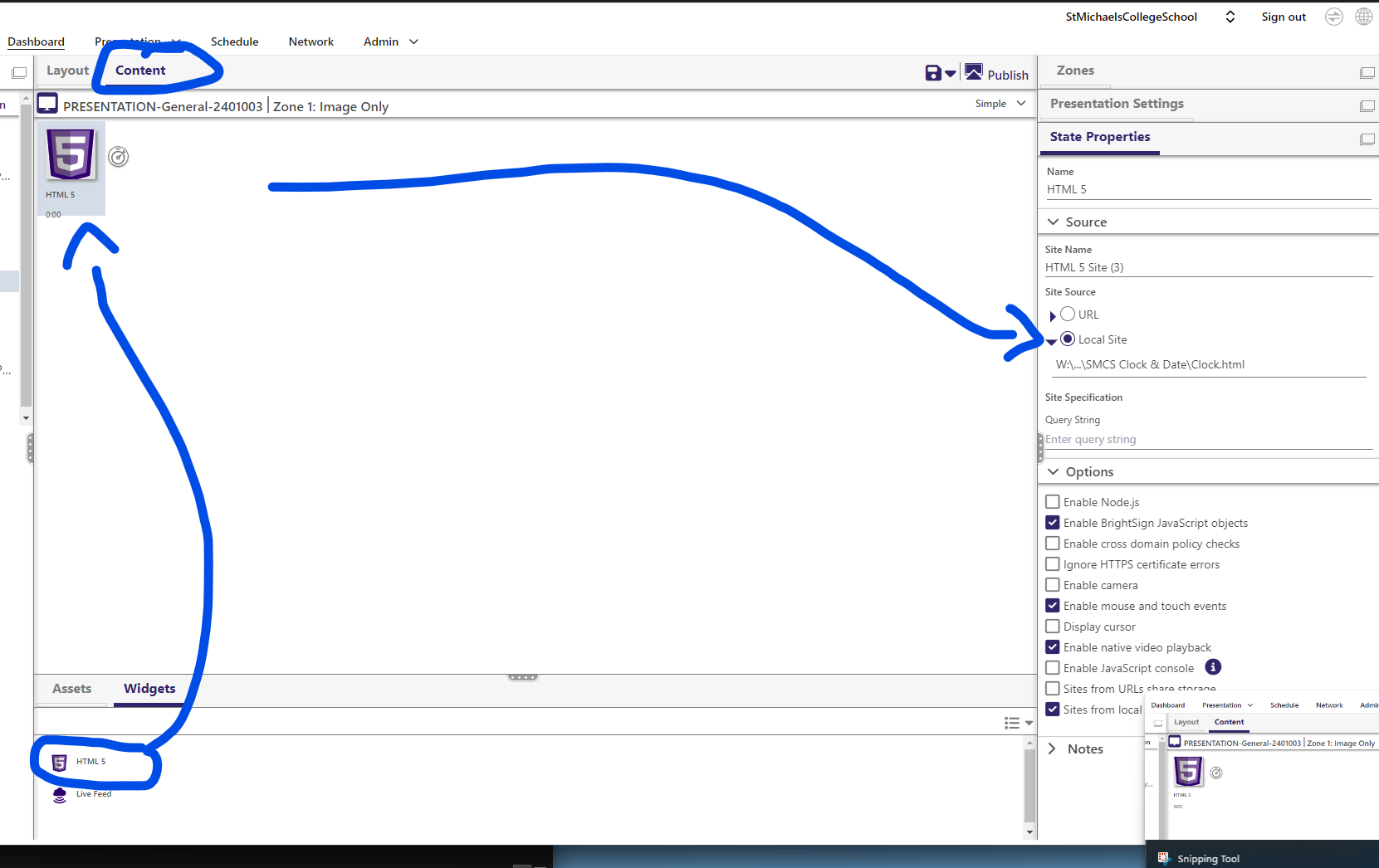
Steven Cline We used the HTML 5 widget in the image zone that we defined for the clock (our setup has multiple zones). This gives the option for a local site.
Unzip the HTML file into a folder that you have access to. Each time you publish a presentation to your player you will need access to this file.
If the file you have includes HTML Tags (a full HTML mini-site, see the html code sample above) then you can just point to the local HTML file. If you have an iframe reference, then use the sample above but paste in your iframe to replace the one in the sample and save that.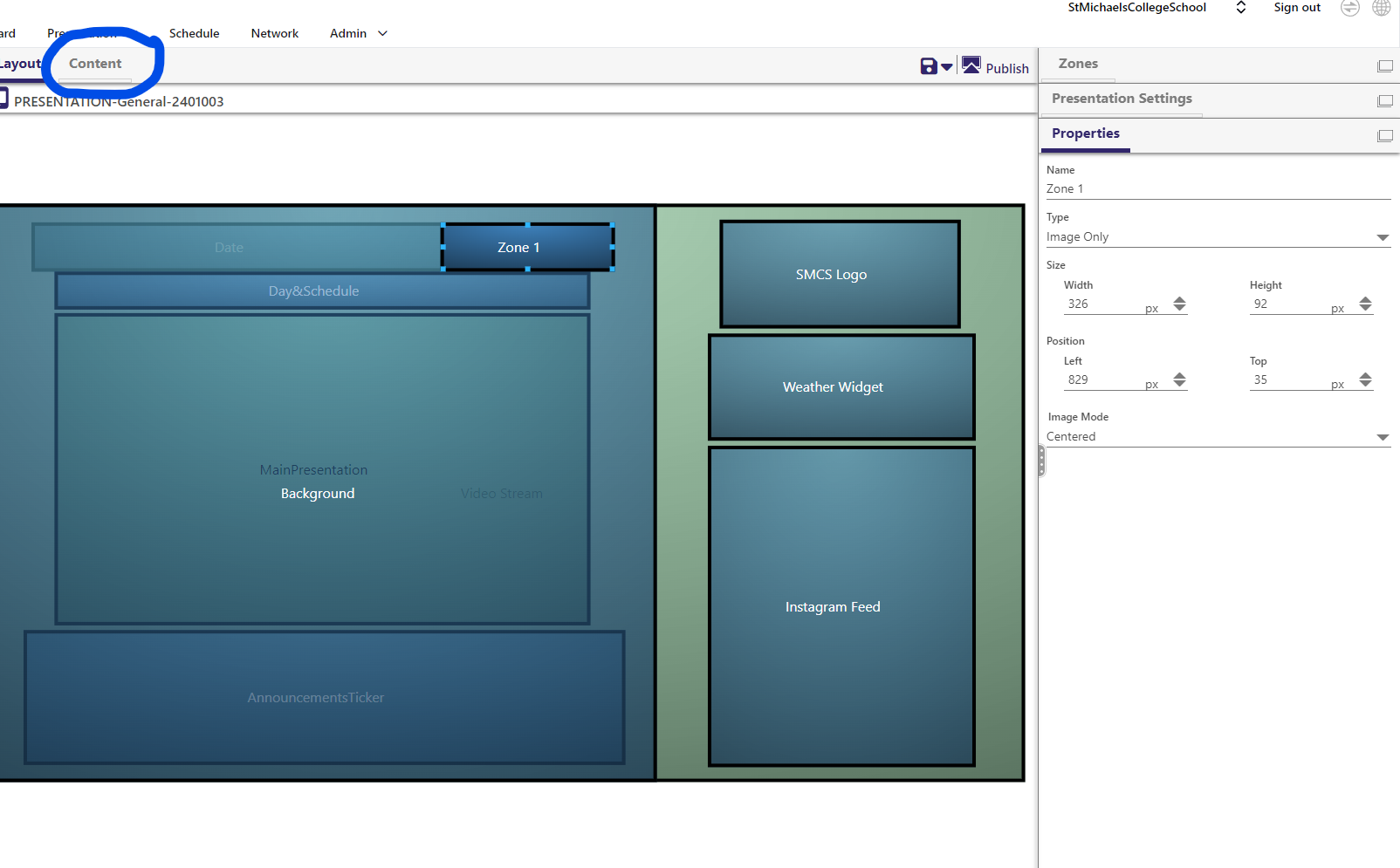
-
Paul Holwegner Hmm not sure what I am doing wrong but I have a multi zone zone 2 is image only. I added the html widget but I dont have the option for local site
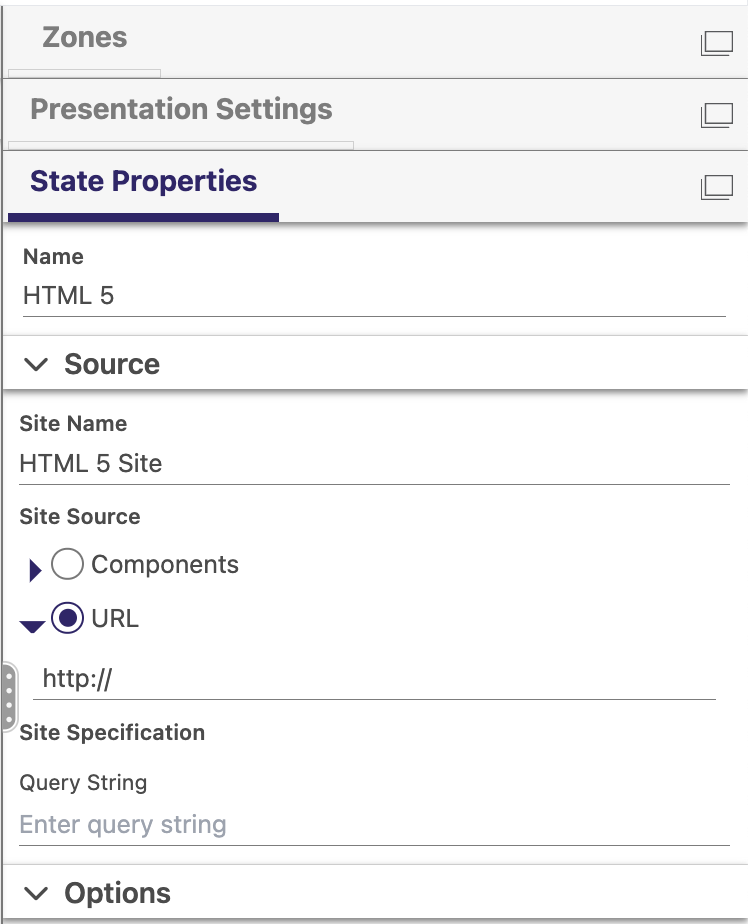
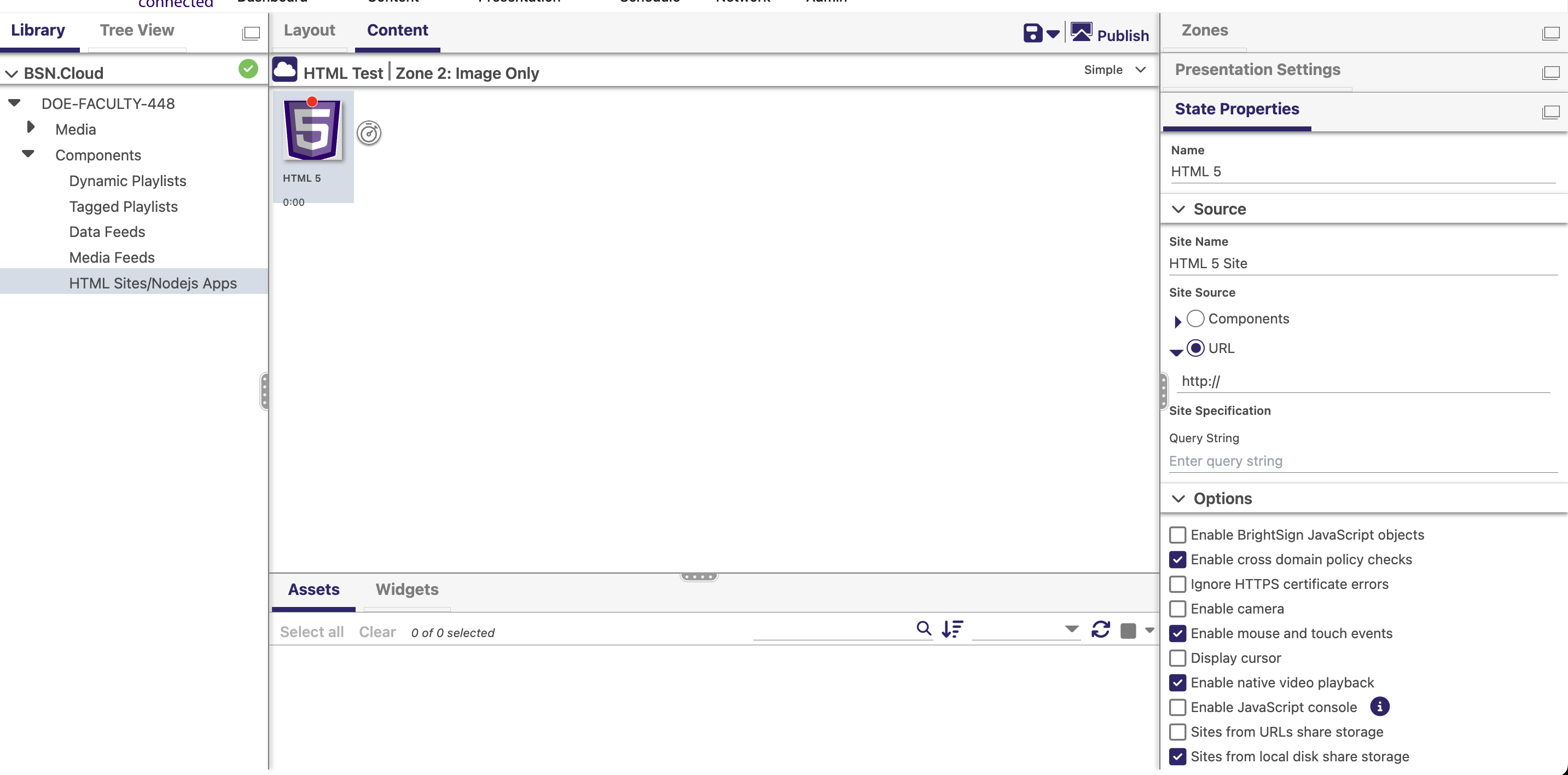
-
Steven Cline For our Publishing Mode, we use LOCAL NETWORK . I think to have access to the local site you have to use this method
Do you use this mode as well, or are you publising from a Web Folder / BA Online? I am not familiar with this method, but I would assume that if you upload to your file depository you could use the URL option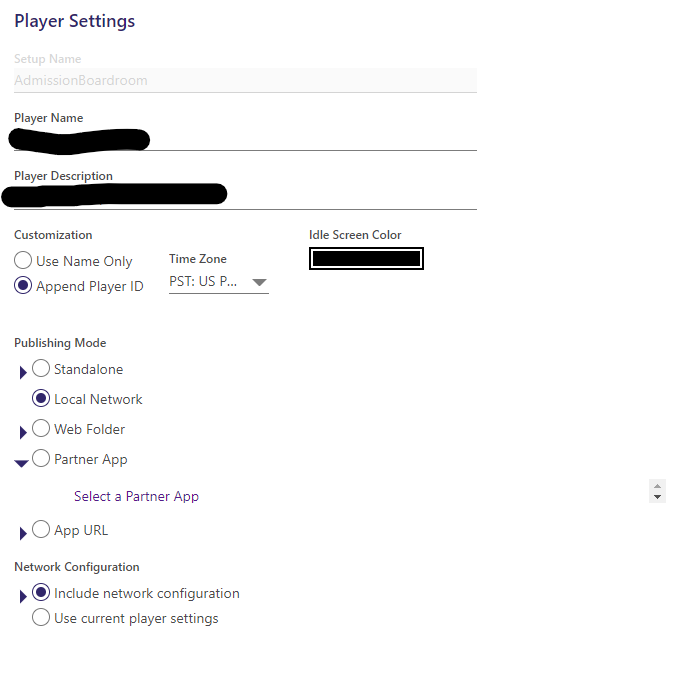
-
Paul Holwegner I think thats the issue, we use BSN connected and not sure how to setup a file dispository. I will see if support or our sales rep can help. Thanks for all your help
Please sign in to leave a comment.