I have factory reset the player, created a new start up file and cannot get it to run the start up file. I tried adding it by IP address and it says that it is unable to access it. It has been working fine for 3 years and just stopped working last week. I am at a loss.
Date
Votes
11 comments
-

Wilfried Hi,
I have the same problem. Suddenly, i can't add the player by IP address.
I have factory reset too but it doesn't work.
I can ping the IP address.
Can you help us please ?
-

Nick Young If you've factory reset the player, it won't work with Brightauthor. You need to run Tools-Setup BrightSign Unit and set the device up as Local Network.
Try visiting the IP address in a web browser? Do you see the setup pages?
Also, I know in recent (v8+) FW versions that if the player can't see the internet it can slow the boot process down. The player is looking for the BSN cloud network and it hangs a bit if it can't see it. You won't get the web interface until that times out.
-
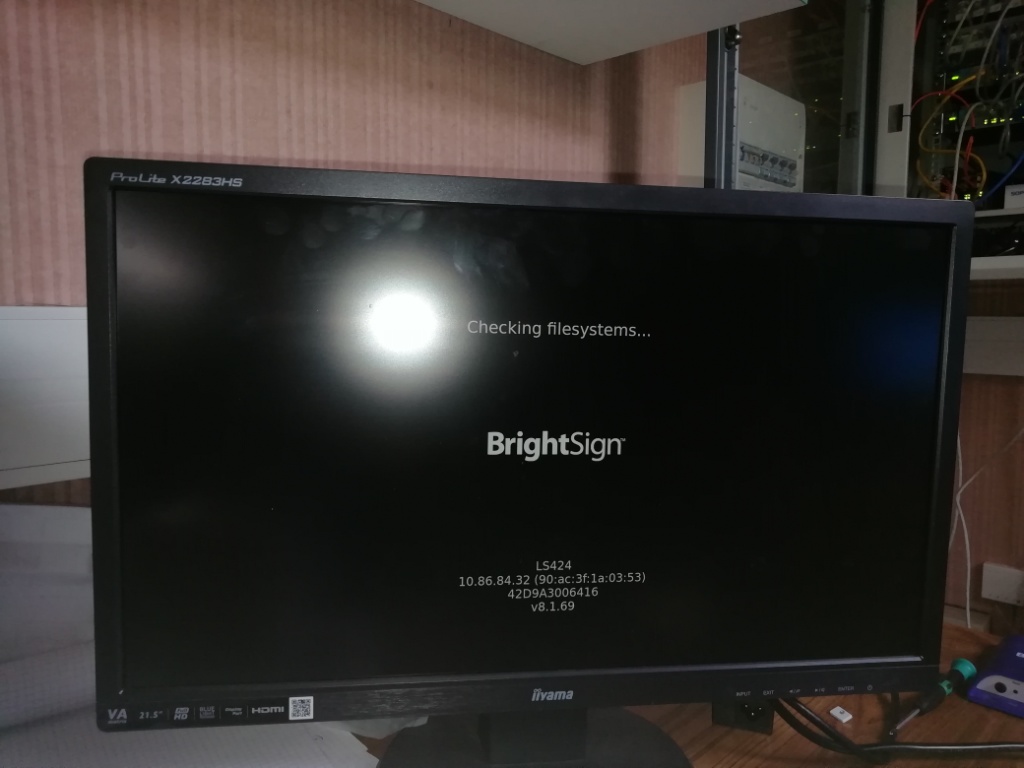
Wilfried the attached image shows what happens when I put the SD card. The player reboot in loop.
-
Nick Young If players I've used have ever shown "Checking filesystems..." before, it's never been for long enough that I could take a photo of it! My guess is you have a dodgy SD card?
You should be able to log in to the web page without the SD card in there. If you're lucky, you can refresh the logs as you plug the SD card in and read the error before it reboots.
-
Nick Young There used to be a way in the old fw to show the output from dmesg, however I don't think this is possible anymore.
-

Jwildman I tried to put the ip address into a browser to access the set up files and I get an error. Nothing comes up on the screen when I turn on with an SD card. Do you think the SD card is bad or the player? I am thinking the player since I can't access via the web.
-
Wilfried Thank you Nick Young,
I can connect to the web page but I don't have the login. Do you know what the login would be ?
-
Nick Young @Wilfried - username is 'admin'. password is the serial number of the unit. it's case sensitive
@Jwildman - Can't say for sure in your case. Might be better to raise a support ticket with Brightsign. You could try this procedure and start again with the device setup. If that doesn't work, maybe the hardware is faulty.
-
Wilfried Thank you so much Nick Young ! It works !
Micro SD card HS for one and reset for the other.
I changed the content of the micro SD with the web interface.
The IP addresses are in the BrightAuthor.
now I no longer access the web interface. is this normal ?
-
Nick Young @Wilfried - With a factory reset, the device has the diagnostic web interface enabled by default. If you don't actively enable it in the setup process, it'll get disabled and you won't have access to it again. It's not necessary to have it, but it's good for troubleshooting and maintenance.
If Brightauthor is letting you add it to the networked units list, then that sounds like it's working.
-

Jack Beggs We had this issue and eventually replaced the micro SD card in our XT244 and it started working almost instantly. It was odd, as we reformatted the old card multiple times and either couldn't connect to it, or received an "Incorrect password" error. Not sure how this is possible after multiple factory resets, but buying and setting up with a new $7 micro SD card fixed it almost instantly for us. FYI our SD card was about 4 years old, and the device was on for almost that entire time, so it's not that unexpected for an SD card to fail after that amount of time. Anyone else having this issue might want to try the same thing
Please sign in to leave a comment.