0

Device Properities Disabled

Hello,

I'm new in community and i just started my journey with BrightSign. I registered four XT244 to bsn.cloud in past and they are working fine. Today i registered one more (XT243) and in Proprieties window i see info "Device Properties Disabled" and to be honest i don't know where to enabled it. 


Thank you in advance for your reply.

MW

5 comments

  • 0
    Avatar
    Marcin Wrona

  • 0
    Avatar
    Markus Baeumer

    Hi,

    I have exactly the same question. How to enable this option? The blue i refers to an entry regarding the properties in a manually created presentation, but we are using a partner application.
    We are using the XT1144 player.

    Regards
    Markus

  • 0
    Avatar
    Dcarr5

    I have also been wondering about this.  We are also using a partner application, but I don't see a reason why that would cause this section to become disabled.

    We are using about ~150 XT1144 players and a handful of XT1143s

    It would be super helpful to be able to just come to the properties pane and rename a player.  Unfortunately, with this disabled, the simple matter of updating the player name becomes bizarrely complicated and convoluted.

    First I must navigate to the Admin tab within BrightAuthor > then click on Device Provisioning > find the device I want to rename > click on the edit icon > change the name > click update > navigate to the Network tab > locate the device again (with the old name) > click on the settings icon > navigate to the control tab > and select "Reprovision" (which will restart the player and download provisioning files again) all to update the name in Bright Author?!?!

    Then I STILL must go to the third-party CMS and update the name there as well.

    Why is this so hard?  Are we missing something?

  • 0
    Avatar
    Joseph White

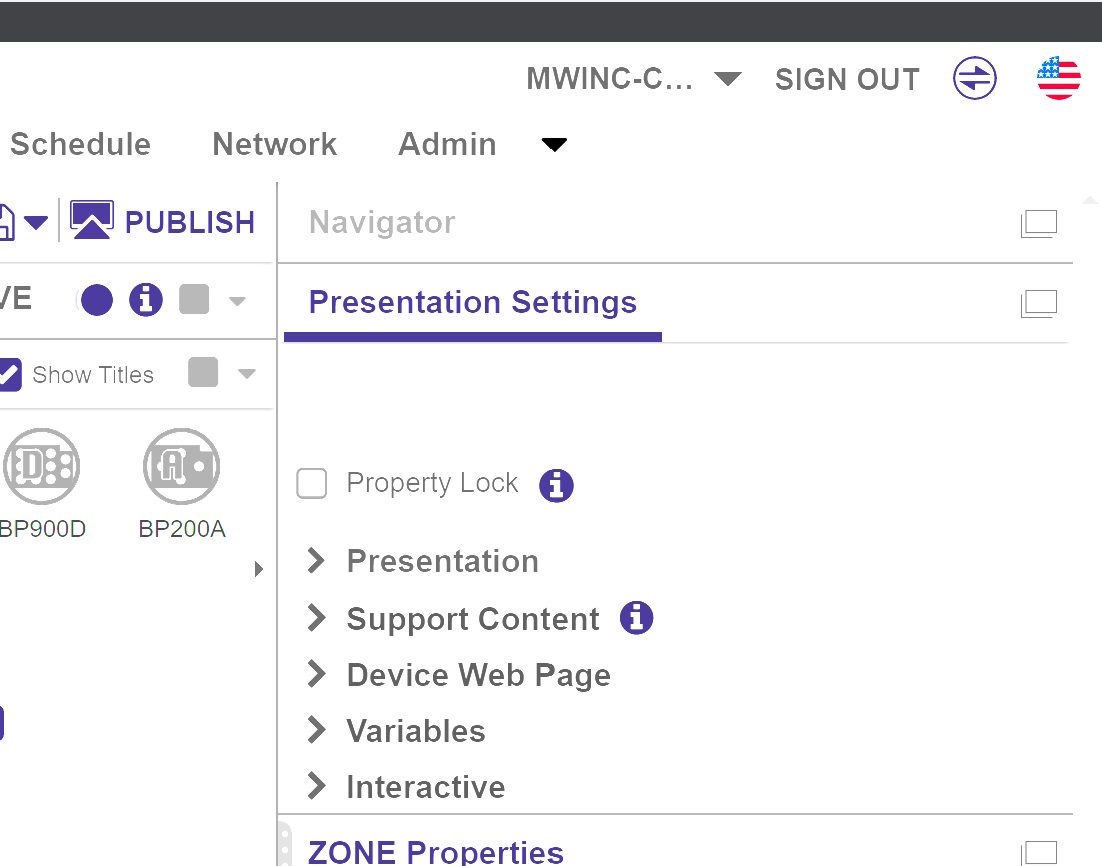
    I think I figured this out. There is a "Property Lock" checkbox in presentation options. If you load a presentation that has this unchecked then the properties are available again. I suspect that the last firmware update changed this to enabled by default if there is no presentation on the machine. Very annoying, but now that I know it isn't a huge issue.

  • 0
    Avatar
    Joseph White

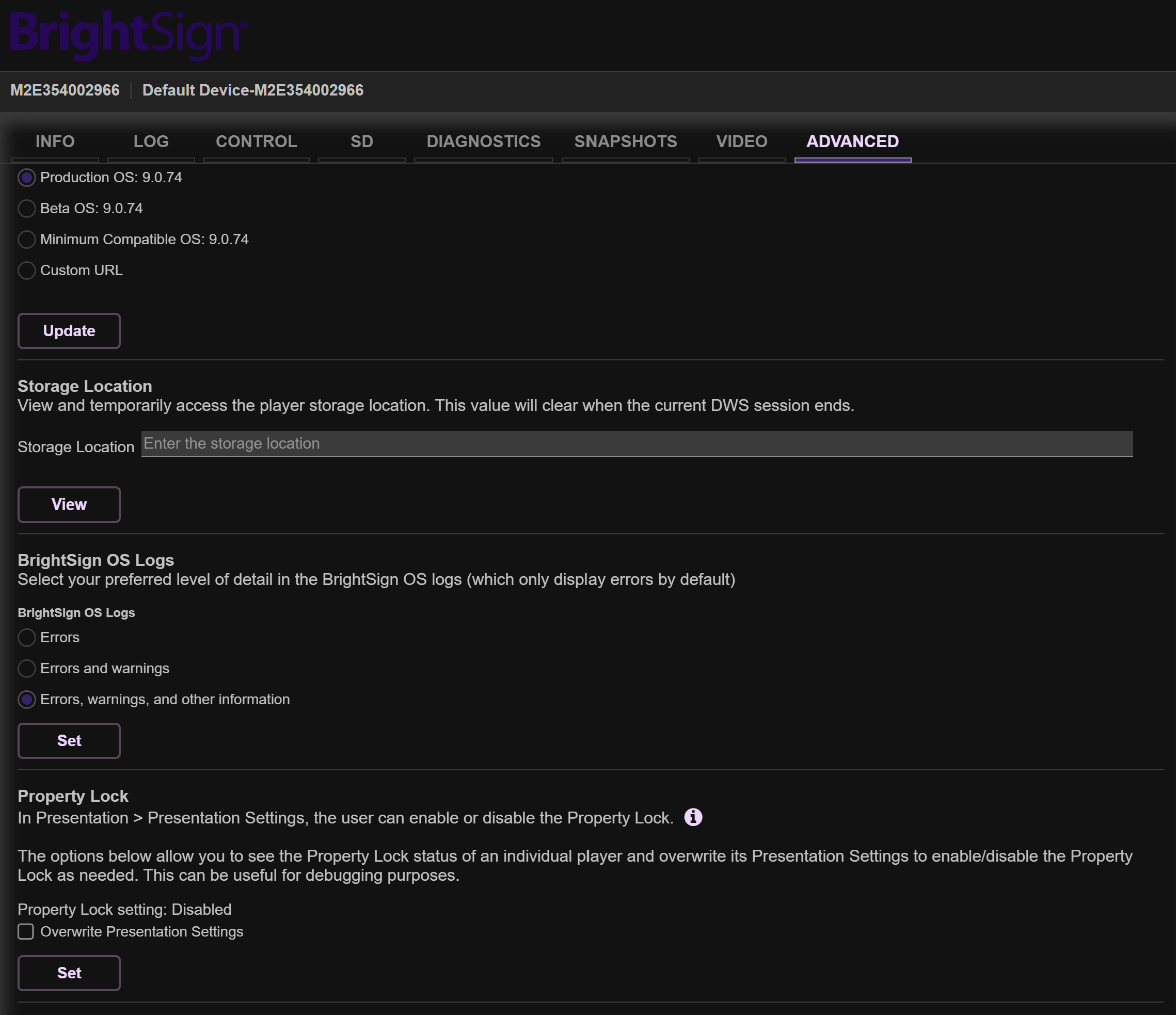
    There appears to be another workaround too if you can get to the webserver for the player. In the "Advanced" tab near the bottom of the page there is a Property Lock section. If you turn off property lock and check "Overwrite Presentation Settings" that should work too, but I didn't test that one. I did notice that it showed disabled, even though in BA it was very much enabled.

Please sign in to leave a comment.