
I have been wondering how to import a saved schedule in BA:Connected. There is a Save As button, that produces a autoschedule.brsc file but I don't see a way of importing it?
Anyone has ideas on this?
I have been wondering how to import a saved schedule in BA:Connected. There is a Save As button, that produces a autoschedule.brsc file but I don't see a way of importing it?
Anyone has ideas on this?

File>Open Presentation, then change the filetype filter. On macOS you need to click the Options button to get to that. On Windows it's the drop-down on the lower right.
_________________________________________________________________________
Friendly reminder, the community forum is intended for user-to-user discussion. It is not regularly monitored. For troubleshooting problems and to ensure a timely answer from a BrightSign representative, please submit a support ticket

Is this still supposed to be the case? I'm trying to open files and the filetype filter only lists BPFX and BPSX.
EDIT: Of course I figured it out immediately after posting this: File -> Import. And you have to select Local in the upper-right, to the left of the network name.

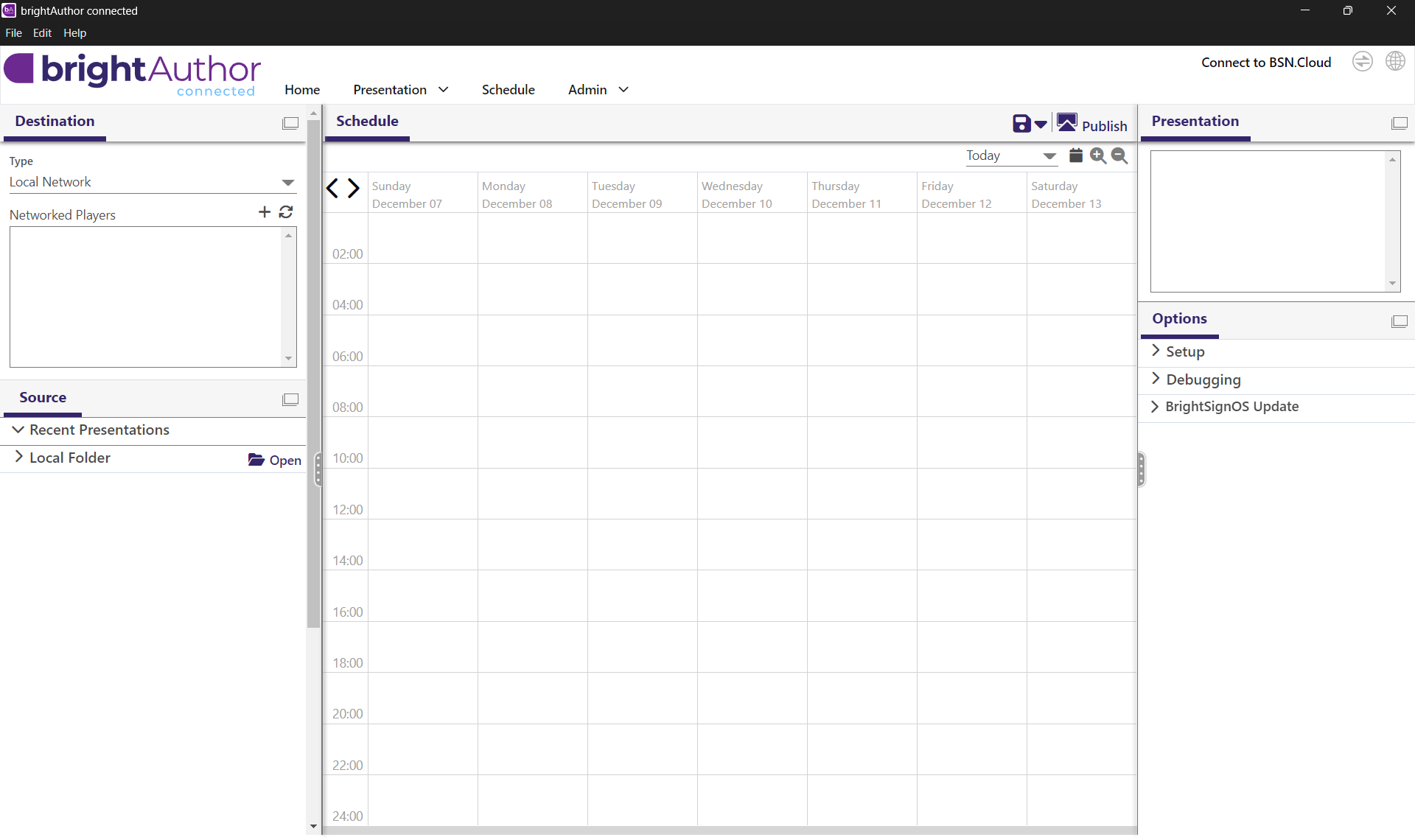
I cannot find anything on BrightSign Docs page for saving and loading saved schedules...
Also the Schedule button on top does not have any dropdown similar to Presentation...
I am missing something?
Can't find what you're looking for?
Contact support