Is it possible to retrieve a video file from en excisting project. We Don't have the project file or video file use in the project file. We only have the sd card from the player.
Date
Votes
10 comments
-

Lyndon If your content is downloaded from a brightsign network account, you can log into that account and download the presentation and content.
Or, is this an html project?
-

Mansy Peperkamp it is a project made in brightauthor. all we see on the sd card are hashed files.
-

Alex You can retrieve presentations from SD card, but it will require some file-renaming procedure.
First of all, you should copy all files from SD card to a folder on your PC and do not make any file modifications on SD card, otherwise you may break the existing presentation.
After you copied all files from SD card to a folder on PC, you should find and open the sync file (local sync or current sync) in a text editor, search for a file with the .bml extension.
The last two digits of the sha1 name for that file tells you what folder it's located in inside the pool folder.
For example, if the sha1 key ends in C 0, that means it is located in /pool/C/0.
You can rename the file there to anything.bpf.
Then open the .bpf file in text editor and check in what BrightAuthor version the presentation was created.
It's recommended that you use the same BrightAuthor version to open and edit the presentation.
You can verify what BrightAuthor version is installed on your PC by clicking Help > about BrightAuthor.
We can supply a necessary BrightAuthor version.
The same procedure works to retrieve the media files that are included in the project. -
Mansy Peperkamp i know the used video file is a .mov file, so when i retrieve the video file in the sync file and rename that hashed file to movie.mov it should work?
-
Mansy Peperkamp Thank you, i managed to get the video files
-

jumyen How did you mange to extract your media file?
-

Jack Farley Thanks! This worked great and i was able to download some video files that would have otherwise been lost.
I didn't copy the entire SD card though. You can read the Local Sync file through the web interface of the brightsign. Then you follow the process above, but looking for a .mp4 file, instead of a .bml. Once you have found it, use the last two characters in the SHA to find it in the Pool folder. Navigate to the pool folder and download this hashed file. It will be saved as a .txt file. Once it has finished downloading, change it to .mp4
File should now work normally
-

Ron Ploeckelman Has this process changed when using BA Connected? I am trying to pull a presentation that was created during their 30 day content cloud trial. Their trial has expired and I want to be able to back up their old presentation before publishing a new one. I looked through the current-sync.xml and current-sync.json and neither contain a .bml file. There is no local-sync file.
-

Jin CHua Hi, I could find .bml file.
I'm not sure if the video is inside the SD card or not, i also need to retrieve the video.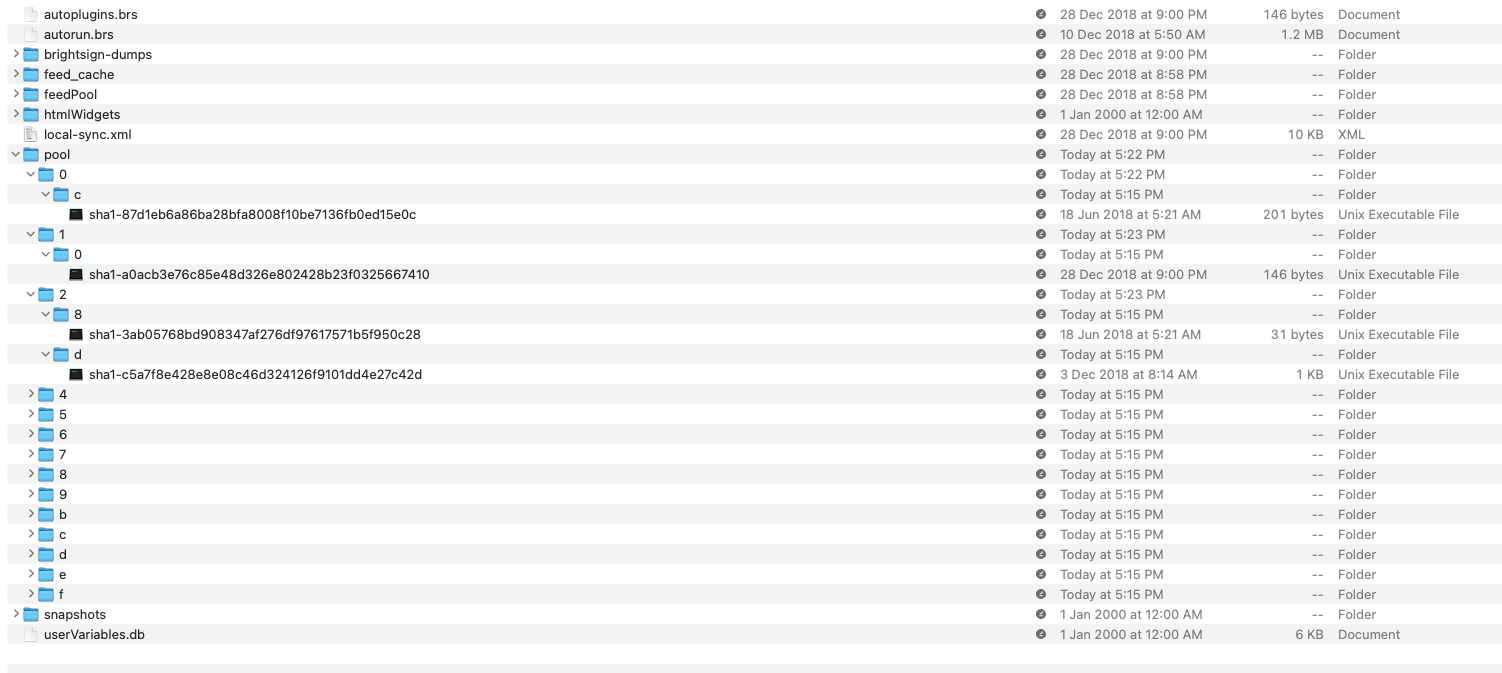
-

Astpierre I did exactly the procedure described by Alex. Unfortunately, I get an error message when I try to open the renamed .bpf file il Brightauthor. I open it in the exact same version it was created.
Any help ?
Thanks !
Please sign in to leave a comment.