0

White Background + fade & Layout change


Hi, my company thinks about using Brightsign for some projects; so I try to create some presentations with BrightAuthor for the HD1010. It works very well, but I have two problems: 1) I want the presentations to show white background - that works. But, when I use the effect "Fade to new image", my Image Zone gets a black background color. So I have a white presentation with a black box, where me images are shown. How do i get rid of this effect? 2) For an exhibition here in Vienna, I want to create a presentation with a "main menu" and some "sub pages", controlled by a touchscreen. The main menu should show three animations. By touching an animation, the page should be opened. On this page, I want to show a text, where the animations were located in the menu. So I need to switch the layout - is that possible? I use the current firmware and the current BrightAuthor. Kind regards, Dominik Dopplinger

7 comments

  • 0
    Avatar
    RokuLyndon


    BrightAuthor doesn't let you switch layouts on the fly, but do you have a mockup of what this would look like. You could have a text zone over the video, and I can add some customization that hides the text zone when the videos are playing, and after you press a button the text zone could be shown. I've done something similar already for someone.

    On the first one, I'm not sure I understand. There are two fade settings. You aren't using the one that fades to background color first before going to the next image, correct?
  • 0
    Avatar
    Dominik


    Thank you, I will test that.

    No, I use "Fade to new image", that fades directly to the new image.

    Here a description of my presentation:
    The entire presentation and all boxes have a white background color - so the entire screen background is white.
    In the layout, there is an image zone with the fade effect "Fade to new image" (directly to the new image) and "size image to fit".
    At the beginning of the presentation, you see the white background.
    But when the first fade starts, the image zone gets a black background color - the rest of my presentation stays white.
    So i have a white presentation with a black image zone.
  • 0
    Avatar
    Patrick Giordano

    5 years later and I'm having this same issue.  is this just a problem with the software?

  • 0
    Avatar
    Alex

    Hi Patrick,

    Please create a small presentation that demonstrates the problem, export it, zip all files and send for review.

  • 0
    Avatar
    Christian Voß

    Hello,

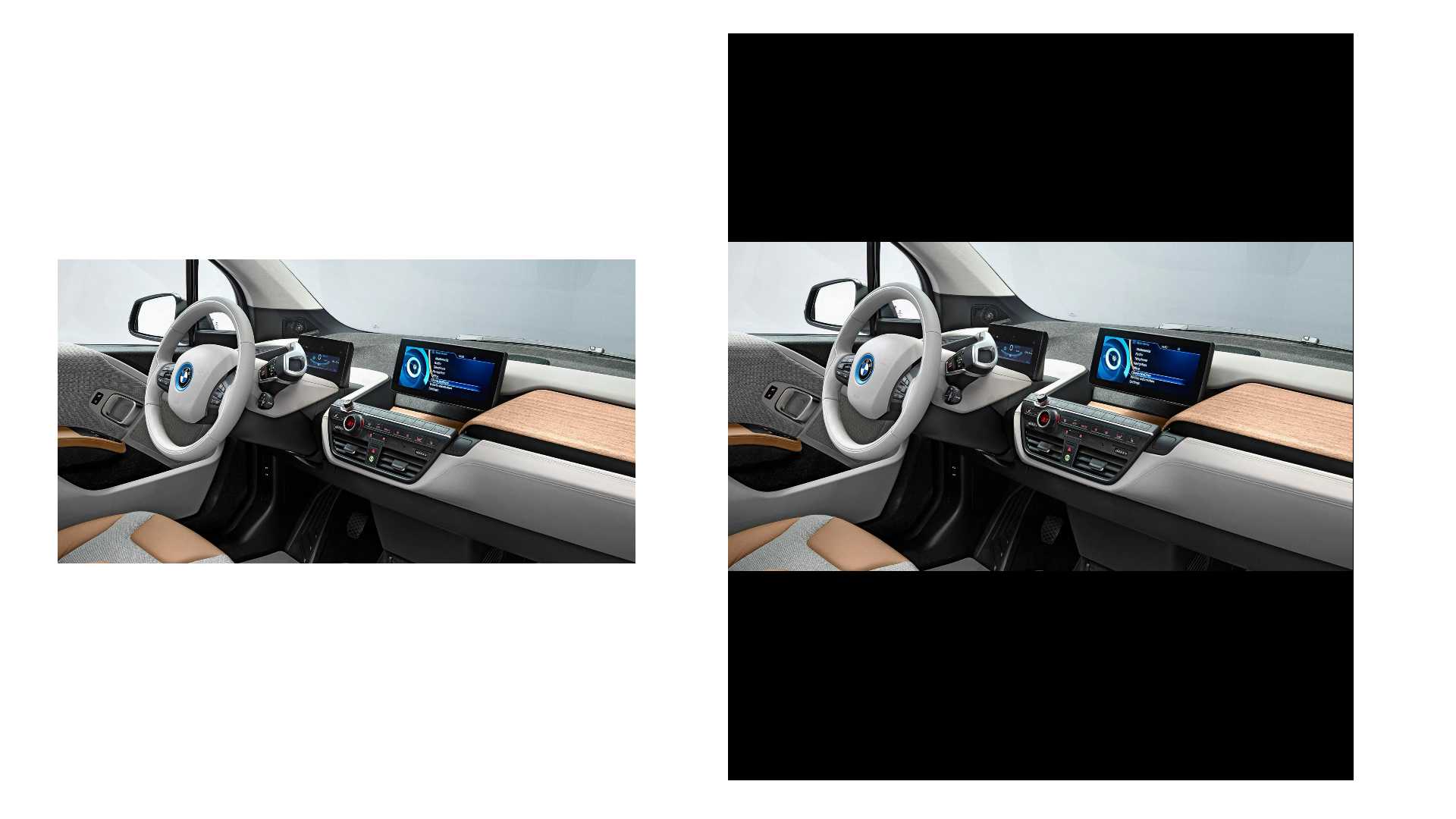
    I have the same Problem. Here you can see a snapshot:


    On the left side you can see the zone without transition effect, and on the right side with the effect "Fade to new image".

    Here you can find my presentation: https://we.tl/t-tRmRUvBb04


  • 0
    Avatar
    JRB Technical

    If you add a new full screen image zone on the bottom of all the other zones, and load a white solid white image in that zone (overriding the player background essentially), does it do the same thing?

    I know that is not ideal, but often I find you have to do simple tricks like that in some instances to get the look you want.

  • 0
    Avatar
    Christian Voß

    Hello John,

    I have tried it, but unfortunately it is the same with the white picture as background.

Please sign in to leave a comment.