0

How to? GPIO Output contact closure using Bright Author


We have Button 0 used as an input with the pushbutton to trigger a Crestron unit to trigger an input change on the LCD, and start the video. No problem there. BUT when the video is over, we want to issue a GPIO OUTPUT to tell the Crestron to change the input back... We are using GPIO 1, and setting it to off when the video plays and on when its over, but checking the pins with an ohm meter give me a closed circuit (0 ohms) the whole time. So, its not switching back. No GPIO docs in bright author. I have tried eveyr combination imaginable of turning on and off at different times, but it will not switch. Always closed contacts... Please help, thanks in advance.

2 comments

  • 0
    Avatar
    Chris Morris


    Add'l info.

    I am using

    "GPIO OFF 1" in the Advanced properties on the video itself,
    and "GPIO ON 1" in the Advanced properties on the "Media End" icon.

    According to the ohm meter, the circuit is closed the whole time. Is never switches.
  • 0
    Avatar
    RokuLyndon


    FYI

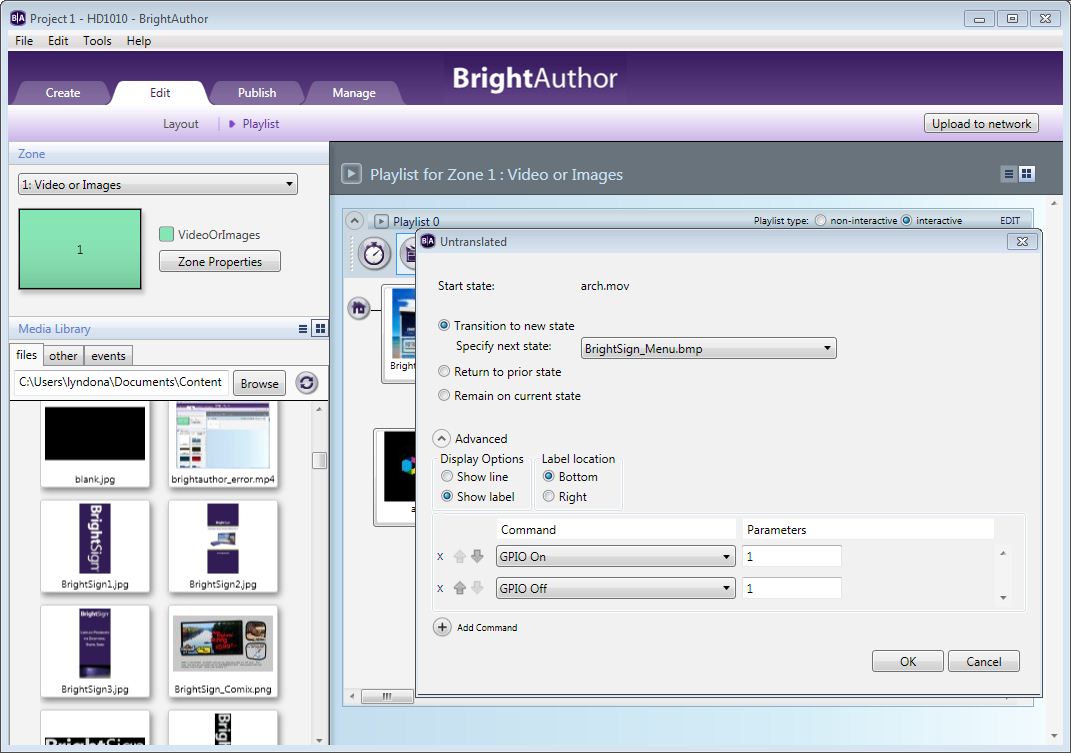
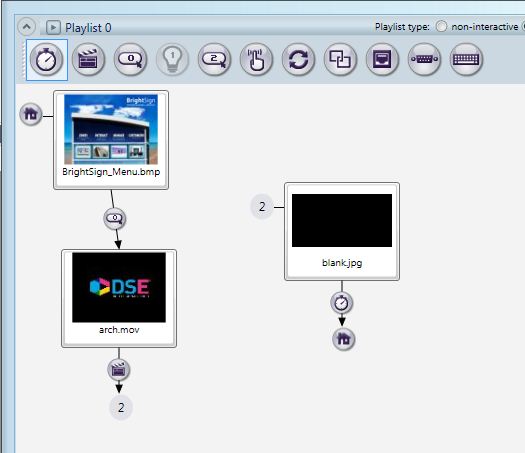
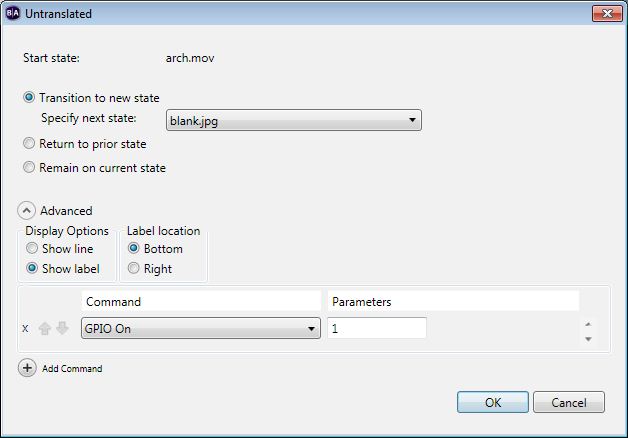
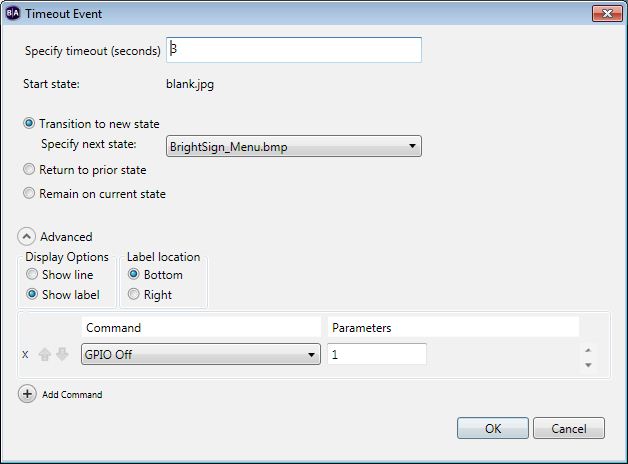
    I"m adding the solution we found. The problem was that the gpio output was being turned on and off without any time in between. So, it looked like the first two images, where it should have looked like the last three. If you were turning on and off the gpio output during the video, then you could have done this easily using video time code events. So, you could have turned on gpio at 3000 milliseconds, and turned it off at 3100 milliseconds, for example.

    http://www.brightsignnetwork.com/download/screenshots/GPIOPulse-1.JPG
    http://www.brightsignnetwork.com/download/screenshots/wrong-gpiopulse.JPG
    http://www.brightsignnetwork.com/download/screenshots/gpiopulse-2.JPG
    http://www.brightsignnetwork.com/download/screenshots/correct-gpiopulse1.JPG
    http://www.brightsignnetwork.com/download/screenshots/correct-gpiopulse2.JPG
Please sign in to leave a comment.