0

Art Installation

I'm considering BrightSign for a year-long art installation.  The daily functions would be:

1.  Turn on a projector at a specific time.

2.  Run a video loop for 10 minutes hourly.

3.  Turn the projector off at a specific time.

What BrightSign model would be most appropriate?  How challenging would the programming be for someone new to BrightSign technology, but not a technophobe? 

9 comments

  • 0
    Avatar
    Lyndon


    You can can use any of the players. If your display has a serial port, I would recommend a unit with a serial port like the HD1022 since that's going to be the most reliable way to control the display if it supports serial.  Will the unit have internet access to set the date and time? If not, the time will have to be set manually.


    -sending the serial command is easy to do. We have a video tutorial that covers monitor controls.

    -there's a time clock event you can use to schedule something to play on the hour. Here's a quick little video that shows how you can schedule something to play at the top of the hour, every hour..

    https://www.brightsignnetwork.com/download/Videos/Scheduleevent-tophour-1.mp4


    It should be very easy to do, and if you need us to, we can provide a sample presentation that sends a command at the beginning and end of the day, and that plays a file at the top of each hour, but only for 10 minutes. 


  • 0
    Avatar
    Evie Lovett

    Following up on the same project:

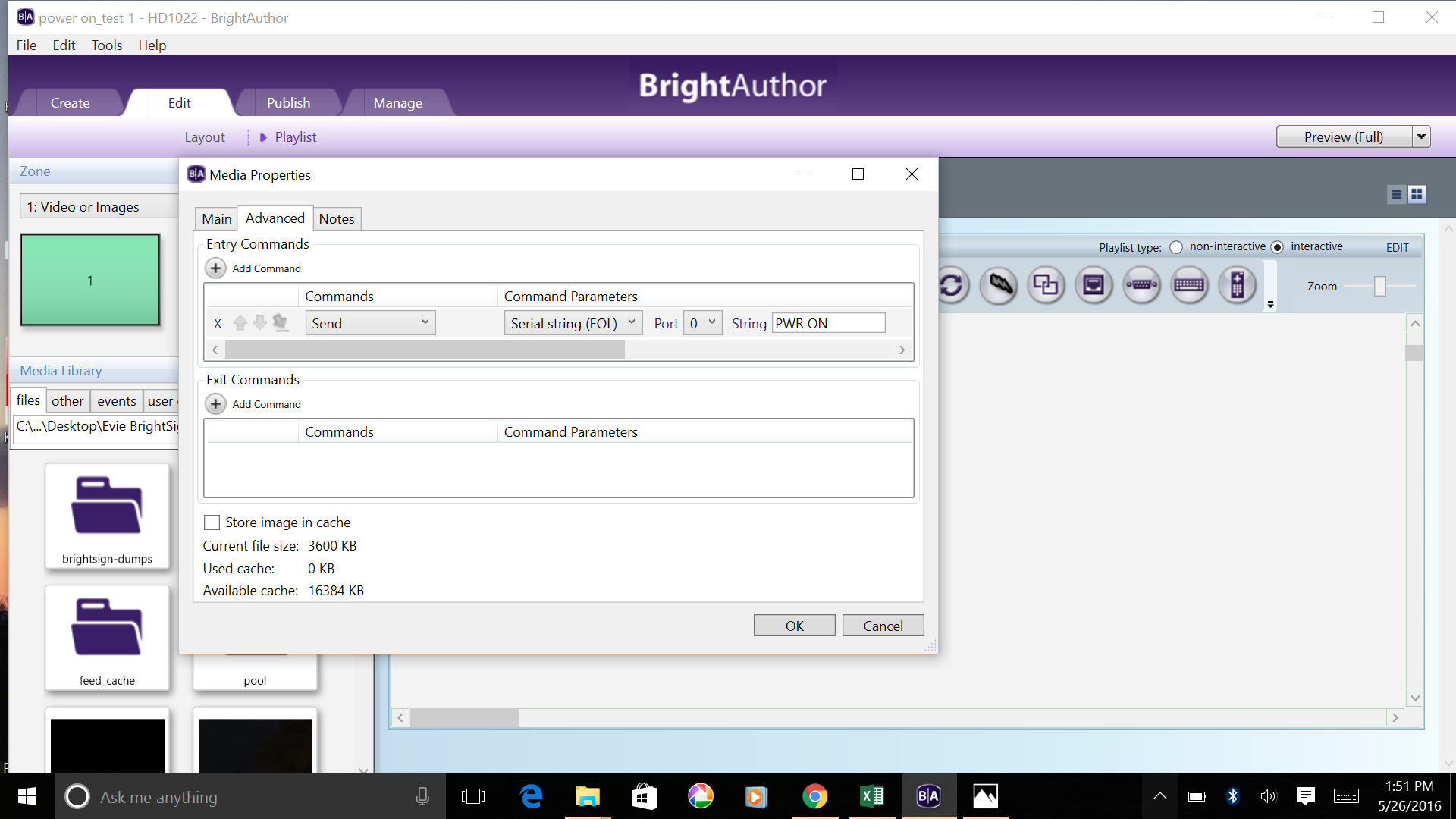
    Our problem right now is that we haven't managed to succeed in getting the Brightsign to turn on and off the projector with the RS232 serial code using a dedicated interactive presentation.  Does it look from this screenshot that it is programmed correctly?

  • 0
    Avatar
    ^UD\_$

    You would need to make sure that the player's serial port is set for the the same speed (Baud rate) as the serial port on the projector.

    The serial cable pinout is also important. Straight-through pin to pin wiring, vs. crossover (Null Modem).

    Before adding the complexity of BrightAuthor and the player, you could first test with a terminal application like putty, and confirm that you can control the projector from a computer.

    What is the projector model that you are using?

    What serial cable are you using?


  • 0
    Avatar
    Evie Lovett

    Projector model is Epson 4770W.

    And I need to check what kind of serial cable we are using.

  • 0
    Avatar
    Evie Lovett

    I believe that we know that we can control the projector from the BrightSign, because the BrightSign will successfully play media at the specified time.

    The projector model is Epson 4770W, baud speed 9600.  The baud speed had not been set correctly in the BrightSign presentation.  (Thank you for bringing that to my attention) I corrected that.  It still doesn't play.

    The serial cable is a straight-through pin to pin wiring.

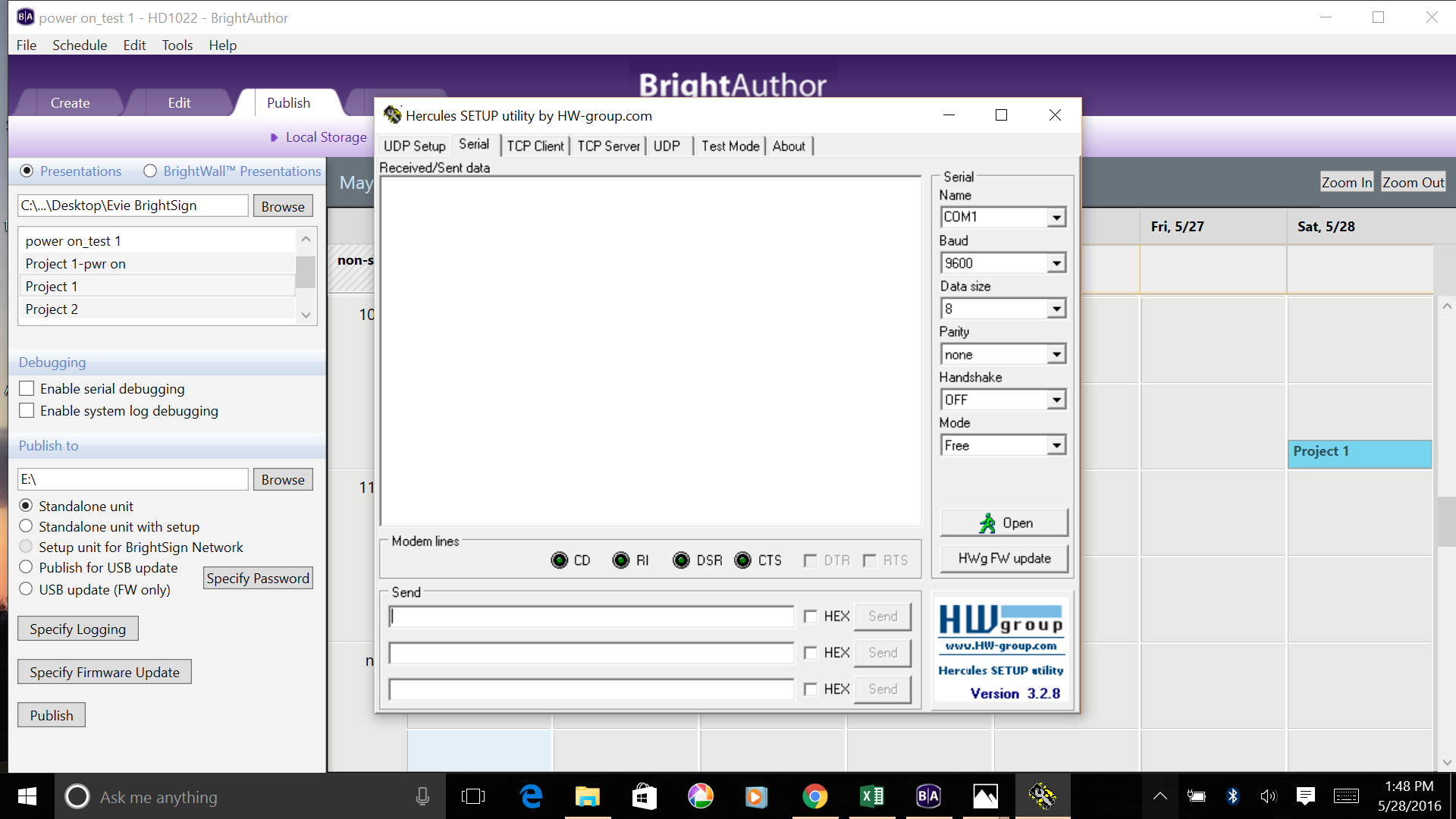
    I have looked at putty and hercules, and, frankly, I don't think I can understand how they function.

    I'm stuck.  I really need someone to help with this programming.

    A quick question:  what about the port?  How do I know if that is the correct setting?

  • 0
    Avatar
    Evie Lovett

    I'm going to try Herculus.

    What settings do I use--and what cord do I use to connect my pc to the projector?

    Using an HMDI cord and pwr on command in Send, I get this message:

    Serial port Com1 opening error

  • 0
    Avatar
    ^UD\_$

    This document is showing that Epson use crossover serial cables, so you are using the wrong serial cable.

    https://files.support.epson.com/Epson_Handbook/assets/content/proddetails/download/pdf/ESCVP21_e_P.pdf

    Here is a female to female cable that can help, assuming that the connector on the projector is male.

    http://www.amazon.com/Serial-Modem-Female-Molded-Crossover/dp/B0017HAAUU


    Also, communication may need to enabled in the projector settings.

    Some more info that you'll need to configure with:

    Select RS-232C at Advanced Setting of the Menu.
    ・ Communication condition
    Baud rate : 9600bps
    Data length : 8 bits
    Parity : No
    Stop bit : 1 bit
    Flow control : No

    Once you are able to control using a PC and Hercules Setup Utility, you should also be able to do the same from BrightSign


    As for you COM1 error.

    You should not assume that your serial port on the PC is COM1. I've seen that the single serial port on a PC was COM3.

    To find which COM port you should be using, examine your Windows Device Manager. 


  • 0
    Avatar
    Evie Lovett

    Thanks.  Will work on this.


  • 0
    Avatar
    Gerald Stockman


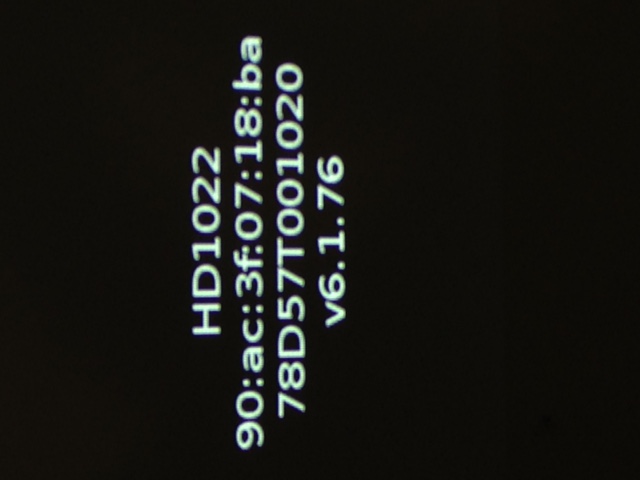
    I've been successful publishing to BrightSign, but am still having difficulty with time settings.  For setting the player time manually, support information indicates that "To retrieve the IP address of a player, power on the player without an SD card or other storage device inserted. After a few moments, the player will display its IP address on the connected display.  I tried this and could not see anything that looks like an IP address.  See this screenshot:

    I could also plug the player directly into a router.   Will that update the time?  If so, how long should it remain connected to the web in order to reset the time?   Will it automatically set it to EDST?


Please sign in to leave a comment.