0

Reinstall of Brightsigns and updated firmware and the software will not 'see' Local Network Player

Hi All,


I have recently had to reinstall BrightAuthor and having gone round in circles updating firmware etc I simply cannot get the BrightAuthor to 'see' the networked player.

I can ping the IP address of the player and access the local Web server on the device over the network but the software always gives me the following message:
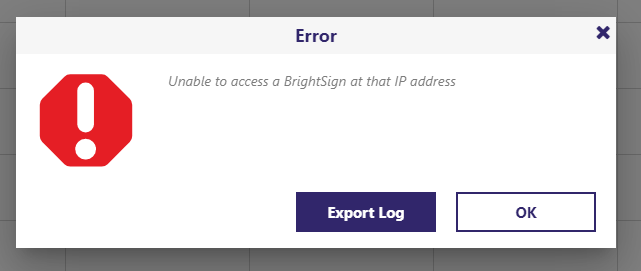
I cannot see anything in the logs that is obvious.

8 comments

  • 0
    Avatar
    Monica Knutson

    You may need to reinstall or install Bonjour services.  I usually download the Bonjour Print Services installer from Apple's website.

    https://developer.apple.com/bonjour/

    Cheers,
    Monica

  • 0
    Avatar
    Robert Corder

    Thanks Monica,

    I am using Windows but have reinstalled the Bonjour print services and still do not seem to be able to connect to the player to publish content. 

  • 0
    Avatar
    Monica Knutson

    What version of BrightAuthor and what model of BrightSign?  Also, what firmware version on the devices on the LFN?

  • 0
    Avatar
    Monica Knutson

    Also, did you reboot your Windows PC after you installed the Bonjour Print Services?

    One other thing, I've found that if I have WIFI enabled and am simultaneously connected to a LAN cable I get the same thing happen.  Try disabling WIFI OR unplugging the LAN cable and refresh the device view in the Manage tab.  It seems to compete over the network devices and then BA wonks out and doesn't show anything.

  • 0
    Avatar
    Robert Corder

    Thanks Monica,

    Yes, I have rebooted my PC and still no joy. Only connected via LAN and on the same subnet as the BrightSigns device.

    It is an XD233 with BrightSign OS version 8.5.47 and Boot Version 7.0.16. I am on version 1.27.1 of BrightAuthor.

  • 0
    Avatar
    Monica Knutson

    BrightAuthor:Connected requires a minimum firmware of 9.0.34 on devices.  Since you're using a Legacy Series-3 player, maybe try uninstaling BrightAuthor:Connected and installing full BrightAuthor 5.0.1.9?  That application requires 7.1.49 or greater for the BrightSign device OS and still works with Series-3 players.

    https://www.brightsign.biz/resources/software-downloads/


    EDIT:  Just checked and the minimum req's for Series 3 is 8.0 on BA:Connected

  • 0
    Avatar
    Monica Knutson

    Check your Control Panel for the software version of Bonjour as well.  It should be v3 or later.  I believe that the Airport Utility for Windows has v3 of Bonjour:

    https://support.apple.com/kb/DL1547?viewlocale=en_AU&locale=en_AU

  • 0
    Avatar
    Brandon

    BrightAuthor and BrightAuthor:connected are not interchangeable.  You need to use the one the player was set up for - the other will not see the player.

Please sign in to leave a comment.