Is there any way to update an existing Setup file with wireless settings and apply it to existing players?
Date
Votes
4 comments
-

Monica Knutson Yes! In fact I had to do this en masse within the last few months over Simple File Network and it worked swimmingly!
The catch is... you may need to have *both* SSIDs active to do a live swap (like with different VLANs) or just hope they come back online when the new SSID becomes live.
Here is the help guide to do that, depending on how you have the BrightSign setup:
Cheers,
Monica -

Chris Smolen Doesn't look like this will work with how I have them setup. First, there is no existing wireless configuration, so when I look at the config of a player the wifi config does not show. Also, it has a message "Player properties disabled", so all of the options are greyed out anyway? I can get the DWS started via the Control tab for the player, but I do not see a way to create the setup files in BrightAuthor: Connected
Second, the doc all appear to be referencing the other tool and not bsn.cloud or "BrightAuthor: connected"
I am not sure if because I have them connected to AppSpace if that is part of the issue?
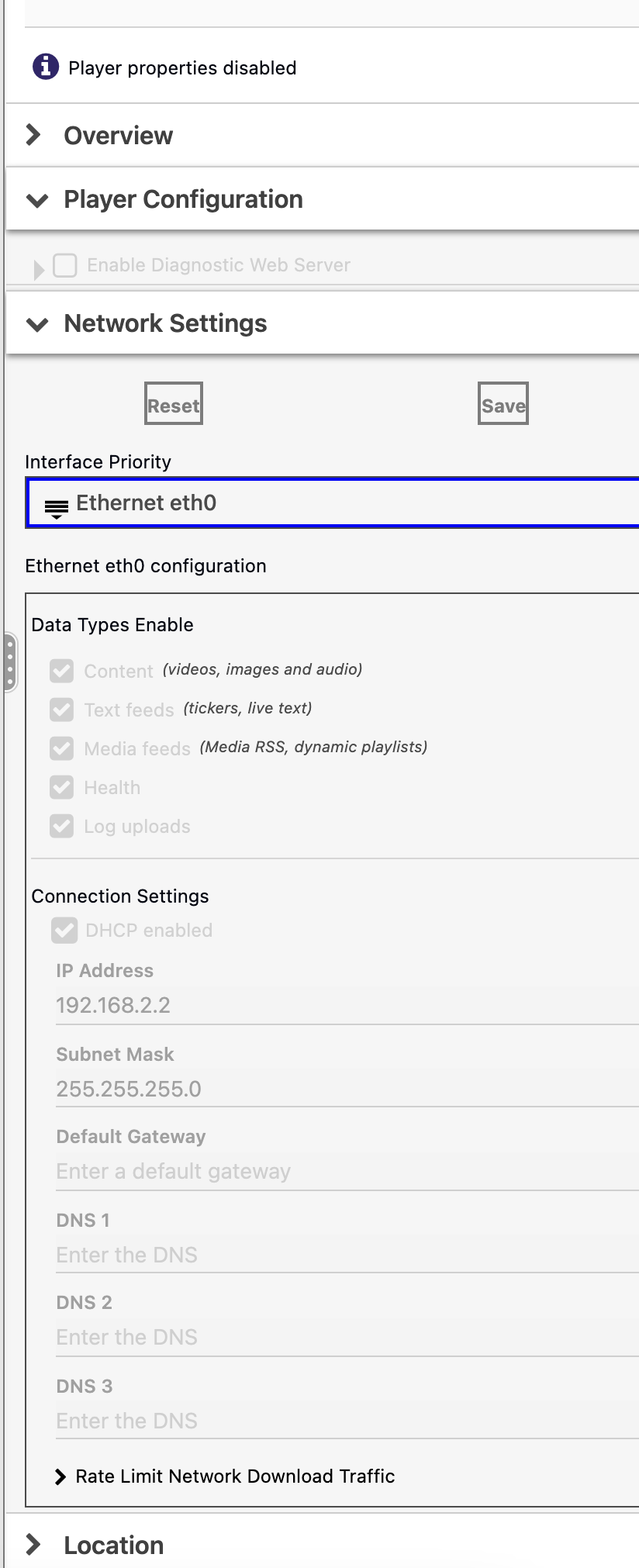
-
Monica Knutson Do you have a WIFI antenna installed into the BrightSign device?
I'm not as familiar with Connected as we use the BrightAuthor full version exclusively. Perhaps someone with more experience on Connected can lend a note here for how to create setup files.
Cheers,
Monica -
Chris Smolen I do have it installed. So far the only way I have gotten it to work is to re-provision which means re-registering it with appspace...
Please sign in to leave a comment.