Is it possible to stream directly YouTube video's with HD223?
Date
Votes
6 comments
-

Brandon Official comment There's a formal KB article for this now. See https://brightsign.zendesk.com/hc/en-us/articles/360005309713-How-do-I-display-a-YouTube-video-or-playlist-on-my-player-
-

Lyndon Yes.
You would use the html widget to stream youtube.
We don't play vp9 codec, so those videos don't work. Not all mse extensions work so it's possible you have have problems with some live streams.
-

Remi Prinsen Thanks for your reply. Can you give me an example how to configure it in BA?
-
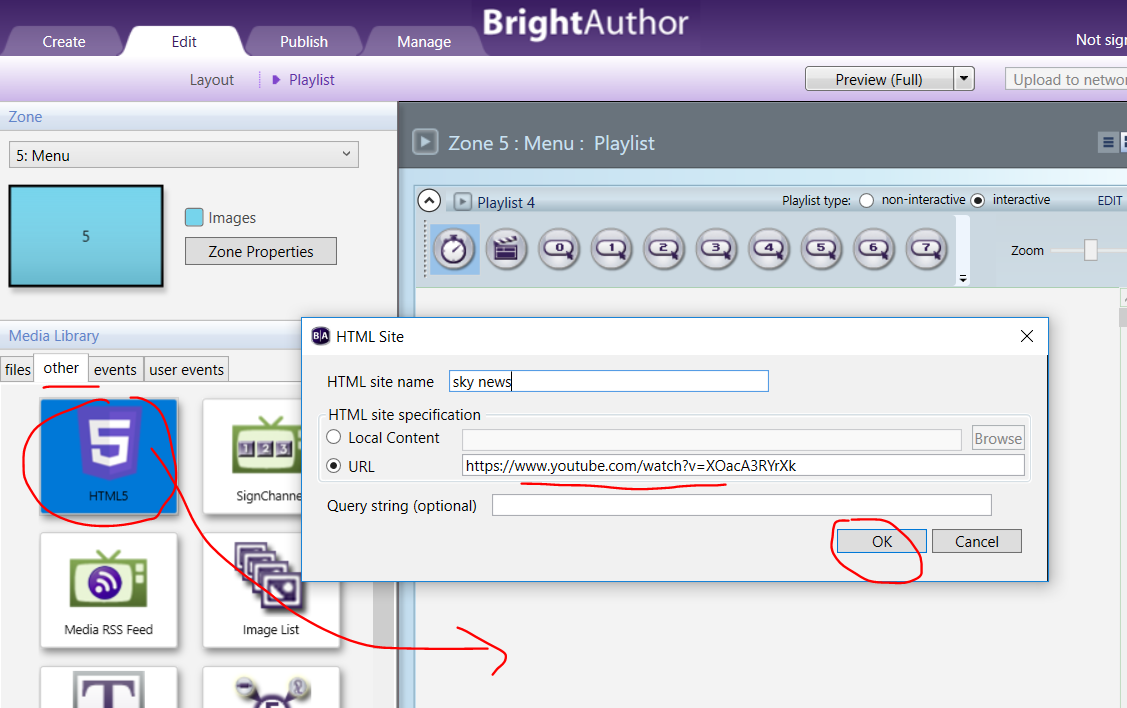
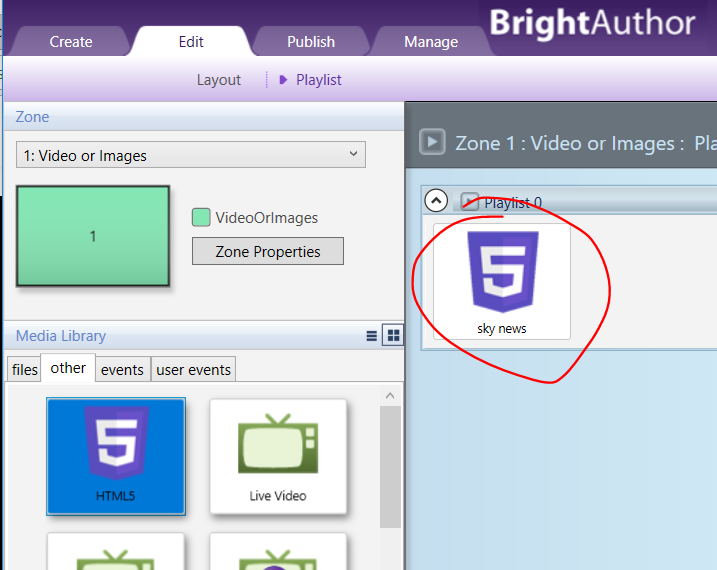
Lyndon Under the other tab, you'll find the html widget if you've created a project for any player that supports html. Just drag it to the playlist window, and add your url and a name.
-
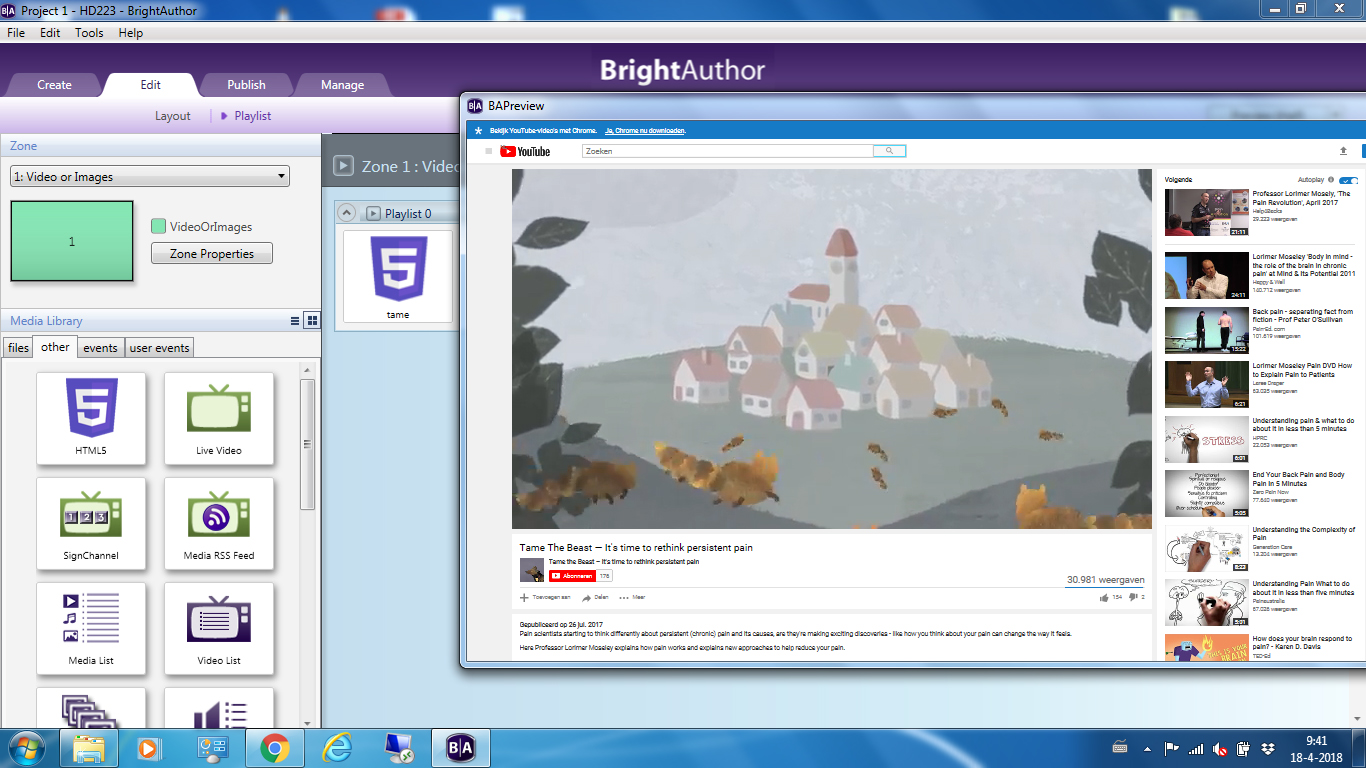
Remi Prinsen Thanks Lyndon. How can I autoplay a youtube video in fullscreen mode. When I select preview, I see whole websitepage.
-
Brandon It's just doing what you tell it to, so if you're pointing it to the page, it'll display the page.
Also, don't trust the BrightAuthor preview - always check on the actual player as the BrightAuthor preview isn't a 100% accurate display of what the player will display
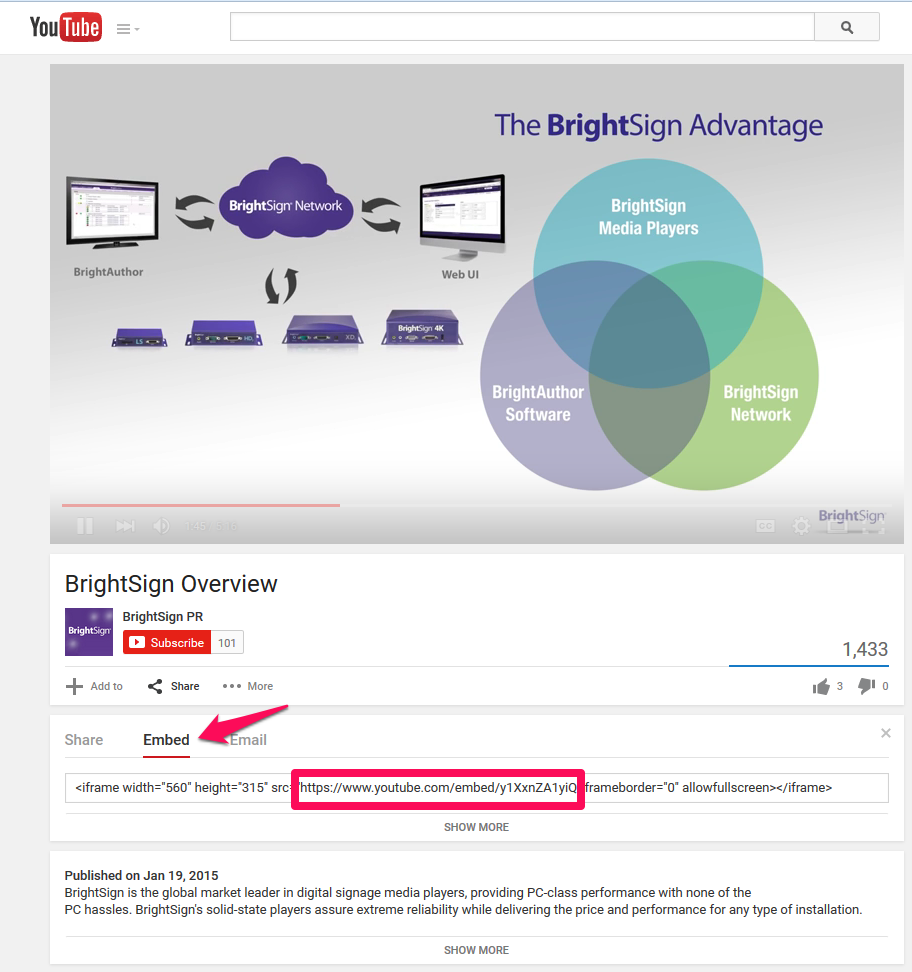
Use the URL from EMBED video link's SRC attribute, without the double-quotes, of course, *and* add ?autoplay=1 to the end.If there's already a ? in the URL, add &autoplay=1 at the end instead.For the attached example, the URL would beNote that the HTML state will not stop or be notified when the video ends, so to play a video then move on, you should add a Timeout event (interactive playlist) or set the Time on screen value (non-interactive playlist) to allow playback to move on after the end.
Friendly reminder, the forum is intended for user-to-user discussion. For troubleshooting problems and to ensure a timely answer from a BrightSign representative, please submit a support ticket.
Please sign in to leave a comment.