0

Html5 refresh

 OK, so I have been combing this community and found something close to my issue but resolution did not work. 

This post explains same issue however reboot of XT1143 did not "fix it"

It is a simple web page made in Dreamweaver and displays some text info in paragraph form. Simple, no JS add on's or anything.


My intention is to update the page on the IIS side and then let a timer update on player to update content. I am not an HTML creator but I have a way setup to allow updating of the page.I just wanted to do this way so I have better formatting of the font and layout then laying in an RSS feed.

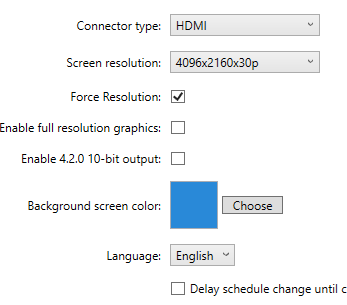
Here is what my presentation looks like.
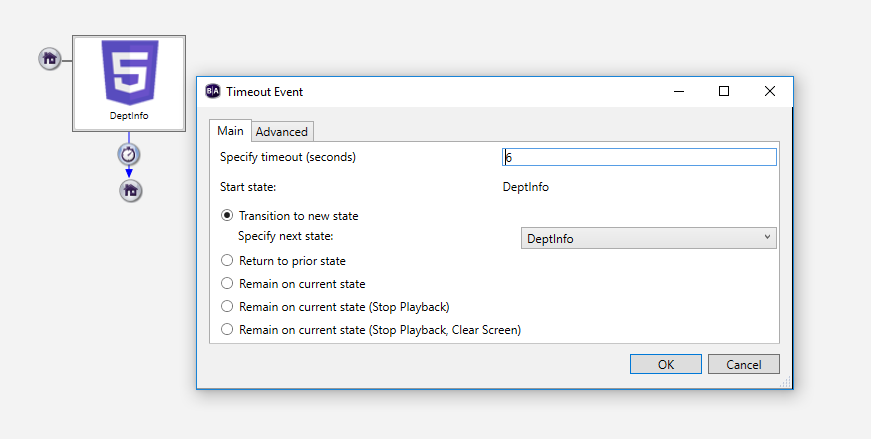
Here is HTML setup. I have hidden machine name for simple protection.

I do have the web page setup as a local file and not an as a URL. Other sites have work this way i.e weather widget and stock ticker. 

I hope it all makes sense here. I thought it would be simple to put a page on there and then let it update X minutes but it has proven to be more difficult than I expected. :-(


Thank you,

Anthony.


6 comments

  • 0
    Avatar
    Brandon

    I'm guessing that your path starts with \\computername ?

    If so, you're publishing HTML Local Files, which takes a copy of the HTML at the time of publish.

    Refreshing the HTML5 state would then just reload the same file from the SD card, which wouldn't be what's on the server.

    The URL needs to be an actual remote URL, http://computername/path or https://computername/path


    Friendly reminder, the forum is intended for user-to-user discussion. For troubleshooting problems and to ensure a timely answer from a BrightSign representative, please submit a support ticket.
  • 0
    Avatar
    Anthony

    Thank you Brandon for the response. I did have the "whacks" for the UNC path.

    I did create a new HTML site that points to the URL of the IIS. The page displays fine in Chrome but will not display on the player?

    However if I create a site in BA for google.com it displays fine in the player? 


    I thought to look at the IIS I spun up however it draws fine in Chrome and everything I have read says the players are similar to chrome engine.


    Any thoughts on why it would not display in the player as a URL? 

    Thank you,

    Anthony

  • 0
    Avatar
    Brandon

    In File>Presentation Properties, Main tab, verify the background color is something other than black.  The default background for HTML on the player is transparent, so you may be getting black text on a black background, or a black plain-text error message on a black background which is equally difficult to see.


    Friendly reminder, the forum is intended for user-to-user discussion. For troubleshooting problems and to ensure a timely answer from a BrightSign representative, please submit a support ticket.
  • 0
    Avatar
    Anthony

    I do have black lettering in the HTML page however the background color of the player is blue. As mentioned if i use the file location for the HTML page it draws fine on the player however if i use the URL it does not.

  • 0
    Avatar
    Brandon

    So you're just seeing the blue background "showing through" then?

    Check the system log in the Diagnostic Web Server to see what it's reporting.  Likely it's something like a failure to resolve the host, especially if you're using just a computer name rather than the FQDN or IP.

    Also check the Javascript console to see if there are errors there, likely due to cross-domain requests (you should tick Enable external data in the HTML5 state).
    https://brightsign.zendesk.com/hc/en-us/articles/218066187-How-do-I-enable-the-JavaScript-console-on-a-BrightSign-player-


    Friendly reminder, the forum is intended for user-to-user discussion. For troubleshooting problems and to ensure a timely answer from a BrightSign representative, please submit a support ticket.
  • 0
    Avatar
    Anthony

    Missed the FQDN! I had it on the variables for the RSS feeds that i have for my work around for Live Text :-) but forgot to add it on HTML. Added and boom, drawing. Now just to test if the refresh works like it supposed to.

    Thank you Brandon for your time and help. Usually a PEBKAC in there some where. 

Please sign in to leave a comment.