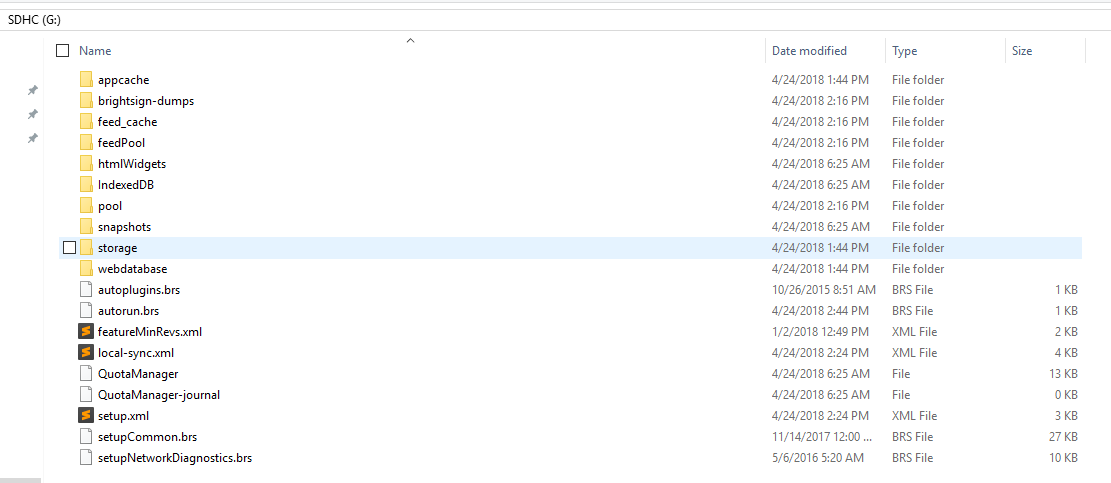
indexedDB can not open on my Html page, it's got an error is 'UnknownError, Internal error opening backing store for indexedDB.open'? it's work fine on chrome without error.
And the localStorage didn't work, everytime the roHtmlWidget is created, the localStorage data is empty.
My autorun.brs is:
Sub Main()
msgPort = CreateObject("roMessagePort")
r = CreateObject("roRectangle", 0, 0, 1920, 1080)

config = {
 url: "http://192.168.1.63//",
 brightsign_js_objects_enabled: true,
 focus_enabled: true,
 javascript_enabled: true,
}
h = CreateObject("roHtmlWidget", r, config)
h.SetPort(msgPort)
h.SetAppCacheDir("SD:/appcache")
h.SetAppCacheSize(32768)
h.SetLocalStorageDir("SD:/storage")
h.SetLocalStorageQuota(32768)
h.SetWebDatabaseDir("SD:/webdatabase")
h.SetWebDatabaseQuota(32768)

sleep(1000)
h.Show()
while true
 msg = wait(0, msgPort)
 print "type(msg)=";type(msg)
 if type(msg) = "roHtmlWidgetEvent" then
 eventData = msg.GetData()
 if type(eventData) = "roAssociativeArray" and type(eventData.reason) = "roString" then
 print "reason = ";eventData.reason
 if eventData.reason = "load-error" then
 print "message = ";eventData.message
 endif
 endif
 endif
end while
End Sub
Is there a problem with my script?