I have a zone with 5 seperate touch zones. I am trying to get a touch from one of these touch zones to display a picture in another different zone. (Not the touch zone) I'm sruggling, any ideas
Date
Votes
6 comments
-

Bright Scripters Let us take a look at what you currently have.
Please provide a link to your presentation file.
No need to include media files.
-

steve gifford Hi, thanks for your reply. As a Brightsign newbie I'm not quite sure what you need me to link or how. Can you explain?
I have attached a pic of the layout as I have it at the moment with a description of what I need it to do.
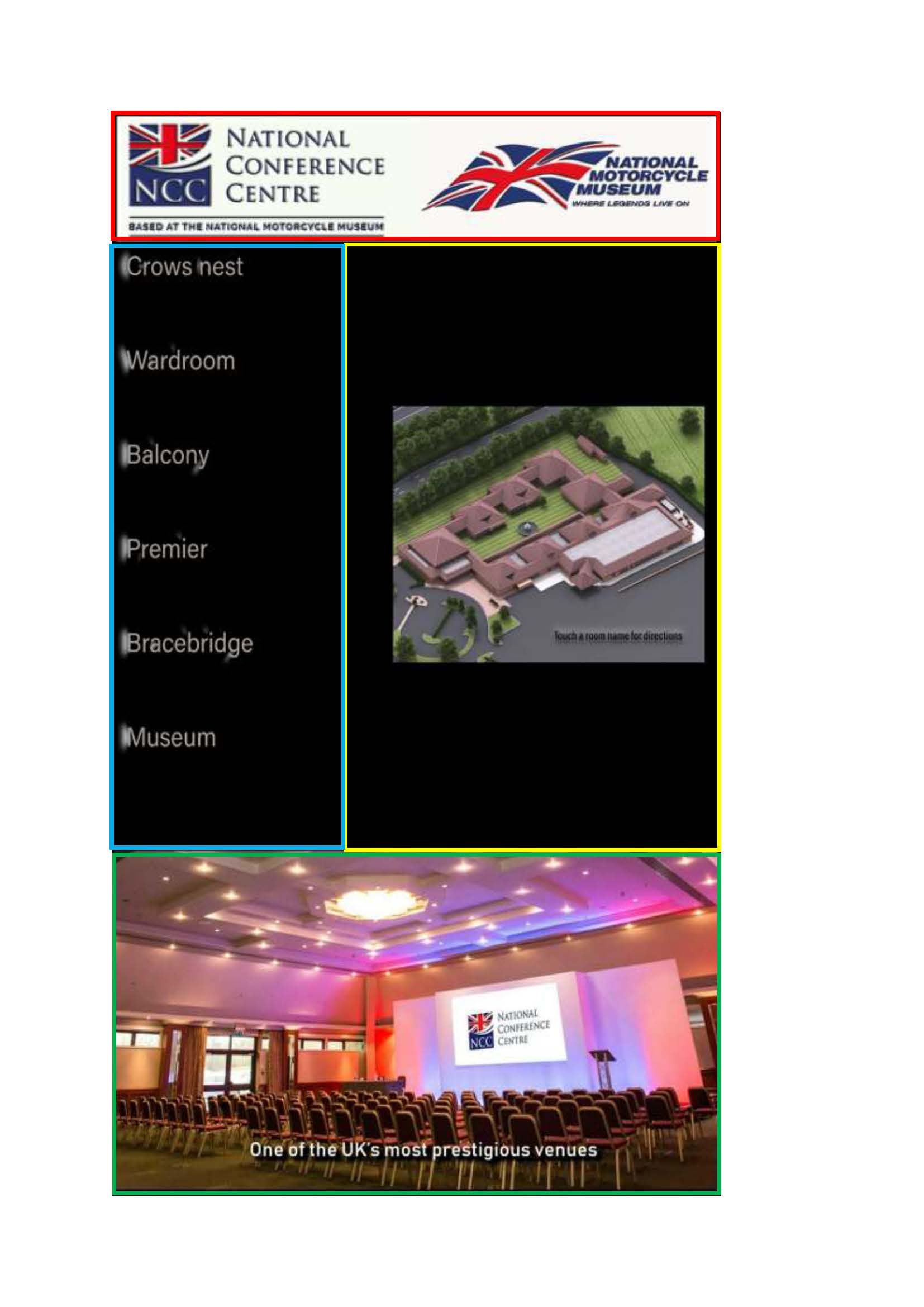
The green zone is a video. That's fine
The red zone is a static logo. Fine.
The blue zone comprises of touch zones where the room name is, then Livetext underneath each room name to show which client is in the room. The Livetext works fine too.
What I need is that when you touch a room name a map will come up in the yellow zone, is this possible?
Thanks -
Bright Scripters Excellent.
The file I'd like you to share is the BrightAuthor file. The one that gets saved, when you select File-> Save in BrightAuthor.
The ingredients for such programming would be:
Image Play File, where you would list the images in the yellow zone.
The Image Play File, has a UDP event pointing to itself.
When the blue zone is touched, it would send out a UDP message, containing a unique number or word, that corresponds to the selected room.
That is basically it, although you would need to handle the default image shown in the yellow zone, upon startup.
Script Away!
-
steve gifford https://1drv.ms/u/s!ApreMNj_GsI9gqg_CJtNfrJRXNWq9g
Hopefully this works! Thank you so much for the help.
-
Bright Scripters Got you file.
Will get back to you with some feedback.
-
Bright Scripters First step is at the maps zone.
Use an Image Play File state, populate it with your maps image files, and give each file a "key".
Remove the loose files from the zone, as they all live now in the Image Play File.
Please sign in to leave a comment.