0

Wayfinding/Video interruption

Hi,

We are testing the inclusion of video (mp4)  in our regular content, but we have run into a minor snag.

When a video is playing and the wayfinding is initiated, the video sound continues to play in the background. Is there a command / action to send to stop or mute the video when the wayfinding is activated?

I uploaded the video via the BrightSign Network and dropped into onto the timeline with our content on the playlist.  

Would I instead need to use the interactive BrightAuthor playlist and upload the mp4 as a 'Video Play File'? And use the various connectors to mute or stop the video? If so, what commands would I use?

Please advise.

Thanks,

Jason

4 comments

  • 0
    Avatar
    Lyndon


    There isn't enough information here about your project to discern how you are doing your wayfinding vs how you're playing the video. we need more details, like screenshot of the project showing what goes where. 

  • 0
    Avatar
    Haynes, Jason

    Hi Lyndon,

    Hopefully this additional info. is helpful.

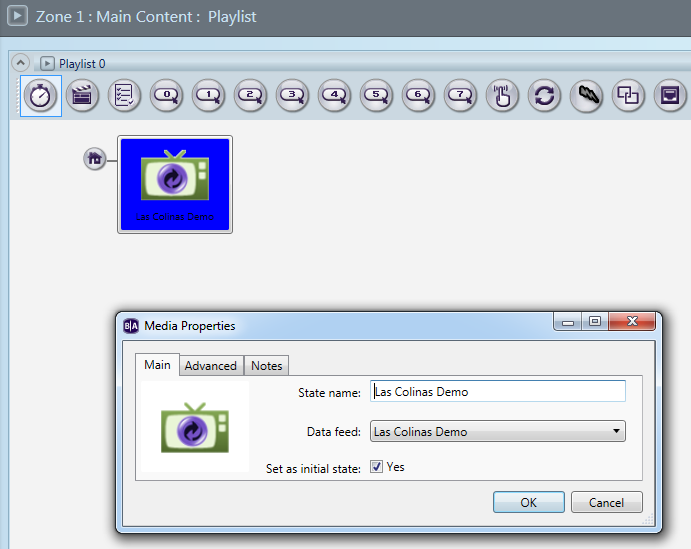
    Below is a screenshot of the presentation in BrightAuthor.

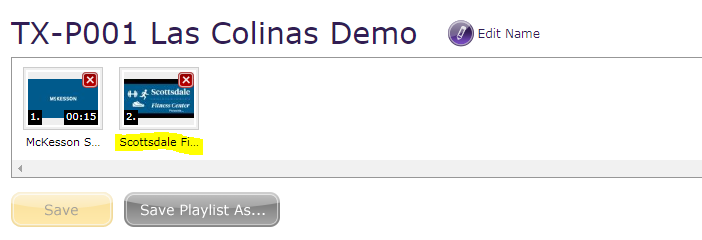
    Below is a screenshot of the video on the timeline of the playlist in the BrightSign Network web app.  

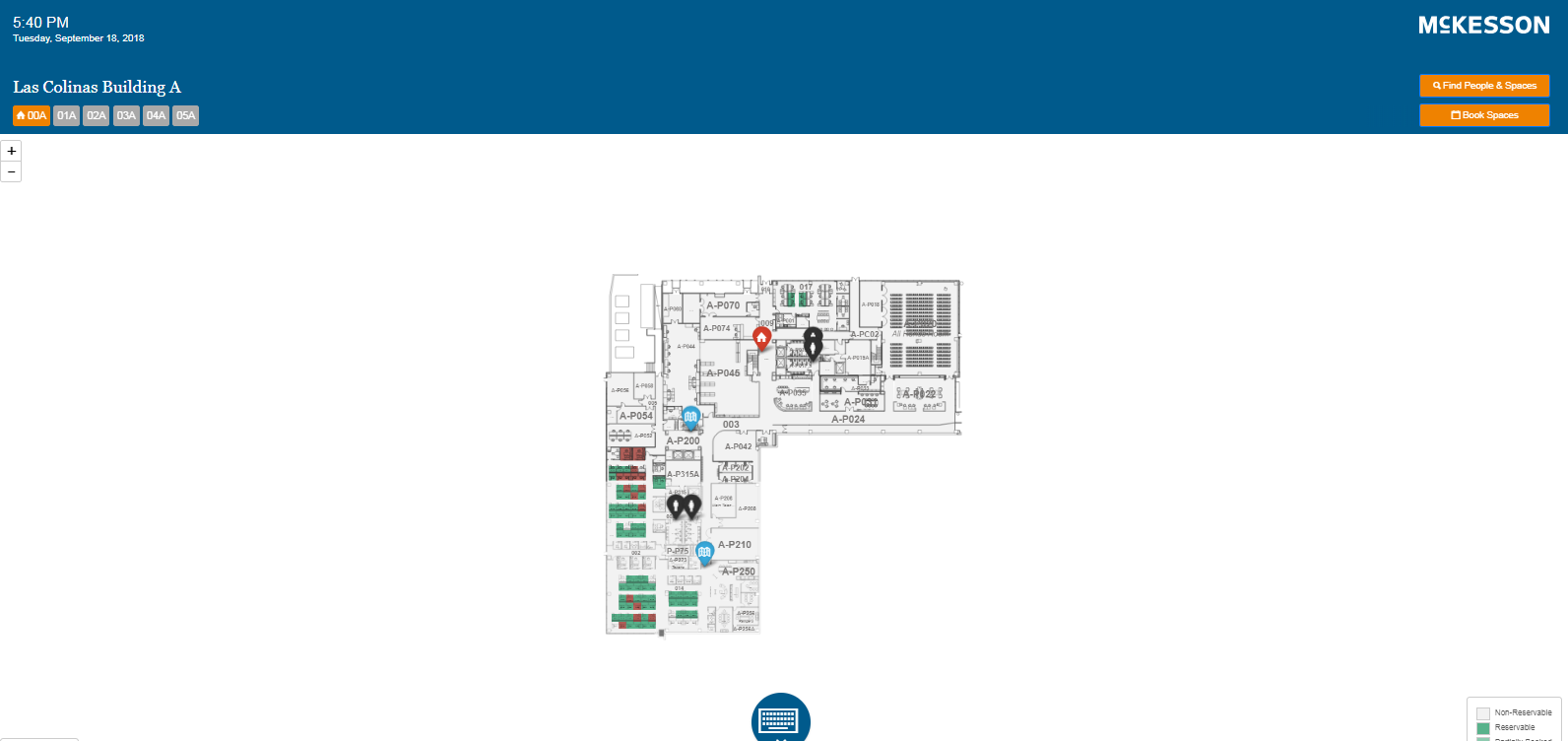
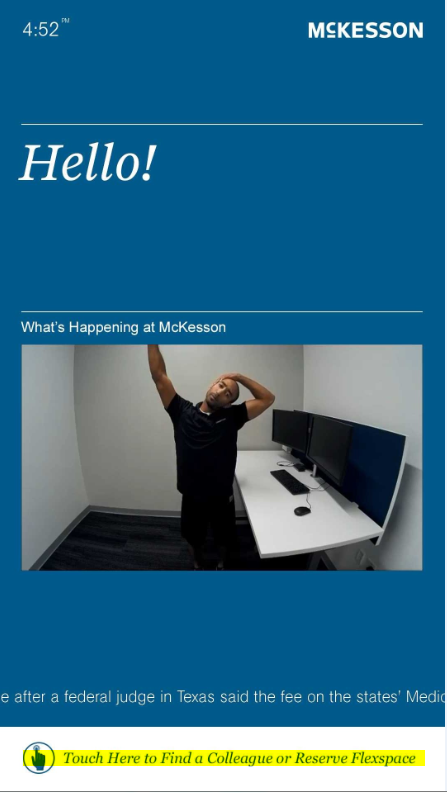
    Below is a screenshot of the monitor (Screenshot A). 
    Additional Information:

    The "Touch Here to Find a Colleague or Reserve Flexspace" highlighted on Screenshot A below is our touch wayfinding feature.  

    The content in the box (guy stretching) is the video. The video was uploaded to the BrightSignNetwork (we have an Enterprise Account) and is located on our Las Colinas Demo timeline.   

    The wayfinding feature connects to a URL and it brings up map of the users location when it is touched (Screenshot B). 

    What we're trying to solve is when the wayfinding feature is touched and the URL page is up and covering the full screen - the video continues to play but we want to mute/interrupt the video from playing.

    Please let me know if this info. helps, or if other info. is needed.

    Please advise.

    Thanks.

    Screenshot A:

    Screenshot B:


  • 0
    Avatar
    Lyndon


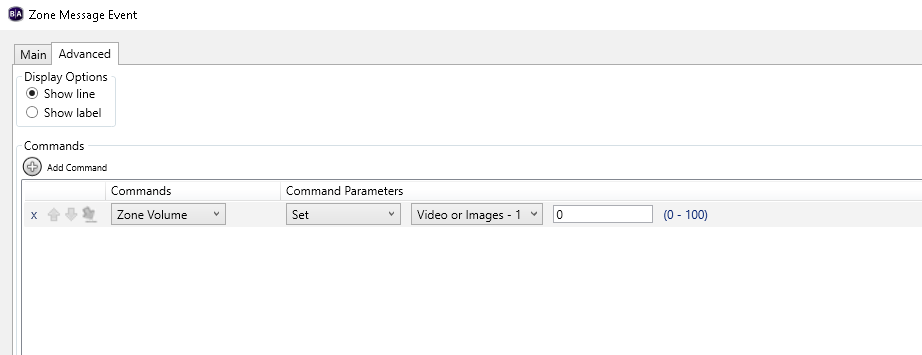
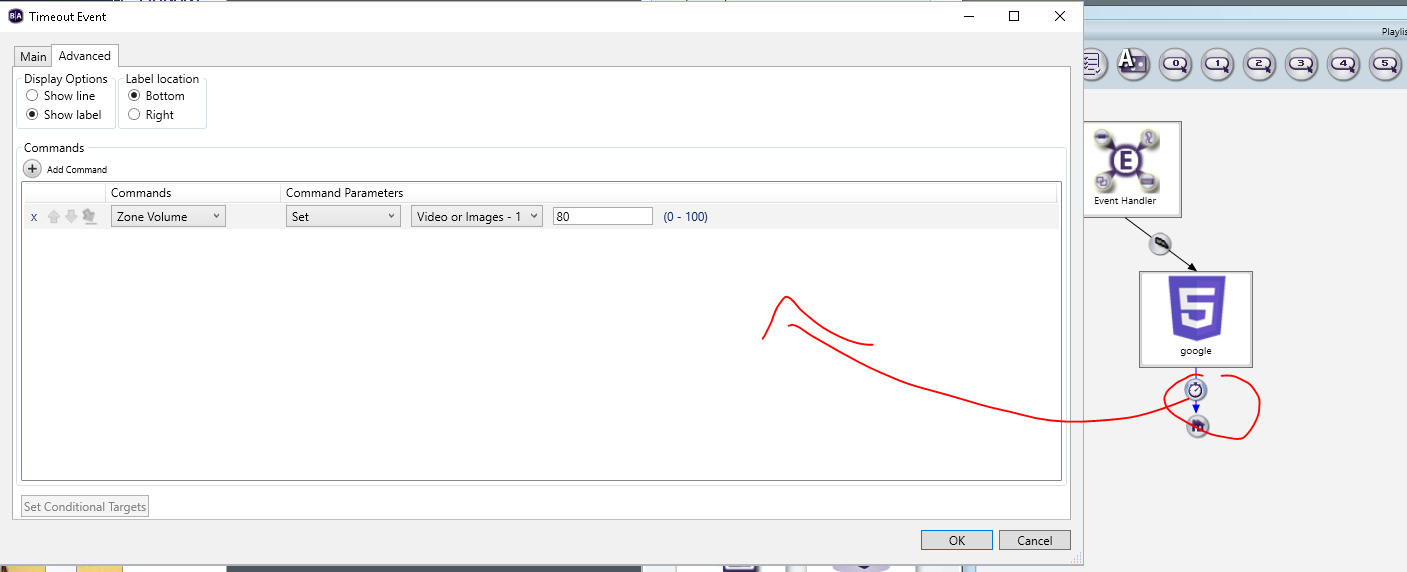
    You can open your touch event, go to advanced, and add an advanced command. There are multiple audio related commands. You could add an advanced command that sets volume to zero on the touch. 

     Like this..


    Is there a timer that exits the wayfinding image or is it another touch? whatever event exits the wayfinding, you can go to advanced and set the volume back to 100 or whatever it was before. 


    So, maybe if you're using a timer to leave your wayfinder...you can add setting the volume level back to 100..


  • 0
    Avatar
    Haynes, Jason

    Thanks for the suggestions. Those were very helpful.  

    I tinkered around with adding Commands and I feel like I'm getting close!   

    The Wayfinding zone doesn't have a timer - but we do have Hotspot and Watchdog zones with timers. 

    I've figured out how to turn the volume down when the touch event is activated - but the volume either doesn't come back up at all or it comes back too quickly (before the wayfinding is no longer being used).  

    I just need to figure out which zone needs the volume up command.

    I'll figure it out - its good practice either way. 

    Thanks again!   

Please sign in to leave a comment.