0

UDP Input Setup

Hi all,

How do I need to set up a BrightAuthor 4.7 presentation so that there are multiple video files, and UDP Input triggers can switch to any one of them at any time? I've found some of the documentation for UDP Input and I can confirm in Logs that UDP is being received (from a Crestron control system). It seems like if I make a UDP Input from "screen1" to "video1", that trigger will only work if it is on "screen1". 

I saw a lot of links to videos/tutorials but those links appear to be broken.

If anyone has an example, that'd be great!

5 comments

  • 0
    Avatar
    Allen H. Porter

    If you want the same UDP "word" to trigger for different screens...different points in the Presentation then you would attach the UDP input event to every item and have it listen for the same UDP "word" (right-click the UDP event and select edit and enter the UDP word to listen for.

  • 0
    Avatar
    Allen H. Porter


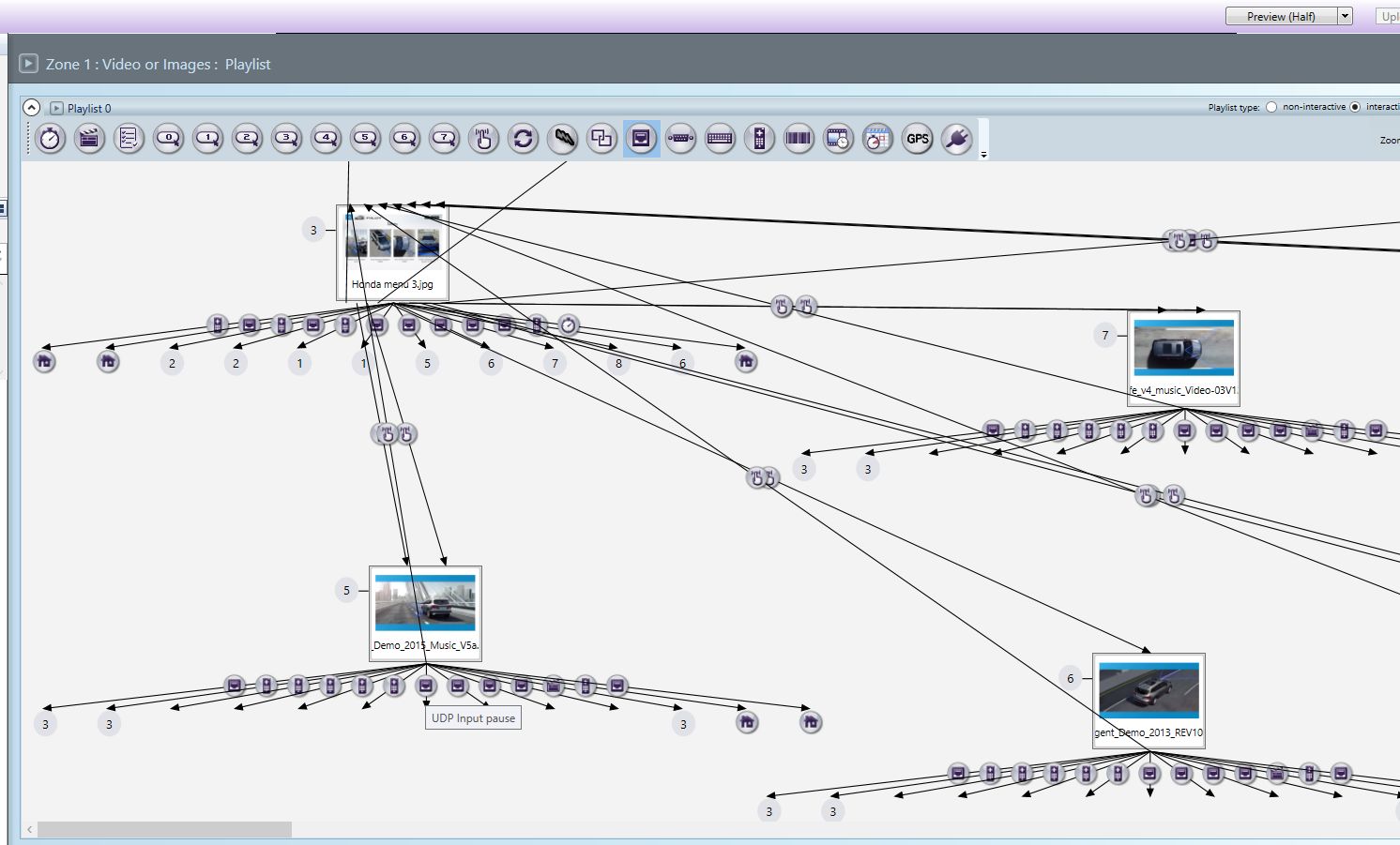
    Here I have a UDP event on every video that listens for the UDP word "Pause".  I am sending that UDP word from a tablet.  When that word is received, regardless of the video playing at the moment, a command is executed that pauses the video.


  • 0
    Avatar
    Allen H. Porter

    In that example we were trying multiple ways to control a video so you will see a keyboard event, UDP even, IR event (remote controller) all doing the same thing.

  • 0
    Avatar
    Nick Marques

    Ah yeah I just figured out I need to do the same word from all sources. 

    How are the broken link numbers made? Or are they automatic?

  • 0
    Avatar
    Allen H. Porter

    The link numbers are automatic.  They can get confusing after you have moved things around and changed links.  Just get it into your head to "follow the numbers" and don't expect things to be in numerical order.

Please sign in to leave a comment.