0

Seasonal Change

Hi,


Im trying to set up 2 units (master and slave) with footage that changes between the seasons (summer/winter). the BrightAuthor is very new to me, so is there solution than using time/clock events? How do i prepare for a power outage, so the unit doesnt play the wrong footage if it resets?

Thanks in advance.

1 comment

  • 0
    Avatar
    Lyndon


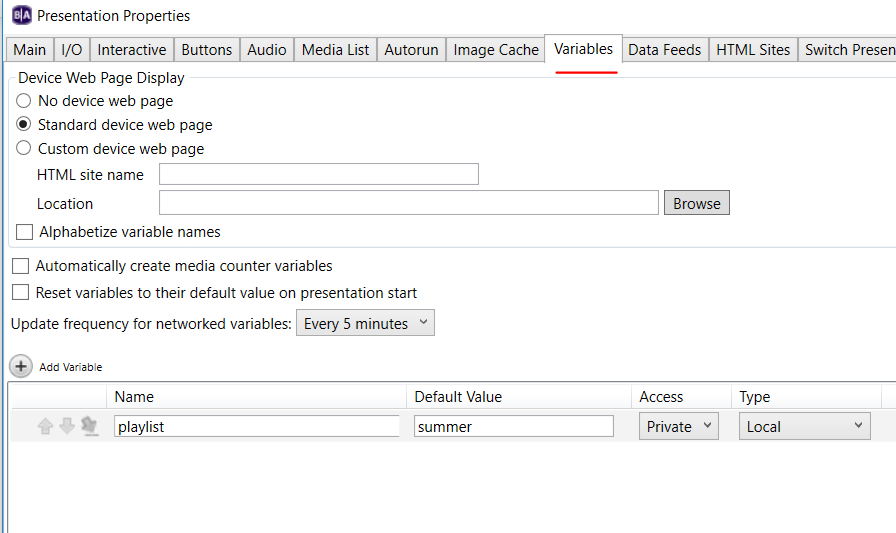
    Can you post a sample presentation file? what do you mean by changes with the seasons? You can an date/time event within a project to schedule content to play. What you can also do is you can use the schedule to set the value of a variable. That that value decides what content plays. So, let's say your variable playlist is set to winter_afternoon.

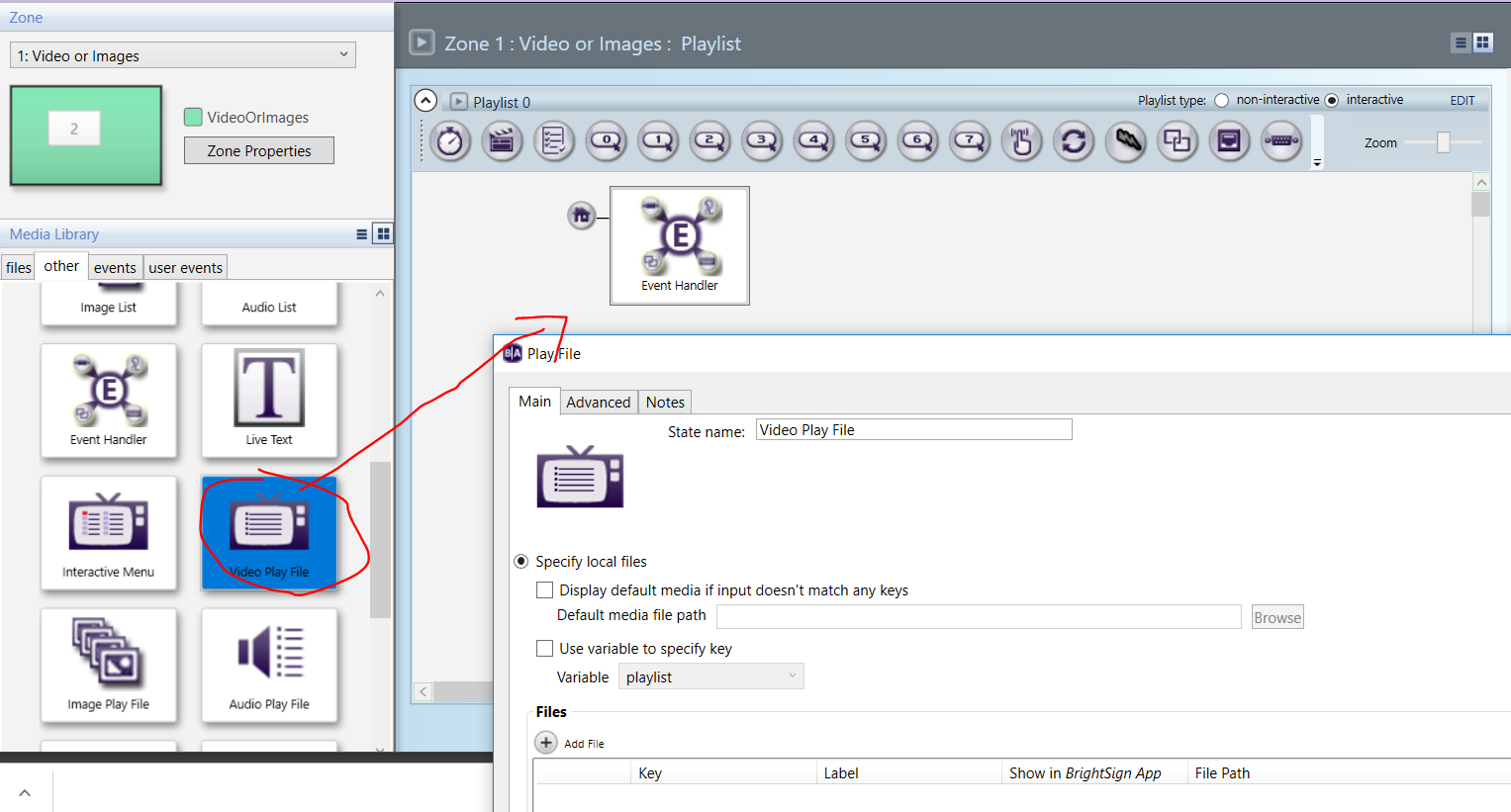
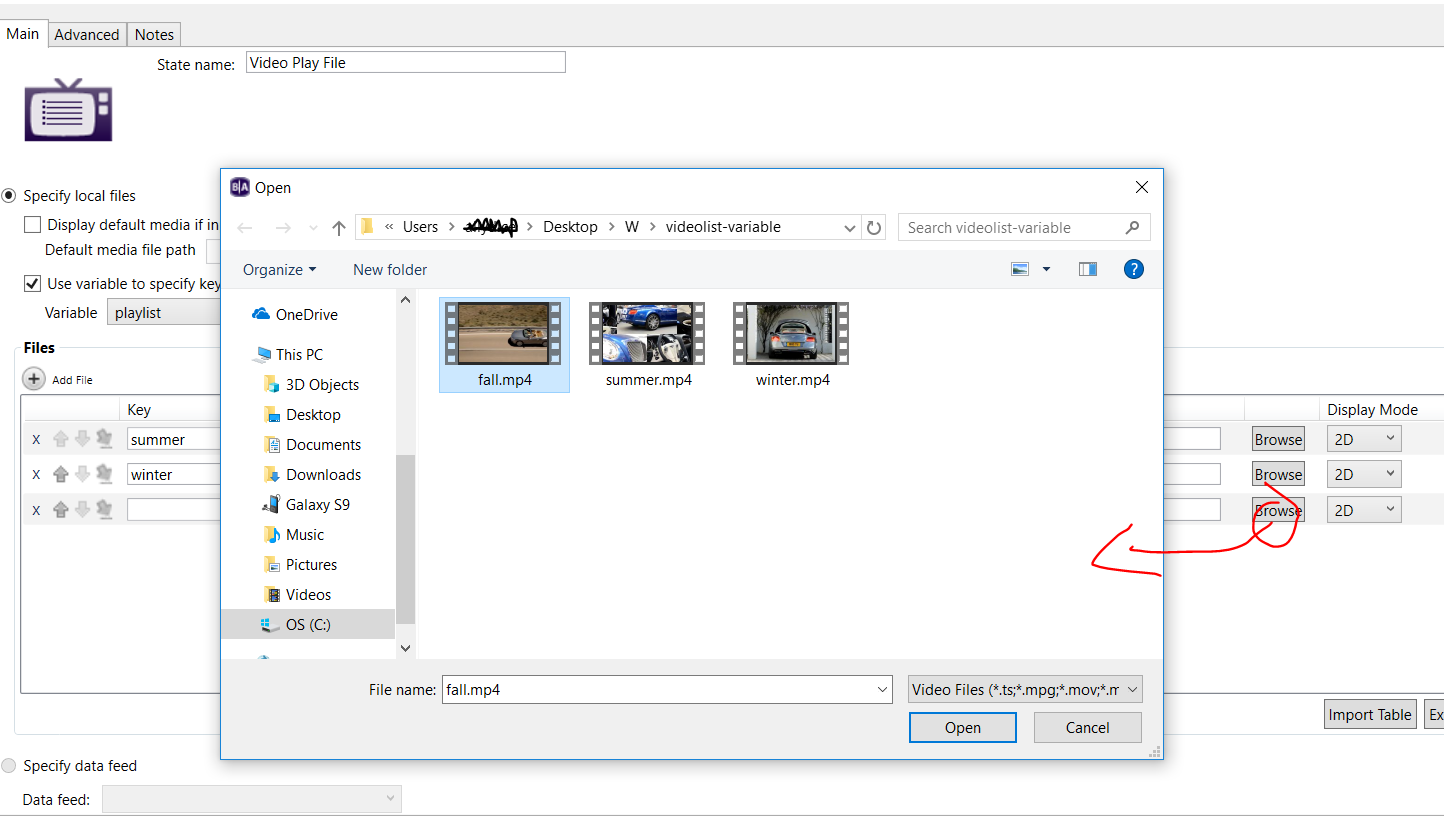
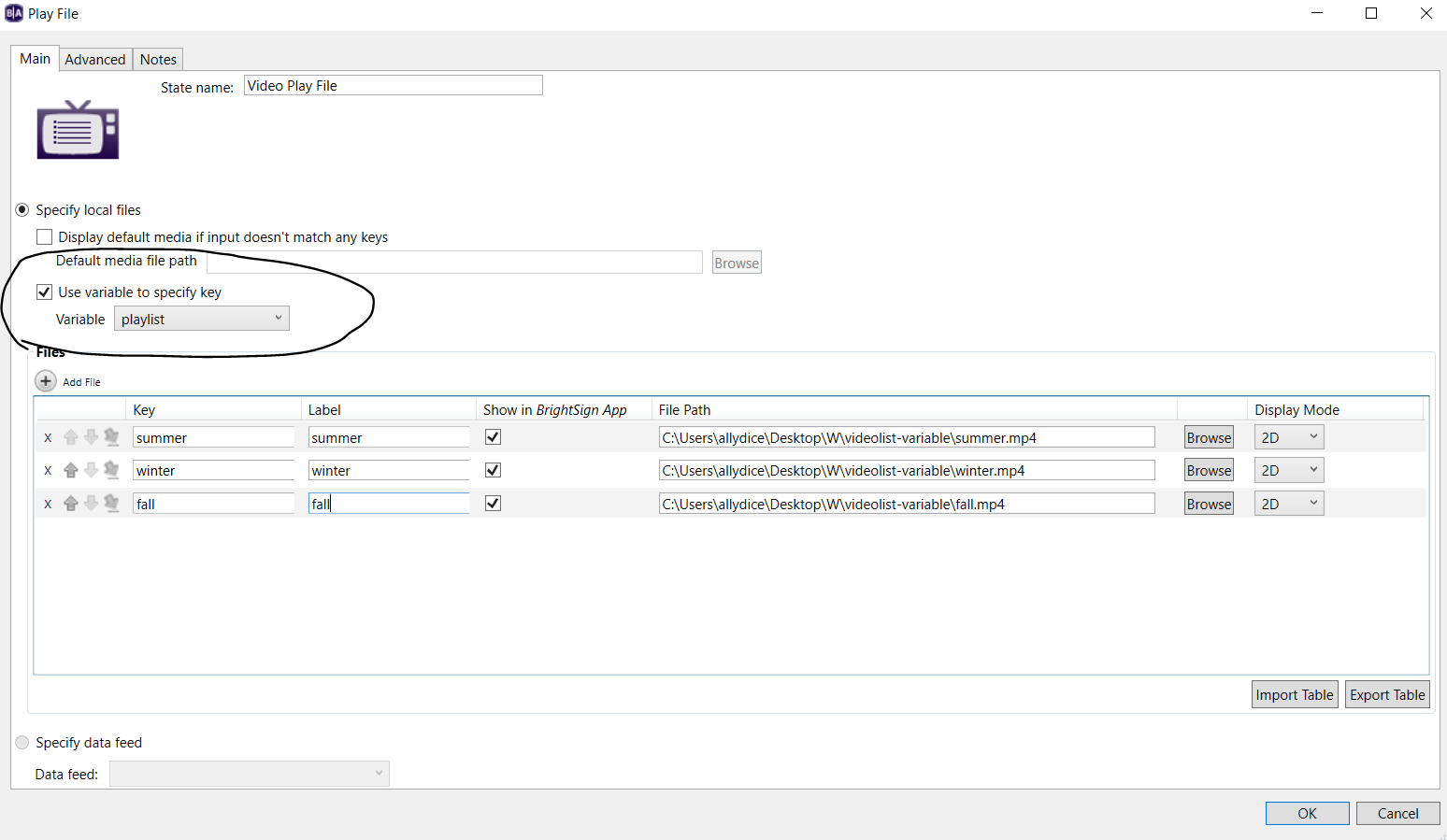
    You can use a videoplayfile widget, under the media library, under other. The videoplayfile lets you add a video, and then add a key will will trigger that video to play. So, it can be like:


    1. winter    c:/winter.mpg

    2. summer c:/summer.mpg

    3. fall           c:/fall.mpg


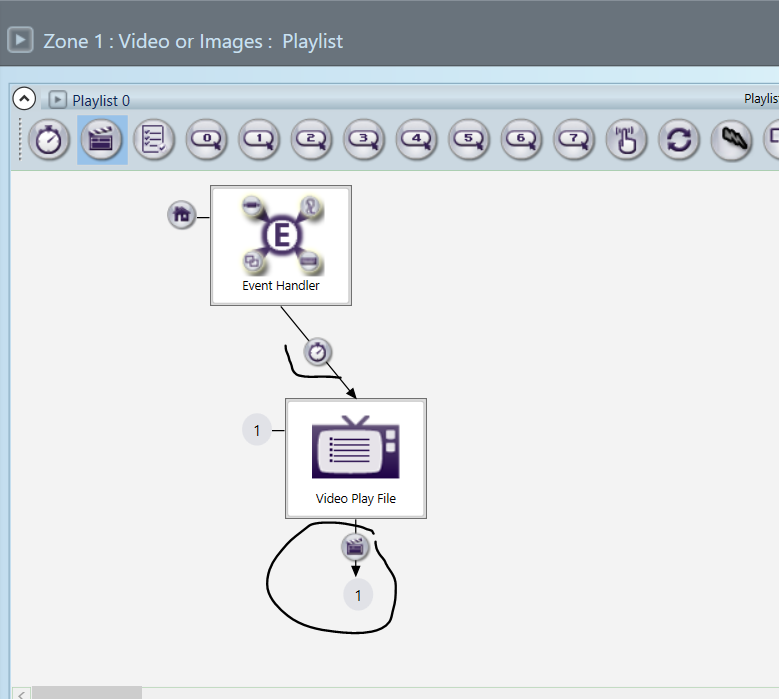
    You can have you initial state be an image or a blank image. Use a timer to then transition to the video playfile widget. In the video playfile widget, set it to the playlist variable for the key.

    That way it doesn't matter if there's a power lost, the video that plays will be based on the last value that the variable was set to. 


    Variable


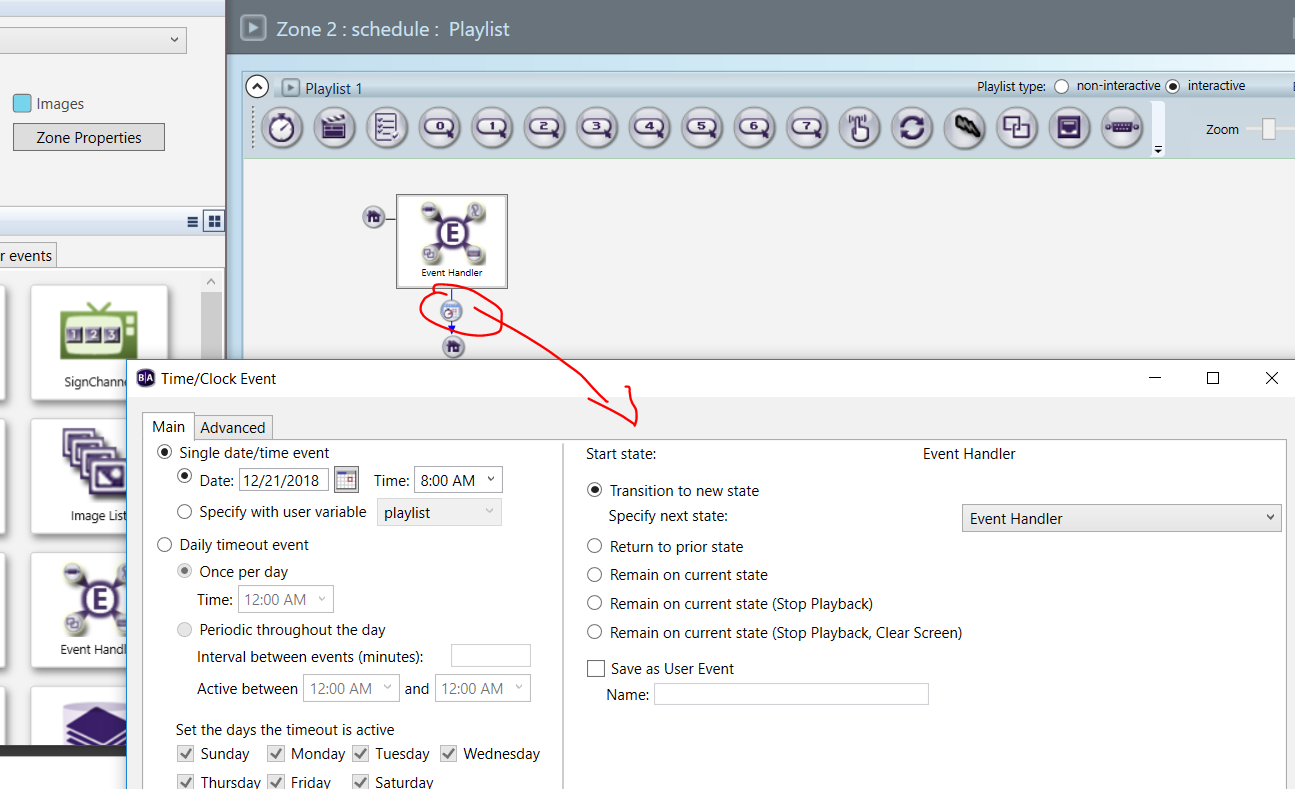
    Date/Time Event to set variable

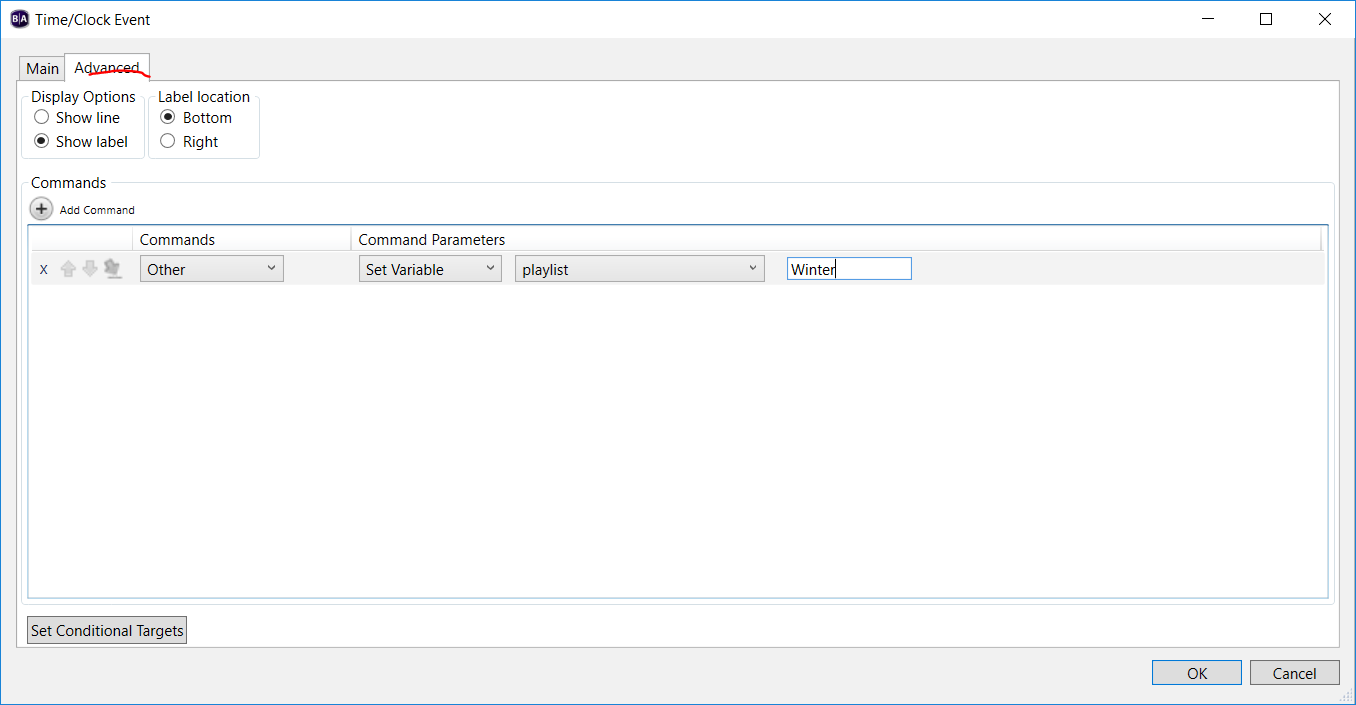
    In a background zone you can add multiple date/time events to an event handler to change the variable value at specific dates and times.  In this example on Dec 21st, I'm setting the playlist variable to winter. 


    Adding Video playfile Widget


    Adding content and setting key


    I use a timer from the event handler to lead into the video playfile. I also add a video end event to the video playfile widget to go back to the video playfile once the video finishes playing.


Please sign in to leave a comment.