LS 424 latest firmware latest brightauthor
need a plugin? can someone outline what i should do?
Date
Votes
2 comments
-

Lyndon Yes, you need a plugin. This plugin assumes there's a variable called filename. It also assumes you check the box in your image list properties to send the file name as a zone message. The plugin will listen for the zone message, and assign it to the filename variable. You can then display the filneame variable in a text box or use it else where.
https://www.brightsignnetwork.com/download/Scripts/zonevar-filename.brs
When you add the plugin the name must be "zonevar" or the plugin won't run.
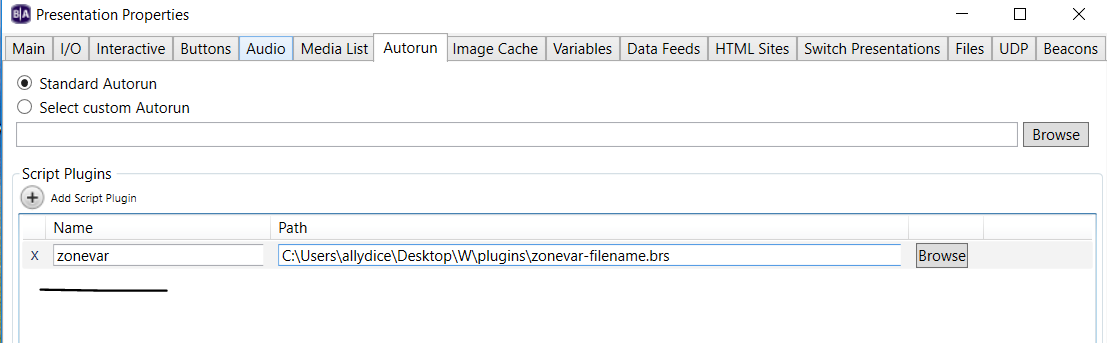
-

H.L. Tsang thx for ur quick reply, Lyndon.
i have settled my problem with a webpage listening to /GetUserVars .
i m surprised that brightscript programming is based on message loop. i haven't tried this kind of programming for more than a decade.
ur soln created more questions than answers in my mind. here are my questions on conceptual aspect:
1) what is the scope of a zone message? on a single player or network wise?
2) how can i reference an instance of presentation object or widget on current screen (in brightscript env or javascript env)? i saw many createobject sample codes in documentation but didnt see an example referencing an instance or a collection of instances.
specific question on my problem:
b4 using my html5 soln, i've tried placing a uservariable on a ticker zone & a live text inside the zone containing "image list".
the variable does refresh in /GetUserVars during every transition. Also, ur code reads as "SetCurrentValue(payload$, true)". However, live text never shown up and uservariable on ticker zone showed a static value from 0th second to Nth second. How can i refresh them via a plugin or javascript API?
regards,
spud
Please sign in to leave a comment.