We recently purchased a new BrightSign Ls4 so we went on the website and purchased a new subscription and when you goto the Current Usage tab it shows up in the Queued Subscriptions but I am not seeing how I can add it to the new device. when I click on Add Subscription it does not exist in the available subscriptions. what dod I do?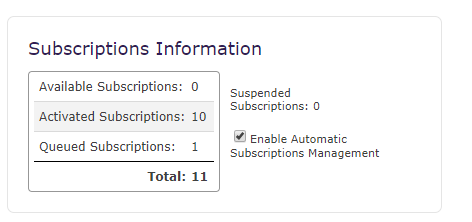
Date
Votes
6 comments
-

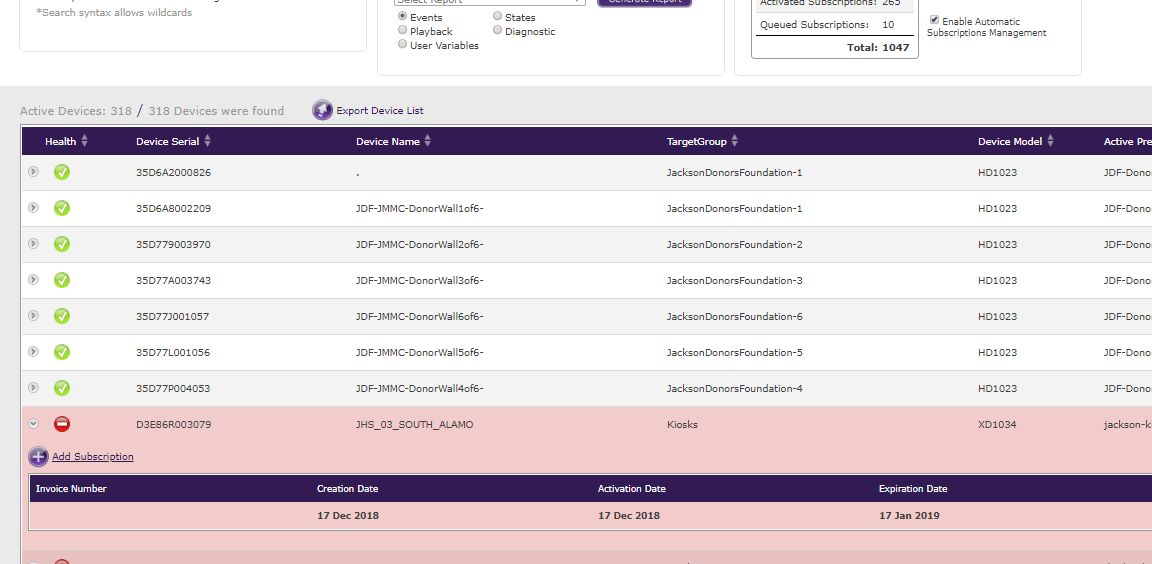
Allen H. Porter I am not sure about BSN...we use a private version of BSN but with "Enable Automatic Subscription Management" the unused subscription should get assigned automatically. Also you can click the "Add Subscription" button after expanding the player info using the arrow to the left of the player on the Current Usage tab.
-

Donny 
-
Allen H. Porter Like I said, I don't know about the BSN. Maybe your user doesn't have Subscription permissions?
-
Donny yeah, I was hoping that someone at BrightSign would monitor this forum.
-
Allen H. Porter They do but the best way for a direct request is to open a ticket.
https://brightsign.zendesk.com/hc/en-us/requests/new
-

Lyndon queued would mean it's already been added to a player. SO, with automatic subscription management turned on, if you had another device that needed a sub that you forgot about it, it would take the sub you added as soon as it's available. If you send support the serial # it's queued to, we can release the sub and assign it to the proper unit.
Your brand new unit will have 30 days of grace when you set it up so it doesn't need the paid sub for the first 30 days. SO, you can set it up even if you still have to resolve the subscription issue.
Please sign in to leave a comment.