0

Web View Card - Zoom in on page - Browser Zoom

I am using AppSpace application within our company to show a QlikView report. To do this i am using a Web View Card to show the page on the BrightSign device. The page shows up just like it would on a PC but i would like to find a way to zoon in on a portion of the page to allow the report to have better visibility.

Does anyone know if there is a way in which i can zoom in on a browser page that is being shown through a Web View Card?
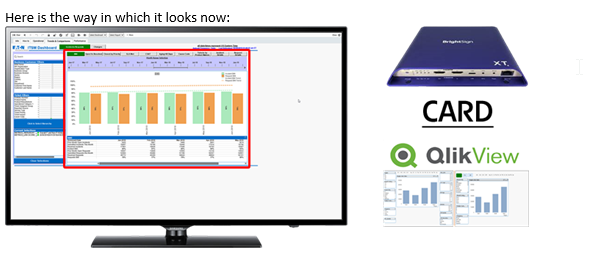
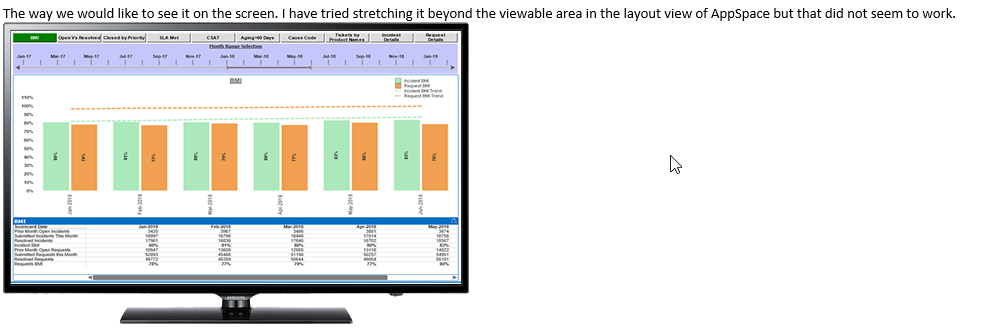
Changing the report on QlikView is not an option for us at this time. It would be nice if anyone know a trick to zoom in on the page.

Thanks in advance.

2 comments

  • 0
    Avatar
    Brandon

    Appspace or an Appspace customer using BrightSign would have to answer this.

    When used with Appspace, our BrightAuthor/BrightSignNetwork rules/advice don't apply, as Appspace's script controls the player.
    It's like if you got a Microsoft Surface tablet to run Ubuntu or something else...the Windows rules/advice wouldn't apply within Ubuntu.

    In case any BrightAuthor users come across this, in BrightAuthor you could do this by applying a User Stylesheet in the HTML5 state to the page's body or other element to reposition/zoom it within the zone as necessary.
    https://docs.brightsign.biz/display/DOC/HTML5

    _________________________________________________________________________

    Friendly reminder, the community forum is intended for user-to-user discussion.  It is not regularly monitored. For troubleshooting problems and to ensure a timely answer from a BrightSign representative, please submit a support ticket.


  • 0
    Avatar
    ThomasB

    Thank you for the response. These devices are new to me and I did not realize that AppSpace was a separate entity from BrightSign.

Please sign in to leave a comment.