0

Image rotation issue when adding live text

Hi all
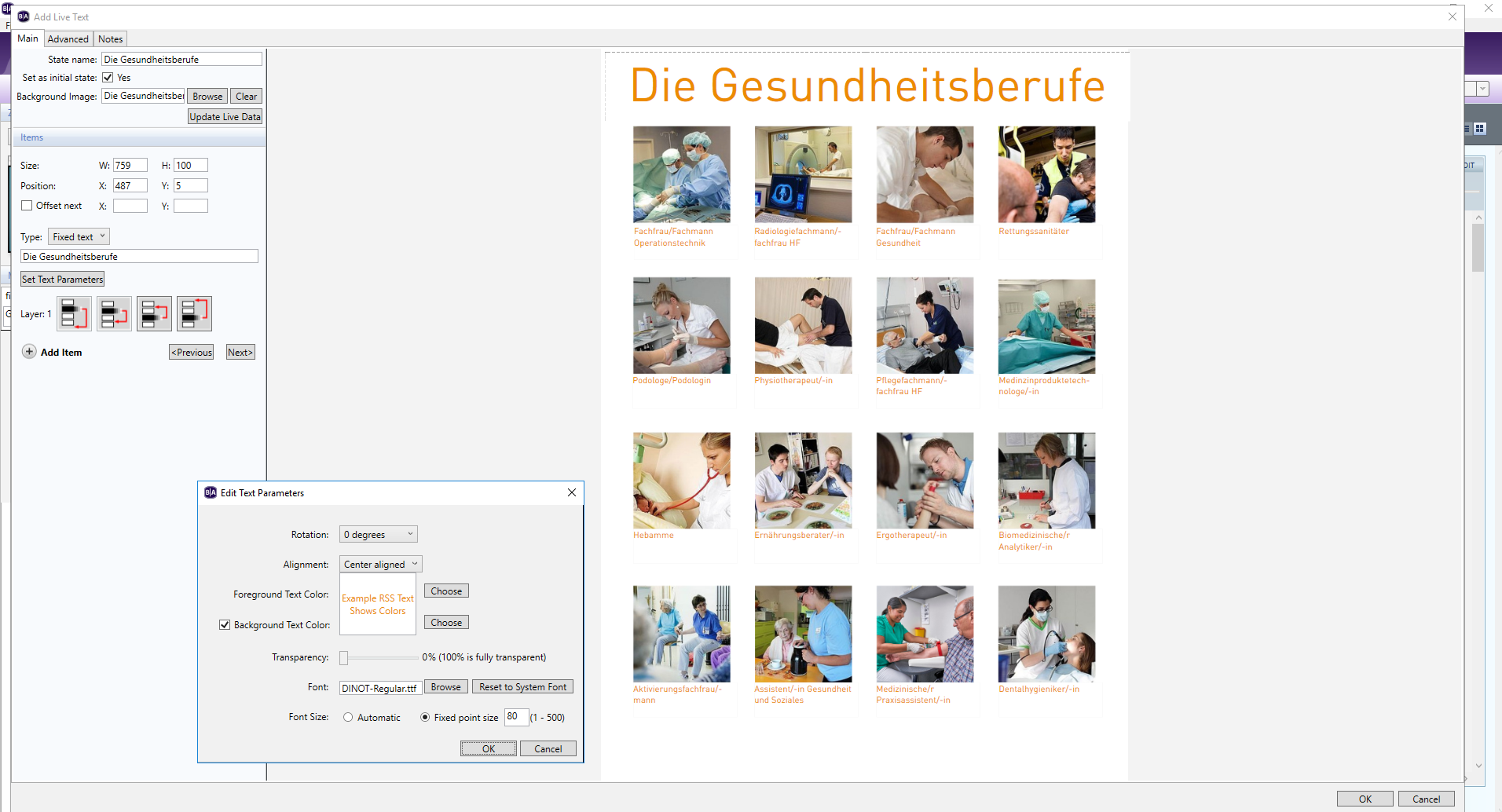
I want to display a Image with text on it.

For that, I am using a live text with a background-image.


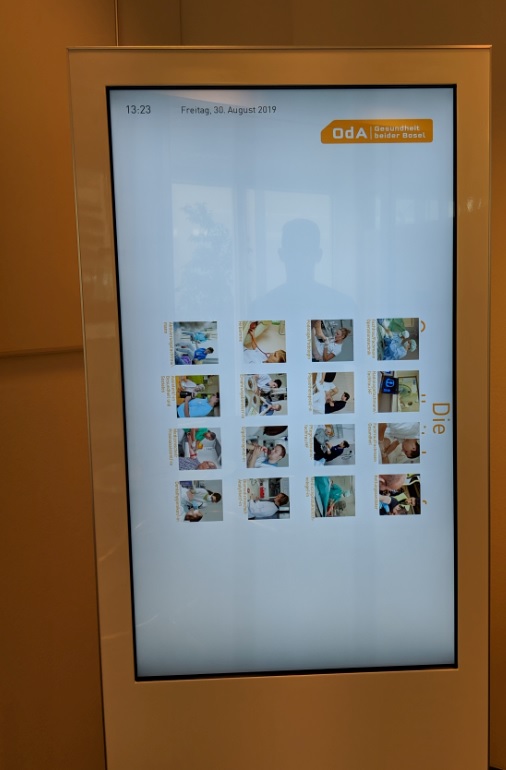
When I edit the live text, it is displayed in portrait mode like it should be (everything looks fine). But once I publish it to my screen, the text + background-image flip over 90 degrees. The other zonesI have set (time, date and our company logo) stay in portrait mode, that's why its very confusing.

Thanks for helping!
 

3 comments

  • 0
    Avatar
    Bright Scripters

    Is the Live Text inside a video zone, or inside an image zone?

    How does the image play, when it is separated from the Live Text, and placed in its own zone?

  • 0
    Avatar
    Mattia Pastore

    The Live Text is in a image zone and when there is no live text, the image is in portrait mode like it should be... 

  • 0
    Avatar
    Bright Scripters

    That helps.

    You could work around this bug, by creating two zones. One zone that shows the background image, and the other zone, shows the Live Text, without attaching an image to the Live Text.

    Probably best to use the Background Image zone, which is dedicated for that purpose.

    Make sure to set in Layout, that image zones are on top of video zones.


    Another thing that is worth trying, is simply placing the Live Text, as you have it now, in a video zone, instead of an Image zone. There is a chance that the behavior would be different.

Please sign in to leave a comment.