Hi All,
I thought this would be easy, I have my Zone with a bunch of HTML files.
I use Zone Message to select which html file to display by passing the Variable "Web".
Surely there's a way I can get the Variable "Web" into my html? I just want to test by displaying the variable Value of "VIDEO-Bee" in my HTML. This is a standalone touch kiosk published from BrightAuthor to display on a BrightSign XT.
Normally you'd pass via the url like VideoPlayer.html?Web=VIDEO-Bee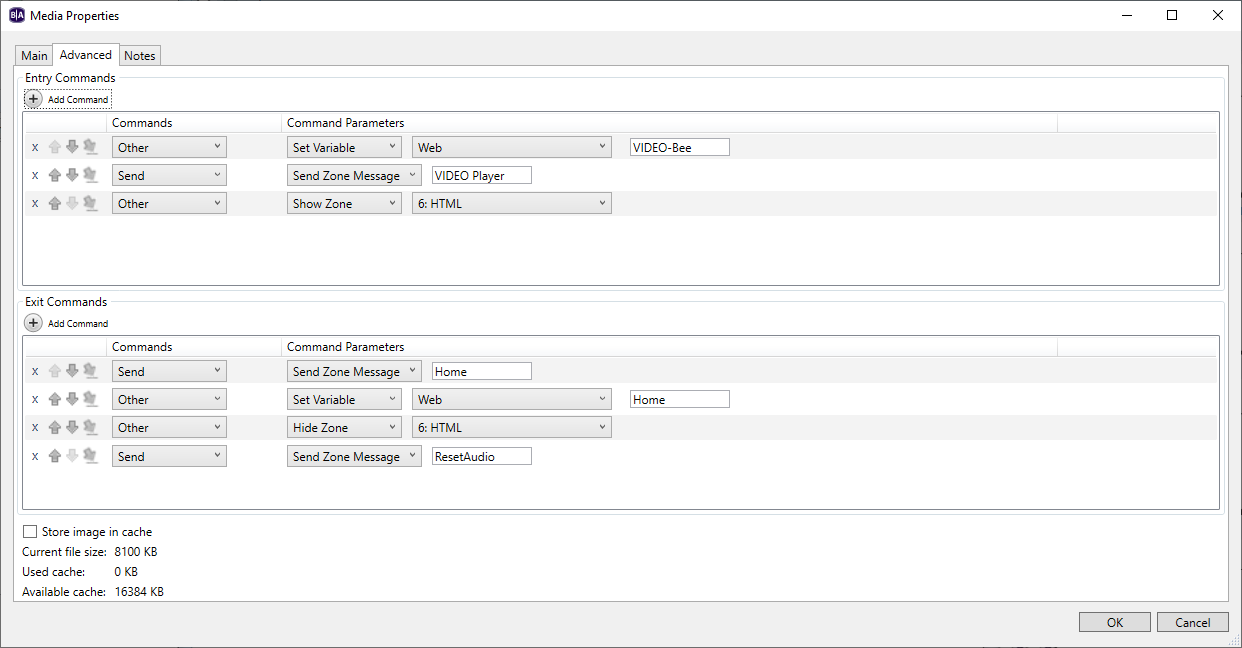
Any ideas?
Date
Votes
1 comment
-

404ryannotfound Ok, Figured it out. Leaving this here for anyone in the Future.This is for a non networked standalone kiosk (otherwise set your variables to Shared etc).
In this instance, i will have a Zone with Images that i can choose. And my other zone (above this), has a HTML layer where i want to display video, or html, or a game.
Set Your Variable:
File > Presentation properties > Variables:
Name: VariableTest | Default Value: Hello World | Access Private | Type: Local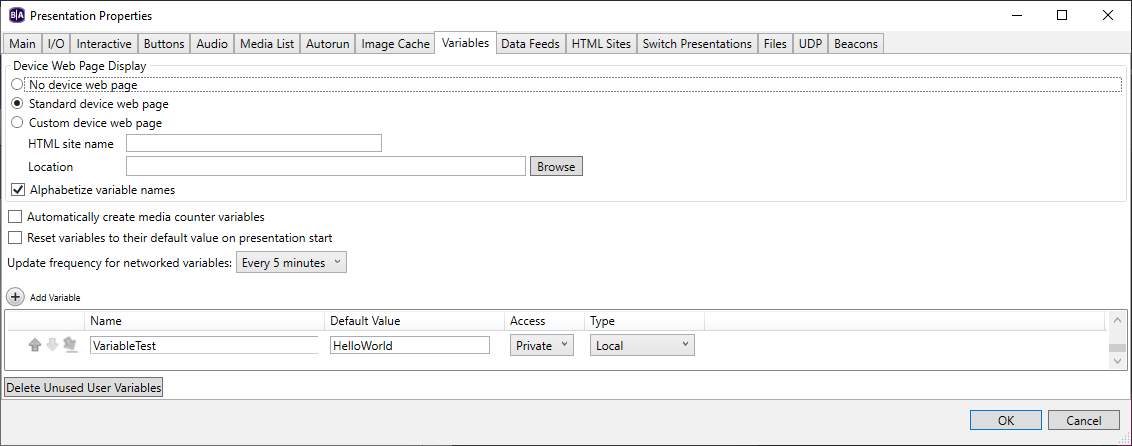
Set Your HTML Site:
File > Presentation properties > HTML Sites:
Name: Variable Test Page | Add your page | Query String: ?VariableTest=$$VariableTest$$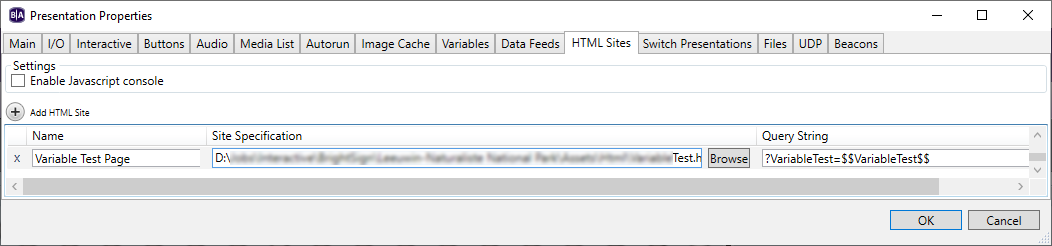
Add your HTML Page to A Zone
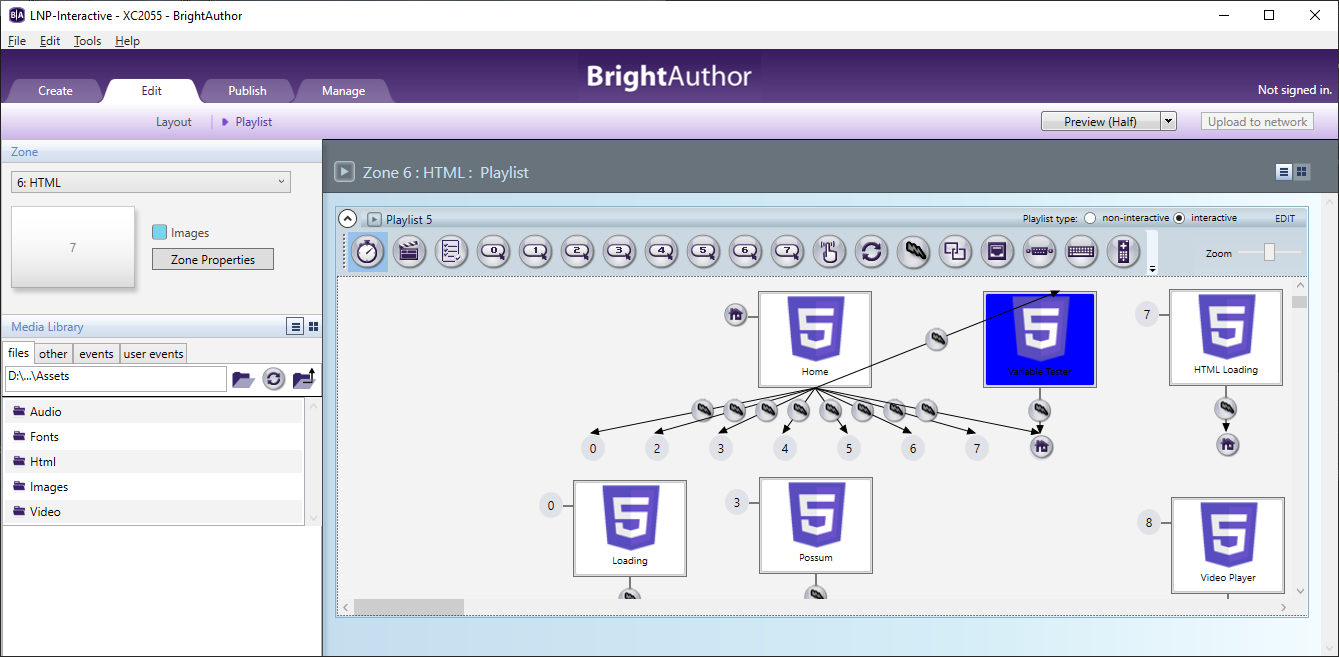
Open the properties and Enable External data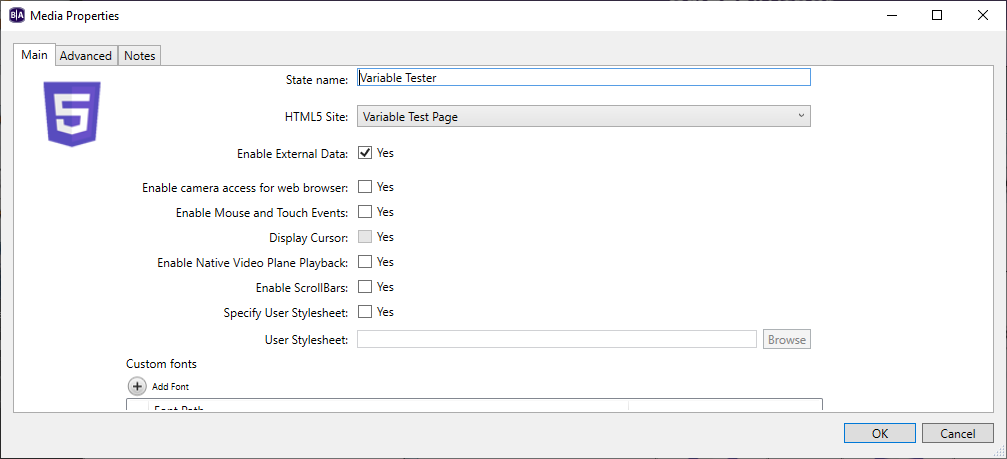
In your Images Zone:
When your Zone message displays Your image, you can overlay the HTML above By Adding Commands:Other : Set Variable: VariableTest : ExampleOne
Send Send Zone Message HELLOWORLD (This is my trigger in my html zone to display the HTML page)
Other Show Zone: HTML - I show the zone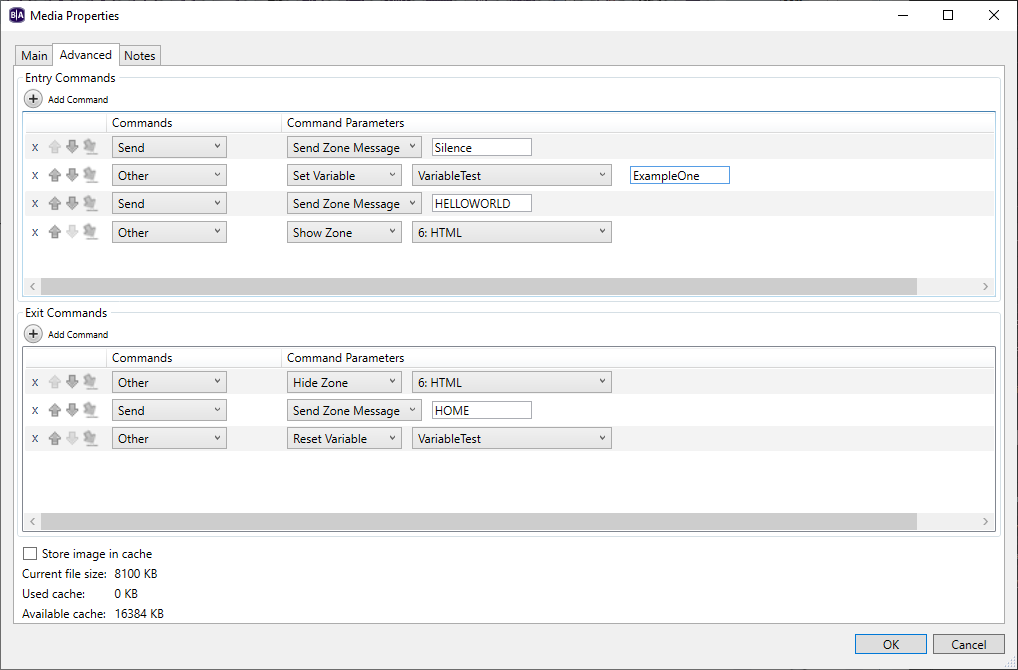
To test the Variable output, you can add something like this as your HTML.
From here, you can do content switching, such as a video, image gallery, games etc.<!DOCTYPE html><html><head><meta charset="UTF-8"><title>BrightSign Variable Display</title><style>html, body {margin: 0;padding: 0;width: 100vw;height: 100vh;background: transparent;display: flex;justify-content: center;align-items: center;font-family: Arial, sans-serif;font-size: 60px;color: white;}</style><script>function getQueryVariable(name) {const params = new URLSearchParams(window.location.search);return params.get(name);}
window.onload = function() {const variableValue = getQueryVariable("VariableTest");document.getElementById("output").innerText = variableValue || "Variable not found.";};</script></head><body><div id="output">Loading...</div></body></html>Anyhow, hope this helps someone else out.
More reference:
4.4-HTML Sites - BrightAuthor (version 4.4) - Confluence
Please sign in to leave a comment.