hi guys,
first, I've searched it for awhile and still couldn't find a straight answer...
I'm trying to control (for the sake of the test) a Samsung DB10 screen.
using an HD1024 for USB (future project will use LS425 with USB), a USB serial cable thingy.
for testing, it's connected to a crestron controller to make it easier to verify commands.
no matter what I try, I can't get the same command i.m sending to pop up on the crestron side properly.
using comma separated bytes, gives me the wrong Hex on the crestron, finally I even tried to send "Send serial string" of "Hello", on the crestron side I got "\x68\x11\x4F\xFB" in Hex and "h.O."
can anyone direct me on how the manage that?
Date
Votes
4 comments
-

Jan Jakobsen You will need to set the Serial settings for baudrate and parity to the same on both devices,
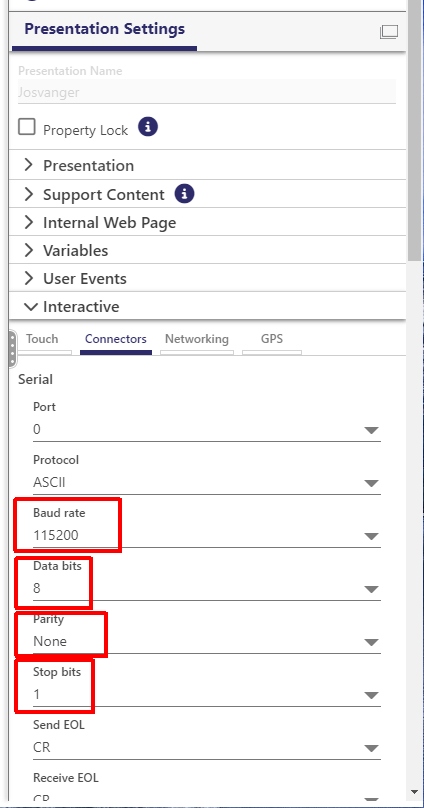
-

Danny Keren it's the same
it has to be something un the pharsing I'm missing....
for Ex. it took me some time a few years ago to control an Adam-6066 using brightsign.it was Ascii and I had to send it in comma separated decimal values.
I'm lost on how to phrase it to send Hex... -
Danny Keren oh, and thank you for your reply mate :) @Jan
-
Jan Jakobsen Try a terminal program on windows like hercules it's free and can show TX and RX as hex and ascii
https://www.hw-group.com/software/hercules-setup-utility
Then you can test against both sides and see what happens
Please sign in to leave a comment.