0

Touch to Show Webpage for Wayfinding

I'm trying to assemble the right ingredients and commands to achieve the following in BrightAuthor 4.6:

  • Zone 1: A "hotspot" (a graphic that says "Touch here to find a colleague")
  • Zone 2: A webpage that only appears when the hotspot it touched and allows for interactivity (zooming, scrolling, etc. on a map)

I've tried adding a rectangle touch event to Zone 1 and I feel like the Link Zone doesn't work well, the Zone Message kind of does, and the show/hide commands tend to be better. 

This post seems to be the closest guidance to what I'm looking for, however I can't get the webpage to remain displayed.

Seeking recommendations for the optimal way to build this out.
7 comments

  • 0
    Avatar
    Allan, Scott

    The closest I've gotten is with the following:

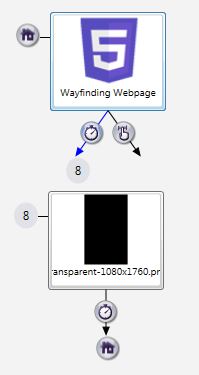
    Zone 1: the rectangular touch event calls the Show Zone command to show the "Wayfinding" zone (Zone 2 in my example, although it's labeled Zone 8 in the screenshot)

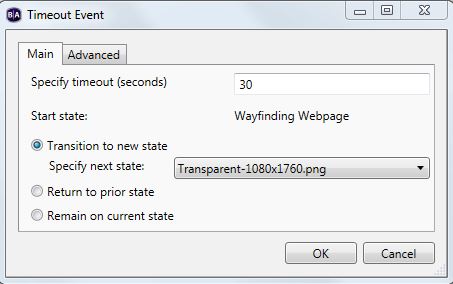
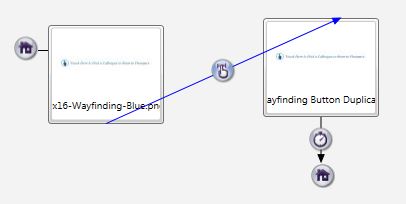
    Zone 2 is just a webpage that has a 30 second inactivity timeout (that goes to a transparent image, which times out after a second and at that point hides itself, zone 2) and a rectangular touch event that covers the entire zone (which following the logic from this post, I would think would keep resetting the inactivity timer).

    This is for the timeout event, which after 30 seconds goes to the transparent image:

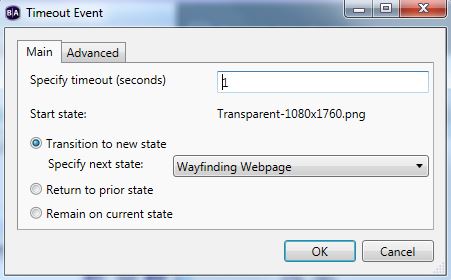
    This is for the transparent image, which after a second, goes back home and while doing so, hides the wayfinding zone (zone 2 in my example).


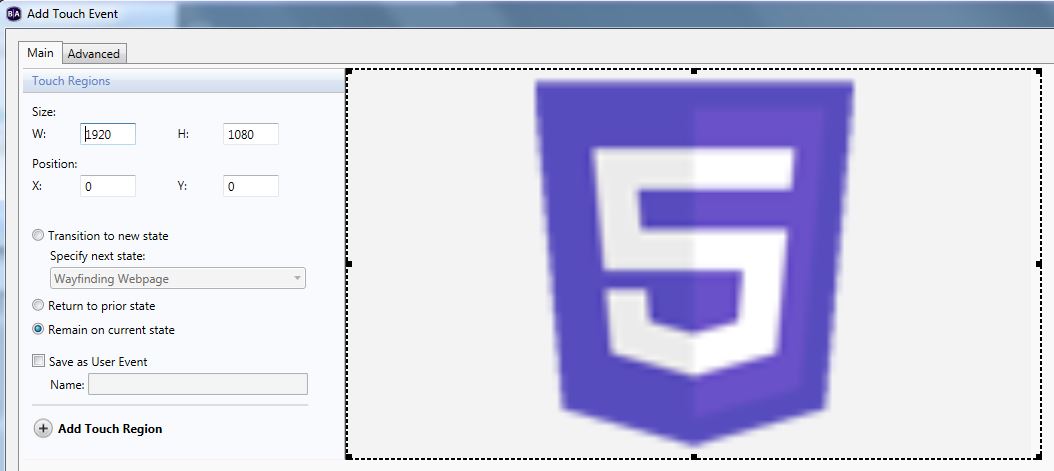
    This is for the rectangular touch event, which I would think would keep resetting the timeout timer.
    The problem is, the touch area doesn't seem to reset the timer. As I'm interacting with the webpage, after 30 seconds, the zone hides. Any thoughts?

  • 0
    Avatar
    Brandon

    What commands are on the touch event?
    It needs to reset the decrementing counter variable.

  • 0
    Avatar
    Allan, Scott

    That's probably the part I'm missing, as I don't have any commands on the touch event. Do you have a link to a reference doc on how to reset the counter?

  • 0
    Avatar
    Bright Scripters

    A user variable can be set to zero, or reset to its default value, as it was defined in the Presentation Properties. Here is the documentation 

    http://docs.brightsign.biz/display/BA44/4.4-Commands#id-4.4-Commands-Other

  • 0
    Avatar
    Allan, Scott

    Is there a local or system variable that I should be referencing? In the documentation, I don't see an example of the "counter variable" that Brandon mentioned. 

  • 0
    Avatar
    Bright Scripters

    The counter would be a User Variable that you create.

    You can name it "Counter", or any other name such as "UserTaps", or even "SheepCounted".

    You would then reference your own User Variable, and increment it, or decrement it, or reset it, as needed.

  • 0
    Avatar
    Allen H. Porter

    Here is a presentation that BrightSign gave me some time ago for doing touch-inactivity timeout.  Amazingly simple once I looked at what they had done.  You are essentially touching "through" a transparent PNG file and that resets the counter variable.


    Hope this helps.

    https://www.dropbox.com/s/qgeggh1v0022q1h/TouchInactivityTimeout.zip?dl=0


Please sign in to leave a comment.