0

HD224 4K videos

Hello, 

A customer who has an HD224 with a Sandisk Ultra Clase10 is trying to play a 4K video with no success.

This is what they told me:

"This week we have gone to Ferrariland to launch a small expansion of the installation we have there (Ferrari Gallery) for which we ordered an HD224 and a couple of SD cards.
We have found the problem with the SD card, which is not capable of fluently playing 4K H265 video files at 50Mbps, and we have had to go down to 30Mbps.
I am telling you this so that you take it into account, since according to the specification it should support it, but neither of the two cards reproduced the video well."


Attached I send you a picture of the SD Cards, although it says HD video, is a Class10 card 100Mb/s.
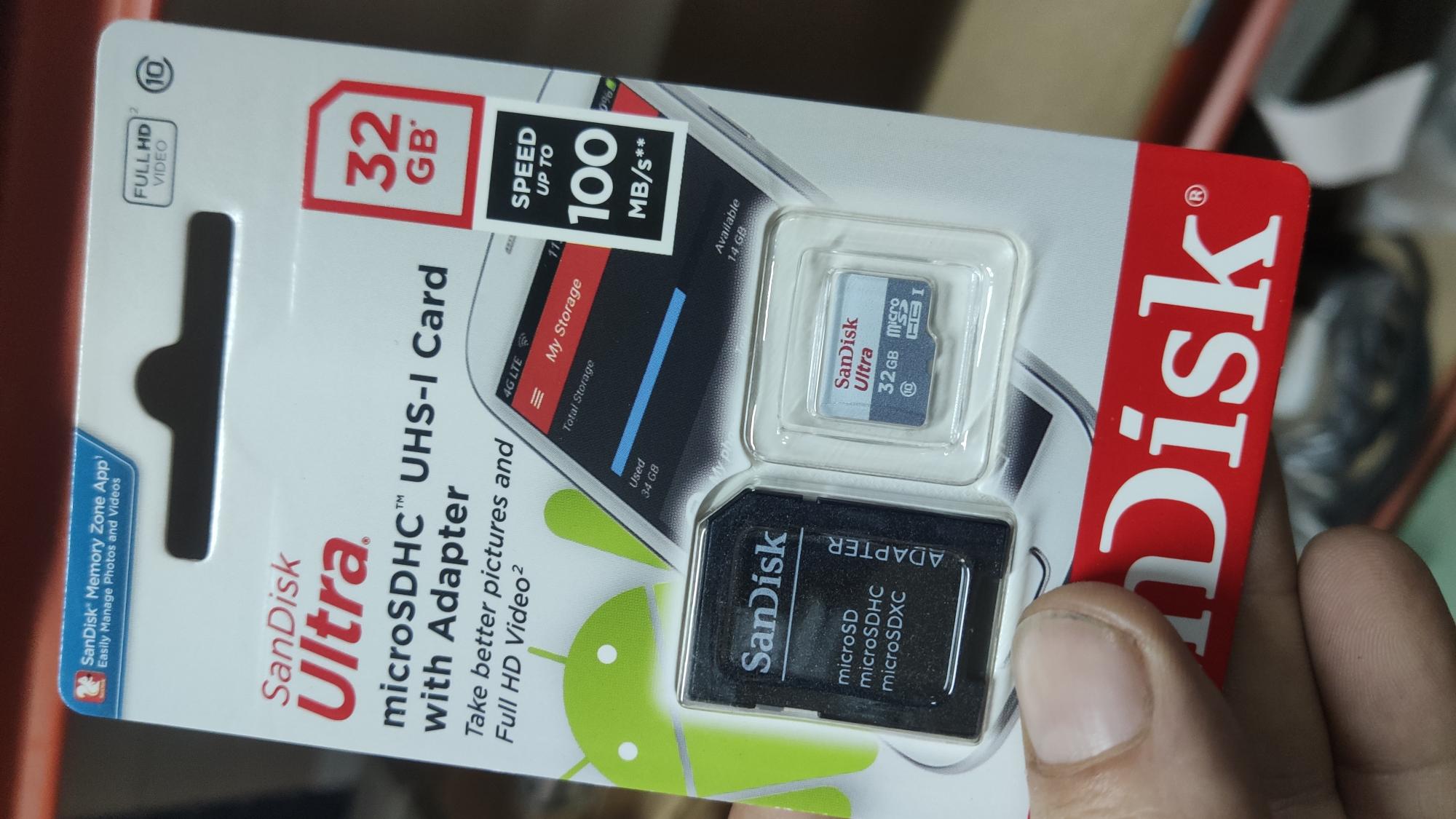
Any recommendation?


Regards

2 comments

  • 0
    Avatar
    Monica Knutson

    Hello Alfonso,

    I am thinking it's not the SD card, but the encoding on the video.  50Mbps is pretty high end for an HD224.  The XD-series supports a larger bitrate - Constant Bit Rate (CBR) between 70-80 Mbps.  

    We find using Constant Bit Rate, versus Variable Bit Rate, MUCH more effective at video playback.  We have had issues playing VBR encoded video files.  Here is BrightSign's tech note on video codecs for the HD224 for reference.

    XTx44, XDx34, HDx24

    4K Video

    • Video Codec: H.264, H.265, or VP9
    • Resolution: The maximum supported resolution is 4096x2160x60p.
    • Color Depth: 4K video can be encoded at 4:2:0 subsampling with 8 bits (Main Profile) or 10 bits (Main 10 Profile) of depth.
    • HDR and Dolby Vision: XTx44 players support both HDR10 and Dolby Vision.
    • Display Hardware: The maximum supported framerate and color depth are also affected by your display hardware. See this section of the 4K Video Encoding tech note for more details. 

    NoteBrightSign players support both H.265 version 1 profiles: Main and Main 10. However, we do not support the recently ratified version 2 profiles.

    • Container Format: The following container formats are supported: .ts, .mov.mp4, .mkv, .webm.

    Note: XTx44/XDx34 models currently support .webm video with the Opus audio codec (not Vorbis), while HDx24 models support .webm with the Vorbis audio codec (not Opus).

    • Bitrate: The XTx44 and XDx34 models support a constant bit rate (CBR) between 70 and 80 Mbps. These values apply to both the primary and secondary video decoders.
    • Merge Mode: If you are using B-frames as references in H.265 “merge mode”, the size of the references list should be limited to two or less.
    • Audio Support: AAC audio (CBR/VBR) up to 288Kbps
    • Fast Start: Enabling fast start (-movflags +faststart) is recommended, especially for videos used in synchronized playback and BrightWall, as well as videos of large filesize and/or duration

    Note4K video must be played from a Class 10 SD card.

    Reference link here:
    https://support.brightsign.biz/hc/en-us/articles/218065137-Supported-video-formats-and-codecs 

    If you install an app called "MediaInfo" it will tell you all of the parameters of the video file.  That way you can see what the encoding parameters were, and then go back to the video production team and ask them to re-encode to play back properly on the BrightSign. Here is another technote that talks about optimizing video encoding:

    https://support.brightsign.biz/hc/en-us/articles/360003401794-Some-video-encoding-advice-on-video-bitrate- 

    As a side note, we have used SanDisk with success.  They do fail after time, so make sure that you do things to avoid card read fatigue.  We also use the "Industrial" version of the SanDisk cards.  (search SanDisk Industrial on Amazon)

    Hope this helps!
    Cheers,
    Monica


  • 0
    Avatar
    Ken Campbell

    Alfonso,

    This is likely a peak or instantaneous bitrate issue with the decoder. Use the built-in bitrate plotting tool that's in the second link Monica posted.

    The nature of your content should be considered when transcoding your H265 file. If you have certain sequences in your video(s) that are not playing back smoothly, try transcoding short test clips of those sections with different encoding parameters. Finding the right values for your average and max bitrates is important, and can take time and many iterations.

    CBR is not a cure-all and has its own subtleties. While CBR may help with ensuring smoother playback, it can (paradoxically) result in poorer image quality; a scene or series of frames that compresses less effectively (due to relatively higher inter-frame changes) but is constrained by a constant bitrate means the perceptual quality will visibly drop, everything else being equal. 

    Personally, I don't use or recommend the HD for 4K content; XD4 is my baseline.

    As for MicroSD cards, it's the Single-Level Cell (SLC) based Industrial cards you want, not Multi-Level Cell (MLC). I think "industrial" rated flash cards used to imply SLC, but that doesn't appear to be the case anymore. Check the manufacturer datasheet if unsure.

    Ken Campbell


Please sign in to leave a comment.