0

Difficulty Waiting til end of Video to Process Conditional Loop

I found this post http://support.brightsign.biz/hc/en-us/articles/218067377-How-do-I-delay-an-interactive-switch-until-the-end-of-the-current-video-, which I found very helpful and definitely pushed me in the right direction.

What I want is: a video that loops until it receives GPIO input.  Once it receives the input it should continue looping until the end of the video, which is when it uses conditional targets to determine whether or not it should go to the next video (or continue looping).

After seemingly implementing all the changes in the above link, I am still having trouble getting it to run.

I figure providing images may be the easiest way to catch what I'm doing wrong.  So I will include them below.

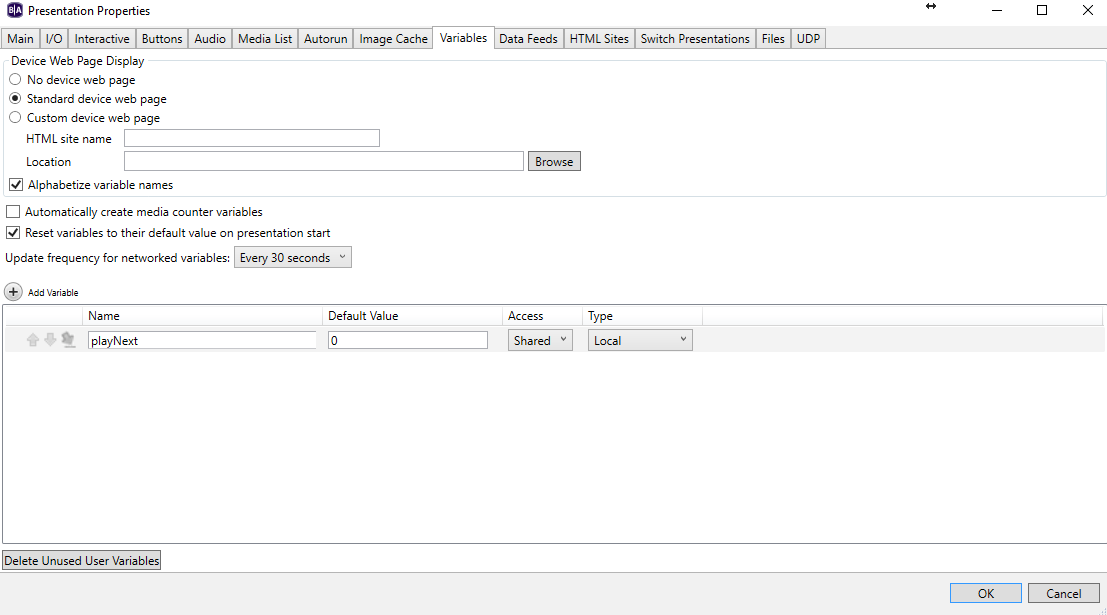
1) I set the variable playNext to have a default value of 0.
2) I created an attract loop.  When it receives click/GPIO input it sets the playNext value to be 1.  On video end it checks if it is one and then sets the video state to the video labeled 1 in this picture.

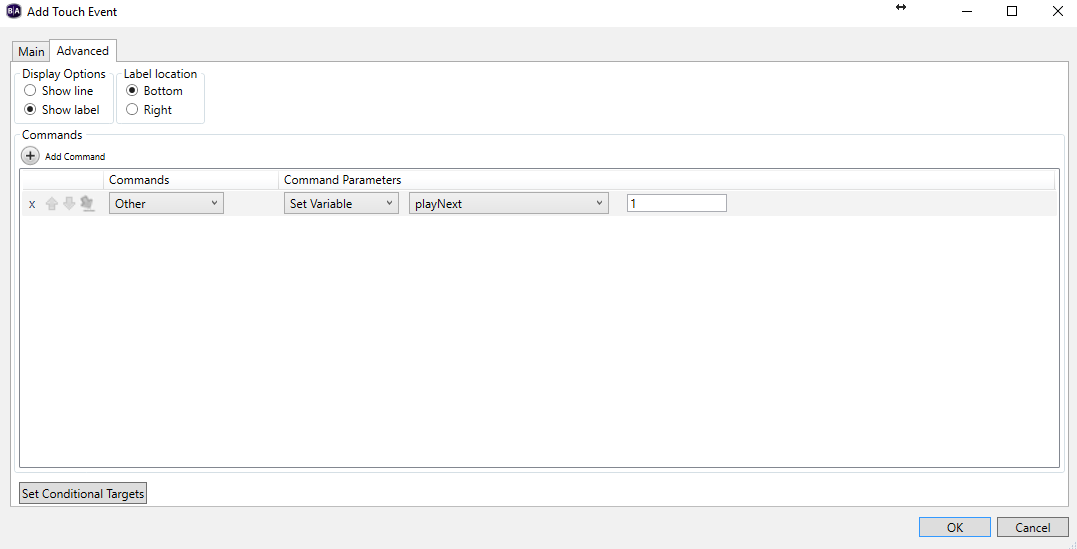
3)  The picture below shows the command that occurs when a click input is detected.  When this occurs it remains on the same video, but sets the playNext variable as 1 (as you see below).
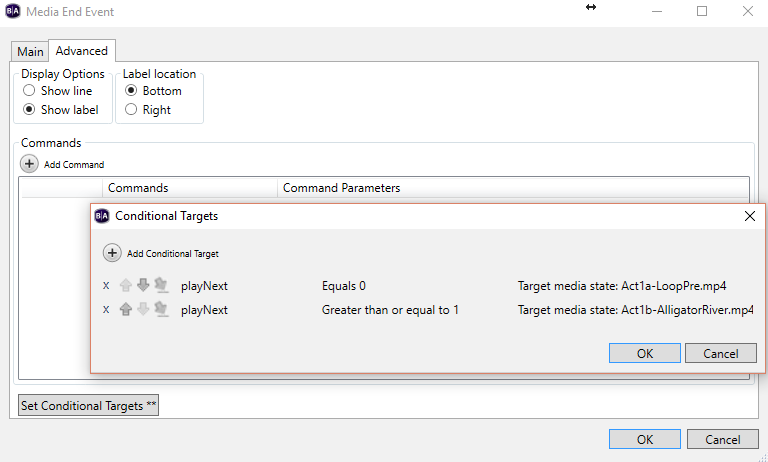
4)  Below we see what occurs when the media end event is fired.  When this happens it stays on the same object, but checks the conditional targets.  If playNext is 0 it remains on the same state.  If it's greater than or equal to 1, it progresses.
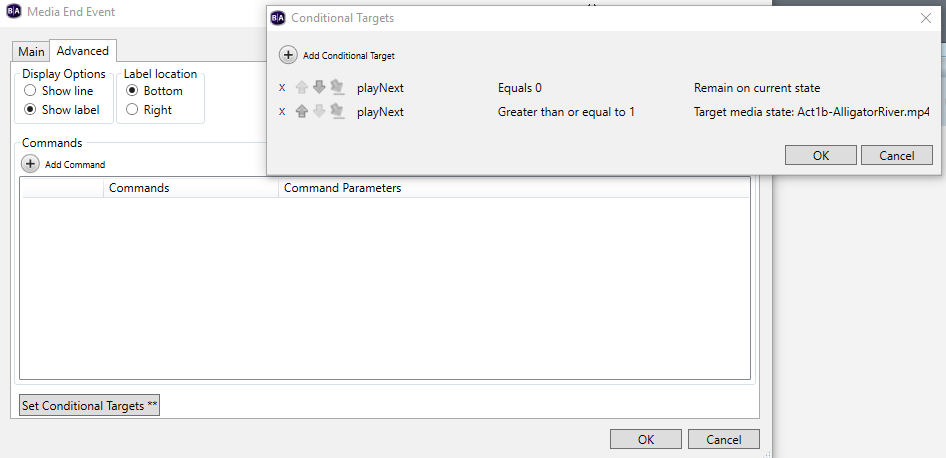
 

Why is this strategy not working?  Are there any fields/qualifications that I'm missing?

5 comments

  • 0
    Avatar
    Brandon

    Hi Jack,

    The issue is that clip will only auto-loop if the option is selected (it is the default) and there is no Media End event on the clip.

    Since you have a Media End event for your Conditional target, it won't loop, and at the end of the media it will just hold at the last frame, so even if you press the GPIO button, the Media End event won't fire again so nothing will happen (even though the variable will be set).

    Set your Equals 0 conditional target to Target media state:Attract loop and it should loop as you desire, checking the conditional target at the end and going to Act1b-AlligatorRiver.mp4 if the variable has been set by the GPIO button press.

    Don't forget to reset the variable in the Greater than or equal to 1 condition, otherwise it'll act like the button is always being pressed.

  • 0
    Avatar
    Jack Livingston

    Thanks for getting back to me so quickly.

    Sorry I missed the information about the Media End event preventing the clip from looping.

    I previously tested setting equals to 0 in the conditional target in order to loop it that way, but that doesn't get fired either (even though it defaults to that).  I'm assuming you wanted it to be setup like:

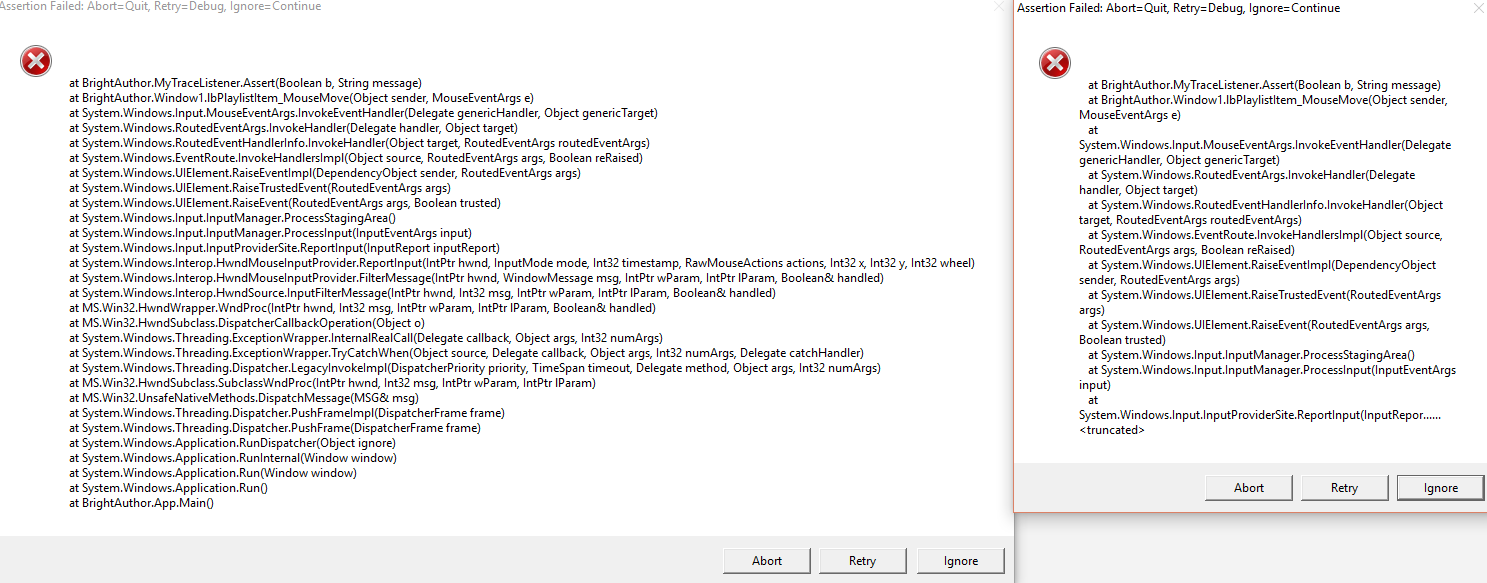
    Another Issue:  I just tried to drag a live text from the media library to test and it threw the error below and crashed BrightAuthor.

    This error is now thrown whenever I try to select and drag any component from the Media Library.

    This issue persisted even when I removed and redownloaded BrightAuthor/created a new presentation with a brand new installation of BrightAuthor.

    Have you seen this?  Do you know a way to fix this bug?

  • 0
    Avatar
    Jack Livingston

    I was able to fix the bug, but I'm still having the issue where the conditional targets are not firing at all.  Is there anything I need in place to get that to work?

  • 0
    Avatar
    Brandon

    That should work.  Try setting the variable to Private instead of Shared.

    Also try adding a Live Text state showing the variable's value (that's probably what you were trying to do when you go tthe crash above).  What version of BrightAuthor are you using?

    It may be helpful to clear *all* the BrightAuthor preference folders from %localappdata%\BrightSign\BrightAuthor as the new version will copy preferences from the most-recent previous version otherwise.

  • 0
    Avatar
    Jack Livingston

    I previously added the live text field, which confirmed the text was showing as expected.  The only issue seemed to be the conditional targets.  Although, it looks like they were only not working in the editor after I added the conditional if nextPlay is 0.  So I think the problem may be solved.

    Thanks for your help!

Please sign in to leave a comment.