I found this post http://support.brightsign.biz/hc/en-us/articles/218067377-How-do-I-delay-an-interactive-switch-until-the-end-of-the-current-video-, which I found very helpful and definitely pushed me in the right direction.
What I want is: a video that loops until it receives GPIO input. Once it receives the input it should continue looping until the end of the video, which is when it uses conditional targets to determine whether or not it should go to the next video (or continue looping).
After seemingly implementing all the changes in the above link, I am still having trouble getting it to run.
I figure providing images may be the easiest way to catch what I'm doing wrong. So I will include them below.
1) I set the variable playNext to have a default value of 0.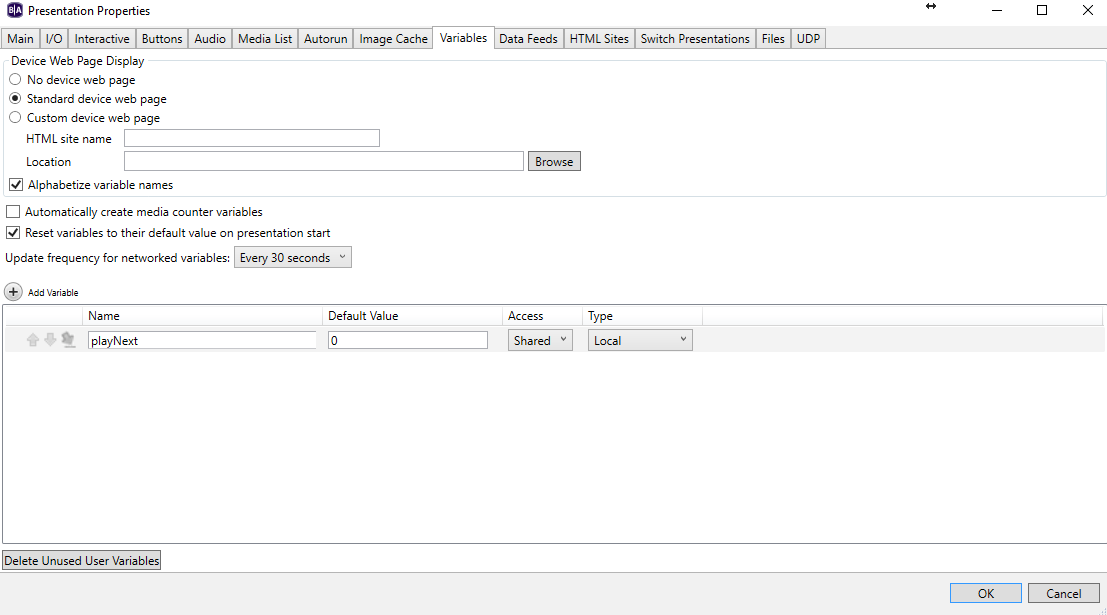
2) I created an attract loop. When it receives click/GPIO input it sets the playNext value to be 1. On video end it checks if it is one and then sets the video state to the video labeled 1 in this picture.
3) The picture below shows the command that occurs when a click input is detected. When this occurs it remains on the same video, but sets the playNext variable as 1 (as you see below).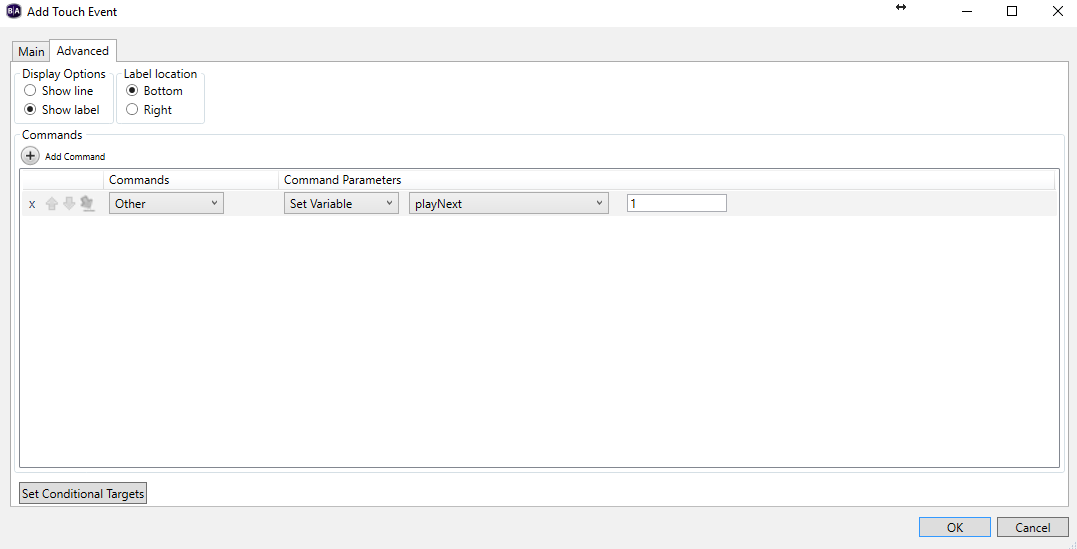
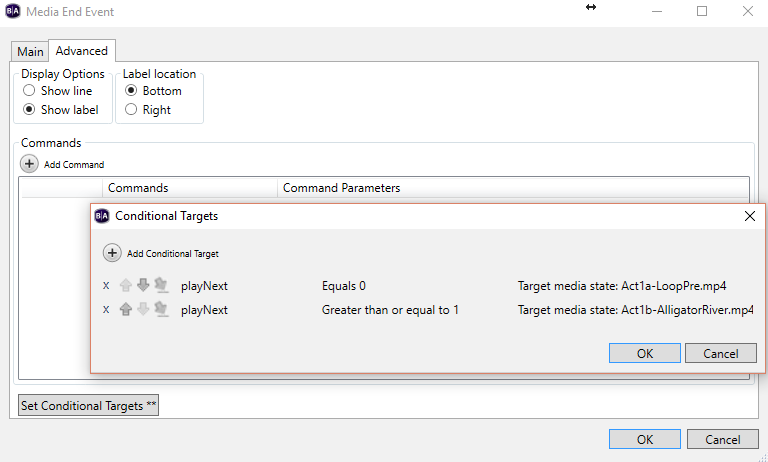
4) Below we see what occurs when the media end event is fired. When this happens it stays on the same object, but checks the conditional targets. If playNext is 0 it remains on the same state. If it's greater than or equal to 1, it progresses.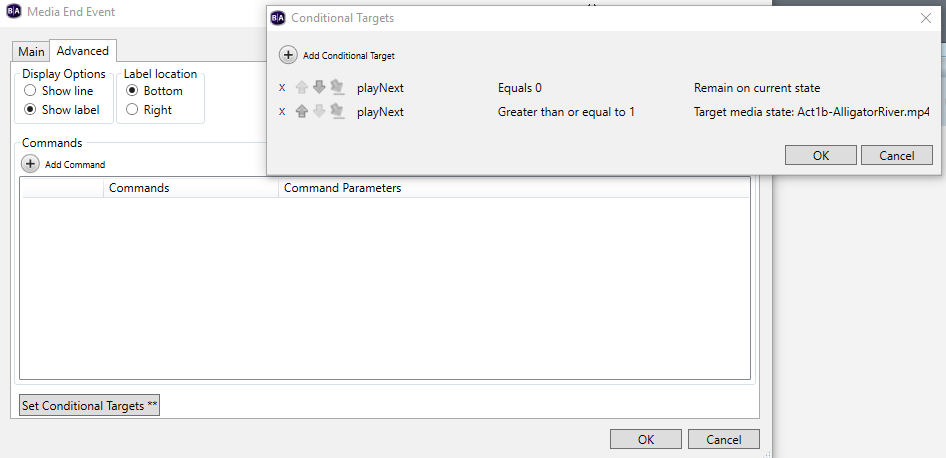
Why is this strategy not working? Are there any fields/qualifications that I'm missing?